8
Cooking with oven
1.
2.
3.
NOTE: After temperature setting, you can touch to set the cooking
duration time, you can set it by slider or “+/-“symbol.
Quick preheat
You can use quick preheat to shorten the preheat time. When you select a function,
touch the , mark of quick preheat in the screen will light
up. If this function can’t quick preheat, then there will be a “beep”, there is no quick
preheat in defrost and dough proving.
Set a nish time
Then you nished the time setting, you can set a time when cooking end.
1.
2.
3.
Change during cooking
1.
2.
3.
Notes
1.
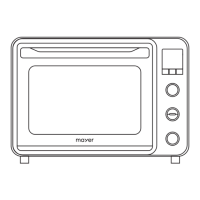
After the oven has been electrically connected, touch the oven-function symbol to
select functions, use the slider or “+/-“symbol to set cooking temperature.
Touch ON/OFF symbol, oven begin to work, if not, oven will back to clock after 5 minutes.
During the cooking process, you can touch to cancel it
Touch , then you can use slider or “+/-“symbol to set end time in hours, touch again
then set it in minutes. When you nished the setting, touch to make sure.
When you set the end time, you need set cooking duration time. Please check cooking with
oven.
For example, when you set end time is 10 o’clock, and cooking duration time is 1 hour,
then oven will heat up at 9 o’clock, and nish at 10 o’clock.
During the period of appliance operating, you can change the heating type setting and
temperature setting by oven-function or slider. After the change, if there no other action
after 6 seconds the oven will heat as what you changed.
If you want change cooking duration time in the cooking process, please touch and
change it by slider or “+/-“symbol. After the change, if there no other action after 6
seconds the oven will work as what you changed. During the cooking process with a end
time setting, you can’t do any change.
When you want cancel the cooking process, please touch .
Changing modes/temperature/rest cooking time may have some negative inuences
for the result of cooking, we warmly recommend you not to do so unless you are well
experienced on cooking.


 To Next Page