3
Skimmi Robotic Pool Skimmer | User Instructions
MyDolphin™ SKIMMI APP INSTRUCTIONS
Pairing with your phone
1. Download the MyDolphin
TM
Skimmi app from the app store.
2. Agree to Maytronics Terms of Service and Privacy Policy. Tap to read them.
3. Make sure Bluetooth® is active on your smartphone.
4. Tap the pencil to name your robot. It’s more fun, and this way if your neighbor also gets one,
you won’t get them confused.
5. Select your newly named Skimmi.
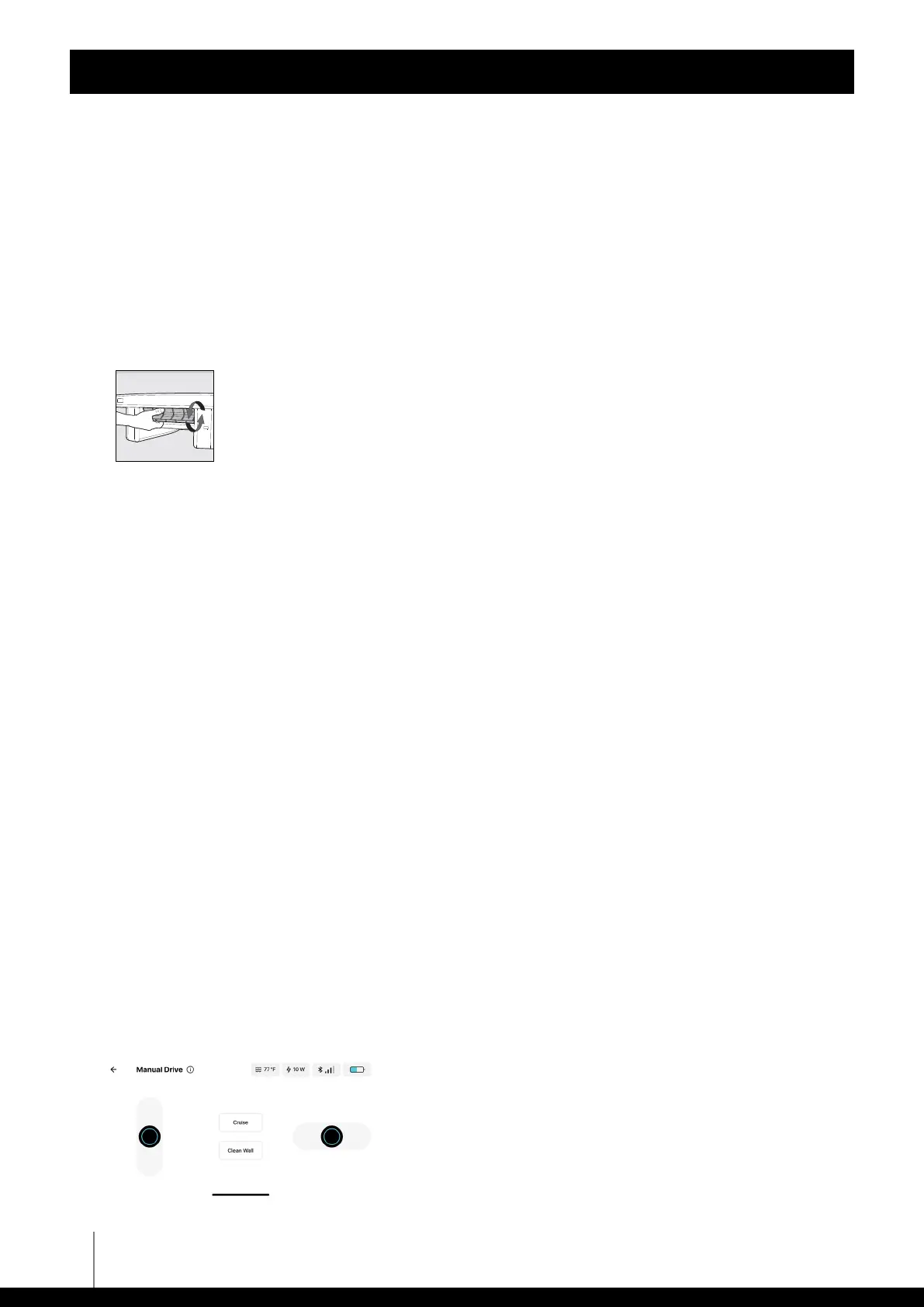
6. Rotate the front wheel of the robot to pair the robot with the phone.
Start the robot
1. Tap “Start Clean” on the app home screen. Its default program will clean your pool, save energy
for night work, and ensure optimal battery care.
2. There is an “Auto Start” feature to use the robot without the app. If you turn it ON in
“Device Settings”, the robot will start 15 seconds after inserting the filter tray all the way.
3. You can change the default settings to fit your pool type or bathing habits in the “Settings”
menu.
Warranty and registration popups
1. You will receive a notification to fill in the online warranty. Doing so online will save
you the need to post-mail it and it will speed up any service issues that might occur.
Note: Make sure to have your “Skimmi” serial number to register it. The number is on a sticker
under the robot on the inside of the floats and in the “General Information” section of
“Device Settings” in the MyDolphin™ Skimmi app.
2. Opt-in to receive updates and promotions from Maytronics.
3. Tap “Terms & Policies” to read the policies.
4. Tap “Submit” to continue.
Manual/remote control
1. Tap “Manual Drive” to see the manual control interface.
2. Slide the left controller to drive it forward or backward.
3. Tap “Cruise” and the app will hold the forward or backward button where you left it.
4. Slide the right controller to turn left or right.
5. Tap “Clean Wall” when next to a wall to create a flow of water that pulls debris from the wall
into the filter tray.
Dolphin Skimmi User Manual












 To Next Page