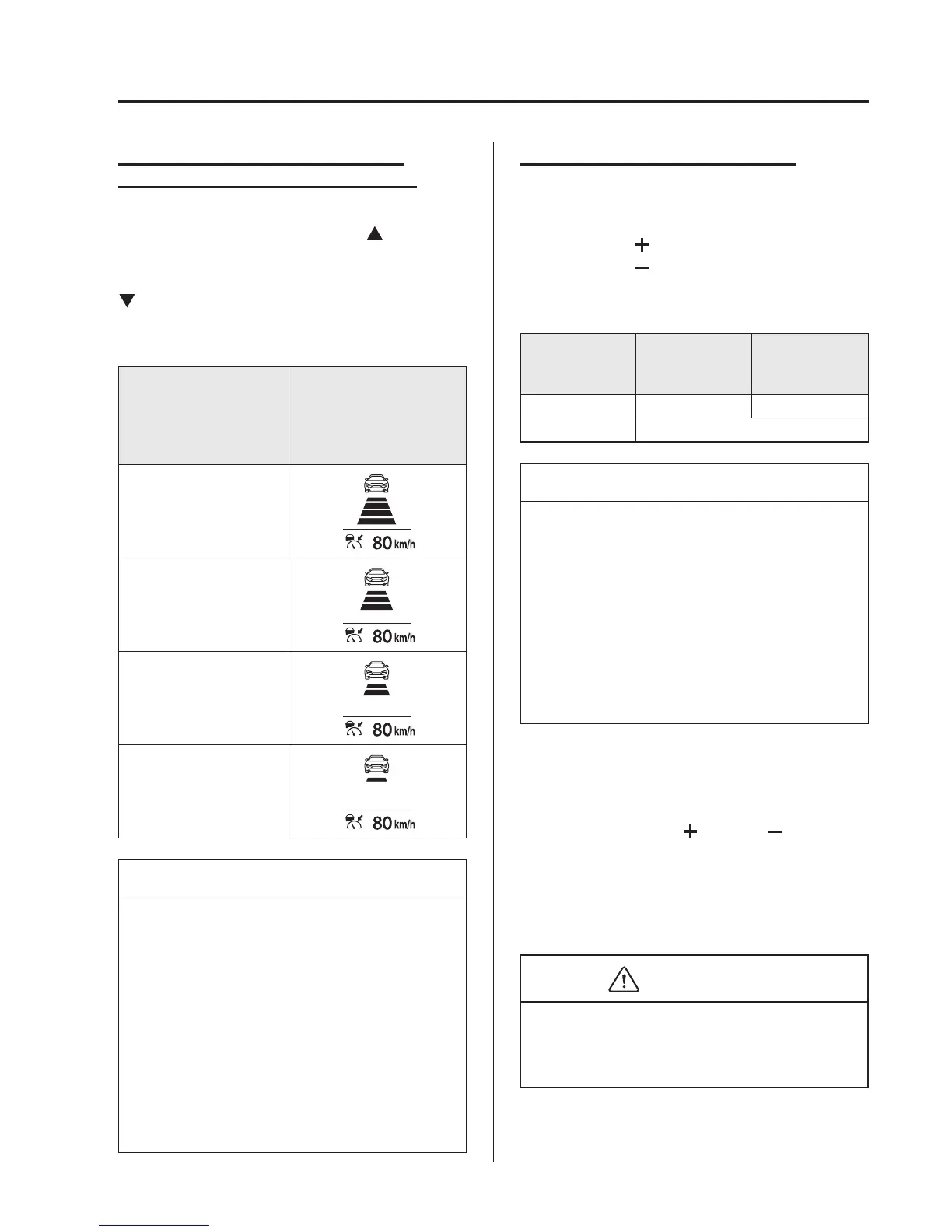
How to Set the Distance Bet ween
Vehicles During Headway Control
The distance between vehicles is set to a
shorter distance each time the
switch
is pressed. The distance between vehicles
is set to a longer distance by pressing the
switch. The distance-between-vehicles
can be set to 4 levels; Long, medium,
short, and extremely short distance.
Distance-between-vehi-
cles guideline
(at 80 km/h (50 mph)
vehicle speed)
Indication on display
Long
(about 50 m (164 ft))
Medium
(about 40 m (131 ft))
Short
(about 30 m (98 ft))
Extremely short
(about 25 m (82 ft))
NOTE
l
The distance between vehicles
differs depending on the vehicle
speed, and the slower the vehicle
speed, the shorter the distance.
l
When the ignition is switched to
ACC or OFF and then the engine is
started again, the system
automatically sets the distance
between vehicles to the previous
setting.
Changing the Set Vehicle Speed
Changing the set vehicle speed using
the SET switch
Press the SET
switch to acceler ate.
Press the SET
switch to decelerate.
The set vehicle speed changes as follows
each time the SET switch is pressed.
European
models
Except
European
models
Short press 1 km/h (1 mph) 5 km/h (5 mph)
Long press 10 km/h (5 mph)
NOTE
For example, the set vehicle speed is
changed by pressing the SET switch
four times as follows:
(European models)
The vehicle speed accelerates or
decelerates by 4 km/h (4 mph).
(Except European models)
The vehicle speed accelerates or
decelerates by 20 km/h (20 mph).
To accele rate using the accelerator
pedal
Depress the acceler ator pedal and press
and release the SET
or SET switch at
the desired speed. If a switch cannot be
operated, the system returns to the set
speed when you release your foot from
the accelerator pedal.
CAUTION
The warnings and brake control do not
operate while the accelerator pedal is
depressed.
When Driving
i-ACTIVSENSE
4-165



 To Next Page