l
AAC files written under specifications
other than the indicated specification
may not play normally or files or folder
names may not display correctly.
l
The file extension may not be provided
depending on the computer operating
system, version, software, or settings.
In this case, add the file extension “.
aac”, “.m4a”,or“ .wav
*2
” to the end of
the file name, and then write it to the
memory.
*2 Type C/Type D
qOperating Tips for DVD Player
Condensation phenomenon
Immediately after turning on the heater
when the vehicle is cold, the DVD or
optical components (prism and lens) in the
DVD player may become clouded with
condensation. At this time, the DVD will
eject immediately when placed in the unit.
A clouded DVD can be corrected simply
by wiping it with a soft cloth. Clouded
optical components will clear naturally in
about an hour. Wait for normal operation
to return before attempting to use the unit.
Handling the DVD player
The following precautions should be
observed.
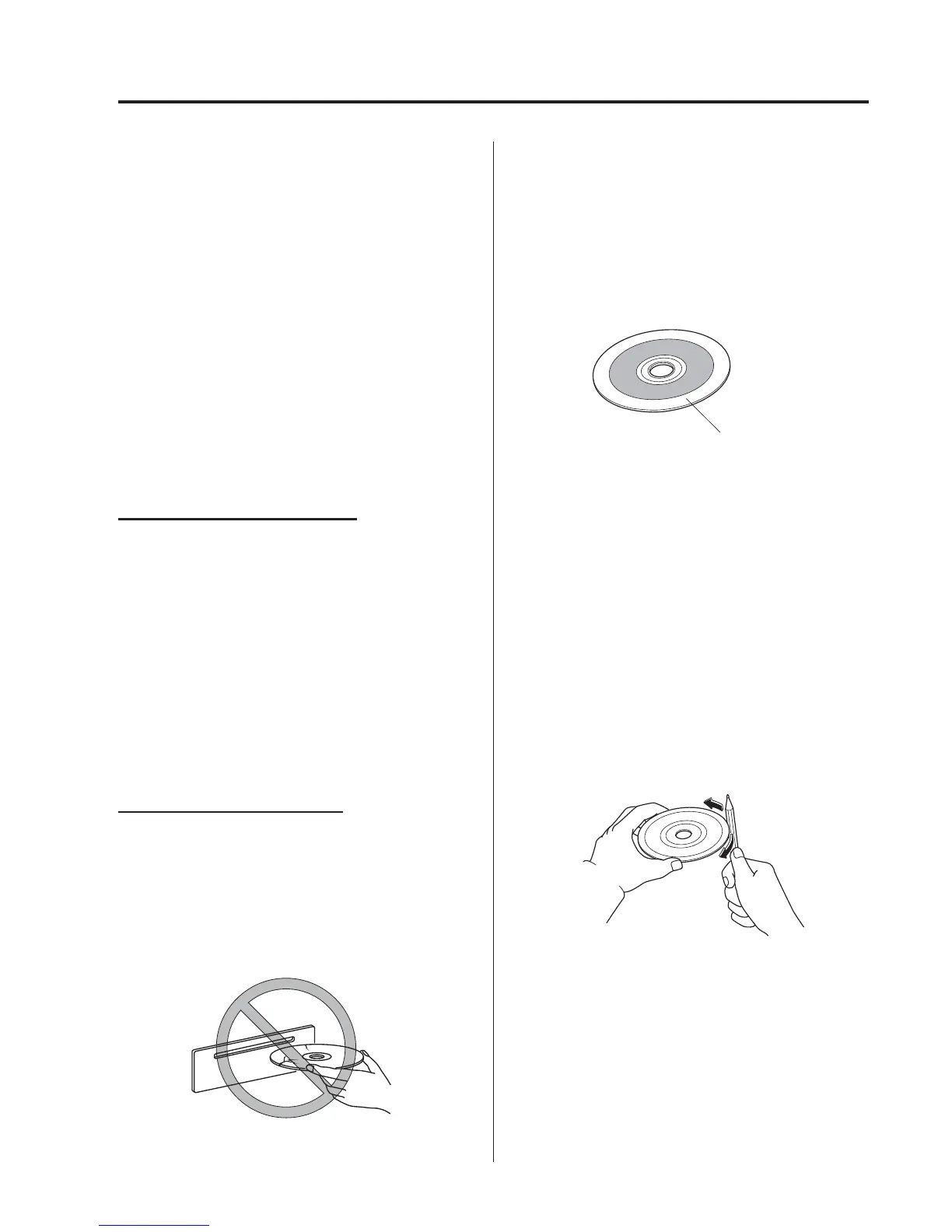
l
Do not use deformed or cracked
DVDs. The disc may not eject resulting
in a malfunction.
l
Do not use non-conventional discs
such as heart-shaped, etc. The disc may
not eject resulting in a malfunction.
l
If the memory portion of the DV D is
transparent or translucent, do not use
the disc.
Transparent
l
A new DVD may have rough edges on
its inner and outer perimeters. If a disc
with rough edges is used, proper
setting will not be possible and the
DVD player will not play the DVD. In
addition, the disc may not eject
resulting in a malfunct ion. Remove the
rough edges in advance by using a ball-
point pen or pencil as shown below. To
remove the rough edges, rub the side of
the pen or pencil against the inner and
outer perimeter of the DVD.
Interior Features
Audio System
5-21



 To Next Page