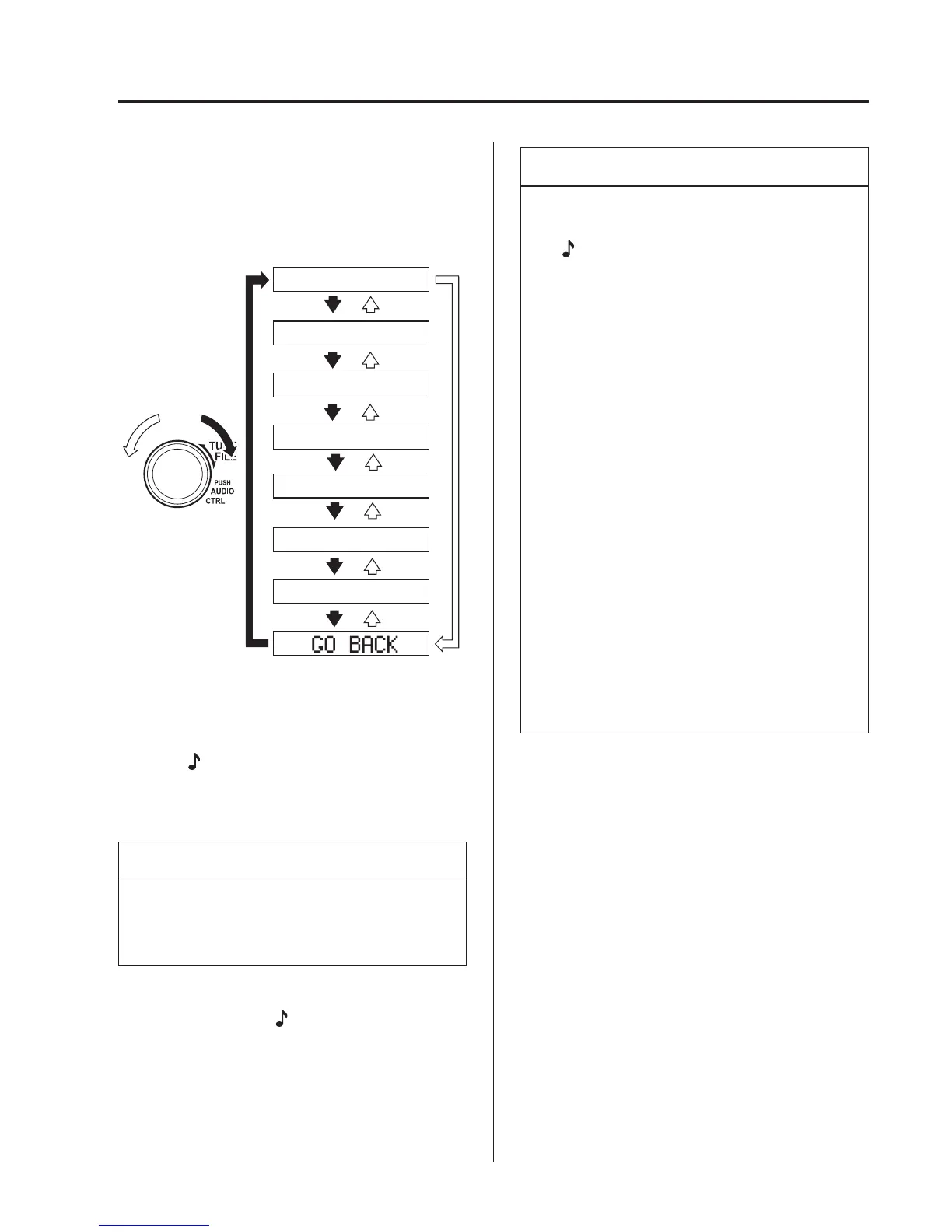
4. Turn the audio control dial to select the
name of the device you would like to
link.
Device name 1
Device name 2
Device name 3
Device name 4
Device name 5
Device name 6
Device name 7
5. Press the audio control dial to select the
device you would like to link.
The “
” symbol disappears, and
“PAIRING” flashes in the audio
display.
NOTE
When “GO BACK” is selected and the
audio control dial is pressed, the display
returns to “LINK CHANGE”.
6. If the link to the desired device is
successful, the “
” symbol is
displayed again, toget her with “LINK
CHANGED”. “LINK CHANGED” is
displayed for three seconds, then it
returns to the normal display.
NOTE
l
Some Bluetooth
®
audio devices need
a certain amount of time before the
“
” symbol is displayed.
l
If a Hands-Free type mobile phone
has been the most recently paired
device, the Bluetooth
®
unit links this
device. If you would like to use a
Bluetooth
®
audio type device which
has been previously paired to the
Bluetooth
®
unit, the link must be
changed to this device.
l
If an error occurs while trying to link
a device, “Err” flashes in the display
for three seconds, and the display
returns to “LINK CHANGE”. If this
occurs, check the pairing status of
the Bluetooth
®
audio device and the
location of the device in the vehicle
(not in the boot or a metal-type box),
and then try the link operation again.
l
Device selection can also be done
using voice recognition.
How to confirm the device currently
linked
Switch to the link-change mode. (Refer to
“Changing the link to a Bluetooth
®
audio
device”)
The device name displayed first is the
device which is currently linked.
Deleting a device
1. Using the audio control dial, select the
pairing delete mode “PAIR DELETE”
in the “BT SETUP” mode. (Refer to
“Bluetooth
®
audio device set-up” for
details.)
2. Press the audio control dial to
determine the mode.
Interior Features
Bluetooth®
5-101



 To Next Page