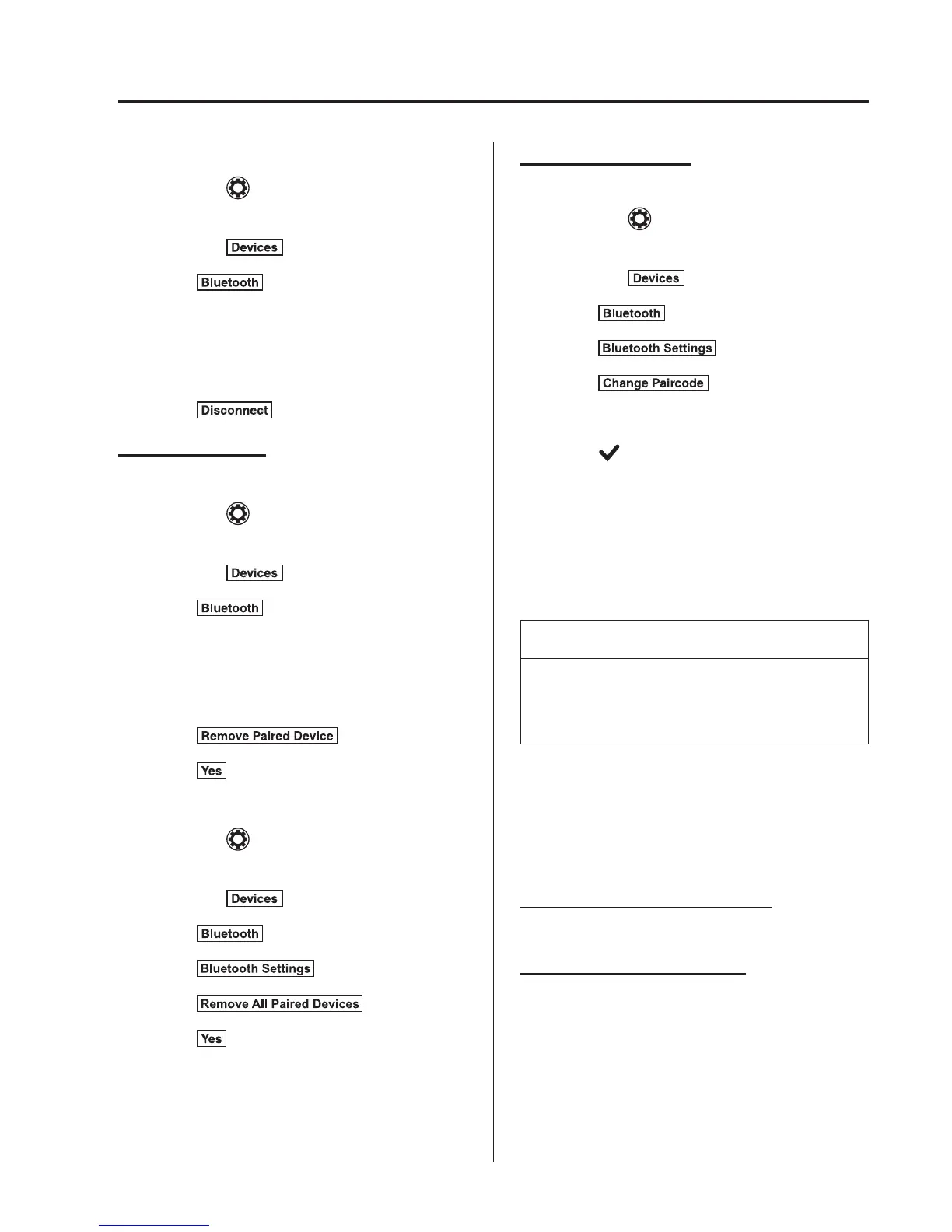
Disconnecting a device
1. Select the
icon on the home screen
and display the Settings screen.
2. Select the
tab.
3. Select
.
4. Turn the Bluetooth
®
setting on.
5. Select the device name which is
currently connected.
6. Select
.
Deleting a device
Selecting and deleti ng devices
1. Select the
icon on the home screen
and display the Settings screen.
2. Select the
tab.
3. Select
.
4. Turn the Bluetooth
®
setting on.
5. Select the device name which you
would like to delete.
6. Select
.
7. Select
.
Deleting all devices
1. Select the
icon on the home screen
and display the Settings screen.
2. Select the
tab.
3. Select
.
4. Select
.
5. Select
.
6. Select
.
Changing PIN code
PIN code (4 digits) can be changed.
1. Select the
icon on the home screen
and display the Settings screen.
2. Select the
tab.
3. Select
.
4. Select
.
5. Select
.
6. Input the new PIN code to be set.
7. Select
.
qAvailable Language (Type C/
Type D Audio)
í
The language can be changed.
Refer to Settings on page 5-67.
NOTE
Depending on the language, it may only
be available for the screen display, but
not for the voice recognition.
qVoice Recognition (Type C/Type
D Audio)
In this section, the basic operation of the
voice recognition is explained.
Activating Voice Recognition
Press the talk button.
Ending Voice Recognition
Use one of the following methods:
l
Press the hang-up button.
l
Say, “Cancel”.
l
Operate the commander switch or the
centre display (only when vehicle is
stopped).
Interior Features
Bluetooth®
5-111
í
Some models.



 To Next Page