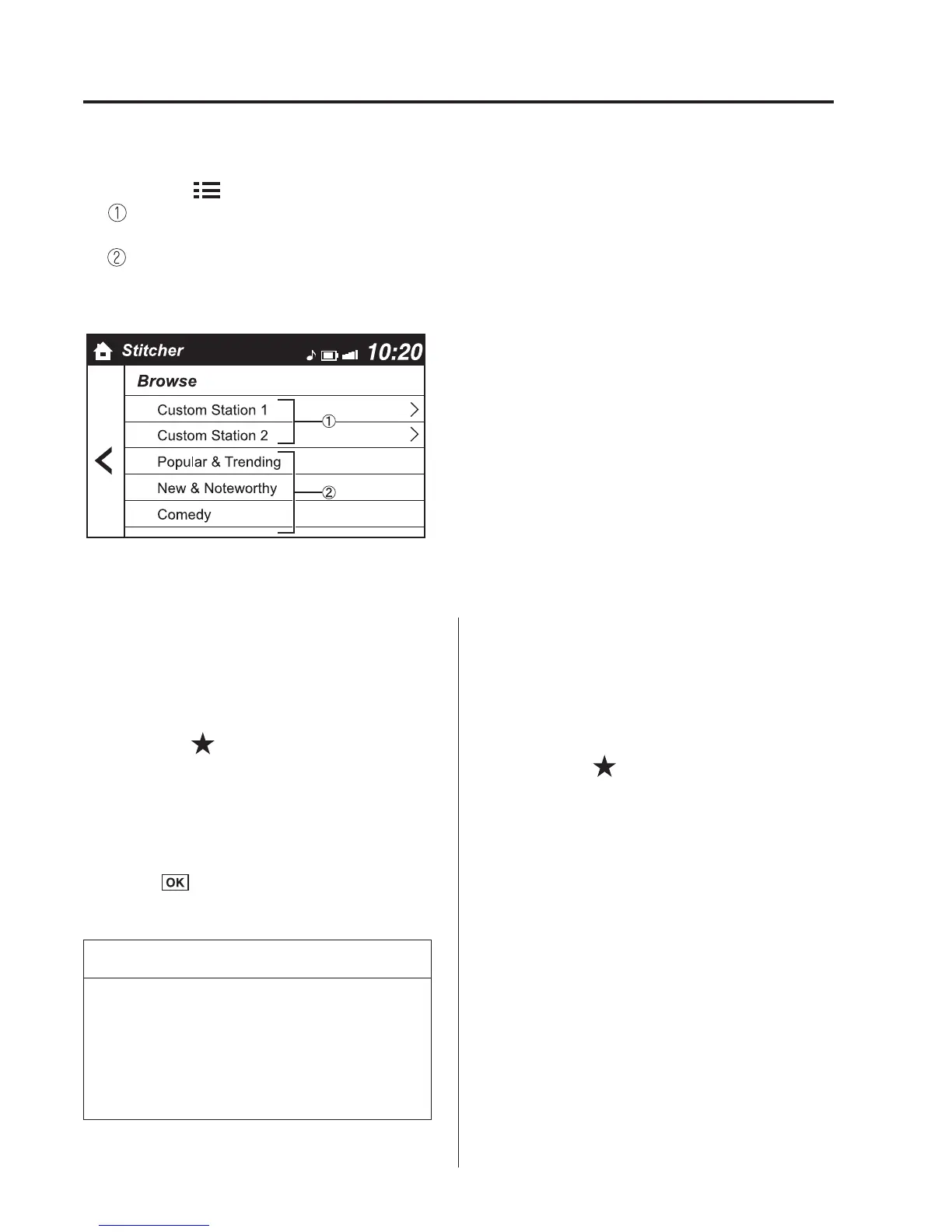
Station list
1. Select the
icon and display the station list.
Favourites station name: Select to display the programme registered to your
favourites.
Category name: A recommended category selected from your favourites by
Stitcher™ is displayed. Select it to display the category programme.
2. Select the programme name to play it.
Add to your favourites
If the current programme has not been
registered to your favourites, it can be
registered to your favourites.
1. Select the
icon to display the
favourites station which the registration
can be added.
2. Select the station name which you want
to register.
3. Select
to add the programme to
the selected favourites station.
NOTE
l
Multiple favourites stations can be
selected and registered.
l
Favourites stations registered by
oneself as well those set by default
are displayed.
Delete from your favourites
If the current programme has already been
registered to your favourites, the
programme can be deleted from your
favourites.
1. Select the
icon.
2. The programme is automatically
deleted from the favourites station.
5-144
Interior Features
Bluetooth®



 To Next Page