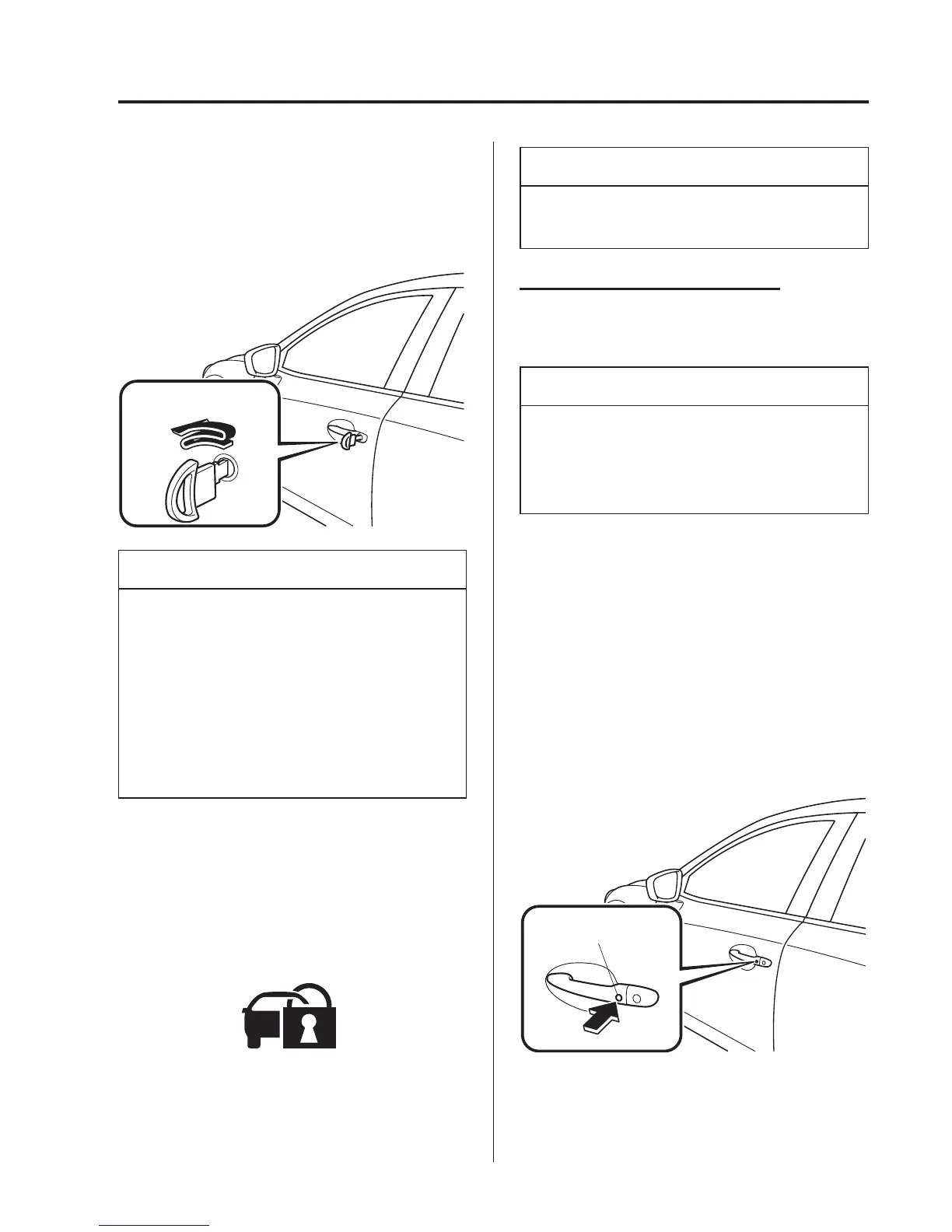
4. Insert the key in the driver's door, turn
the key to the lock position, and return
it to the centre position. Then turn it to
the lock position again withi n 3
seconds.
Centre
position
Lock
position
NOTE
l
You can also activate the system by
pressing the lock button on the
transmitter twice within 3 seconds.
l
(With the advanced keyless
function)
You can also activate the system by
pressing the request switch twice
within 3 seconds.
5. The indicator light illuminates for
about 3 seconds to indicate that the
system has been activated.
Refer to Warning/Indicator Lights on
page 4-33.
NOTE
The system cannot be activated when
any door or the liftgate is open.
How to Deactivate the System
Unlock the driver's door or switch the
ignition ON.
NOTE
If the power supply is interrupted (fuse
blows or the battery is disconnected),
the system can only be deactivated by
unlocking a door with the key.
qLocking, Unlocking with Request
Switch (With the advanced
keyless function)
All doors and the liftgate can be locked/
unlocked by pressing the request switch
on the front doors while the key is being
carried.
The request switch on the liftgate can only
be used to lock all doors and the liftgate.
Front doors
Request switch
Before Driving
Doors and Locks
3-13



 To Next Page