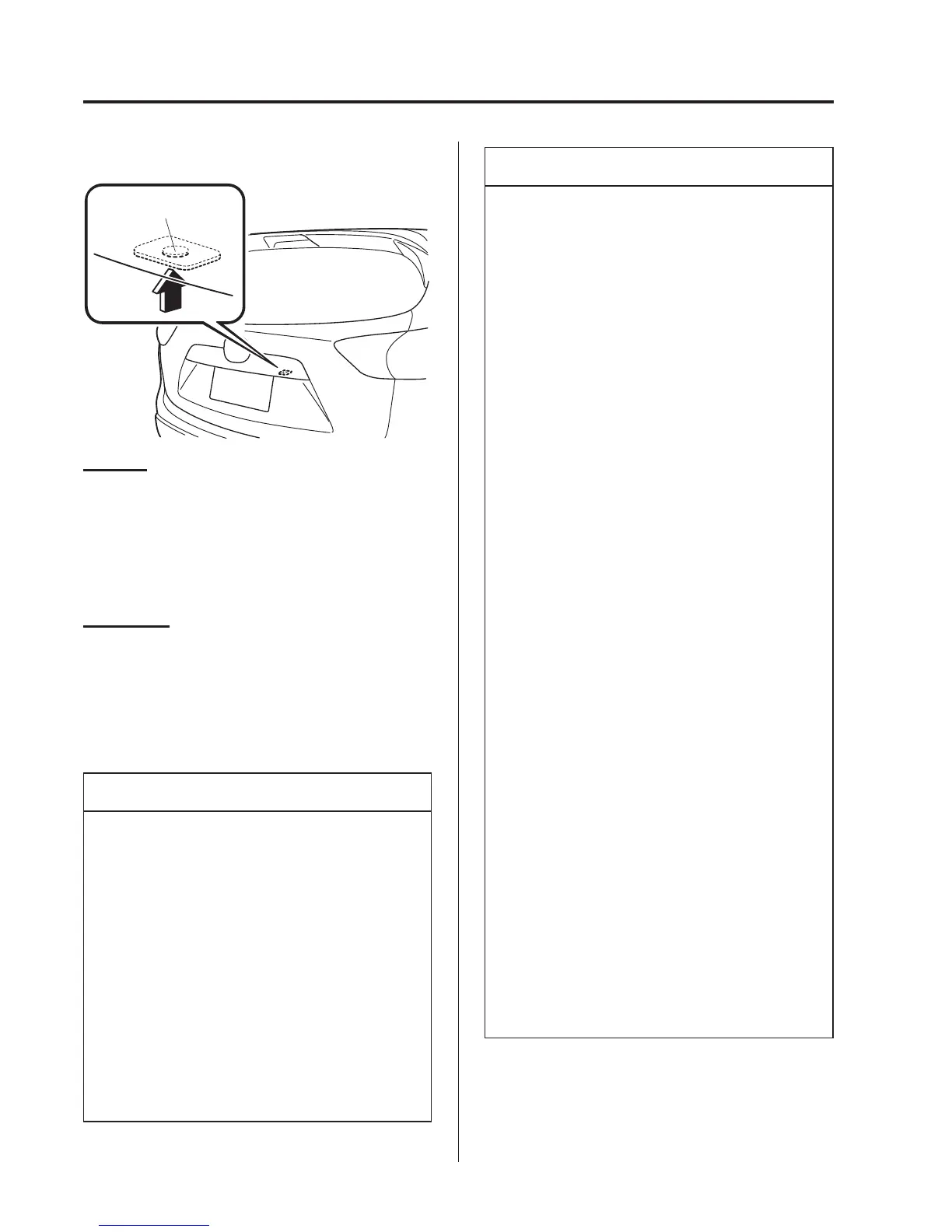
Liftgate (Lock only)
Request switch
To lock
To lock the doors and the liftgate, press
the request switch and the hazard warning
lights will flash once.
(Except European models)
A beep sound will be heard once.
To unlock
To unlock the doors and the liftgate, press
the request switch on a front door and the
hazard warning lights will flash twice.
(Except European models)
A beep sound will be heard twice.
NOTE
l
Confirm that all doors and the
liftgate are securely locked.
For the liftgate, move it without
pressing the electric liftgate opener
to verify that the liftgate has not been
left ajar.
l
All doors and the liftgate cannot be
locked when any door or the liftgate
is open.
l
It may require a few seconds for the
doors to unlock after the request
switch is pressed.
NOTE
l
(European models)
The setting can be changed so that a
beep sound is heard for confirmation
when the doors and the liftgate are
locked/unlocked using a request
switch.
(Except European models)
A beep sound is heard for
confirmation when the doors and the
liftgate are locked/unlocked using
the request switch. If you prefer, the
beep sound can be turned off.
The volume of the beep sound can
also be changed.
Refer to Personalisation Features on
page 9-12.
Use the following procedure to change
the setting.
1. Switch the ignition off and close all
of the doors and the liftgate.
2. Open the driver's door.
3. Within 30 seconds of opening the
driver's door, press and hold the
LOCK button on the key for 5
seconds or longer.
All of the doors and the liftgate lock
and the beep sound activates at the
currently set volume. (If the beep
sound is currently set to not activate,
it will not activate.) The setting
changes each time the LOCK button
on the key is pressed and the beep
sound activates at the set volume. (If
the beep sound has been set to not
activate, it will not activate.)
3-14
Before Driving
Doors and Locks



 To Next Page