11
Controls
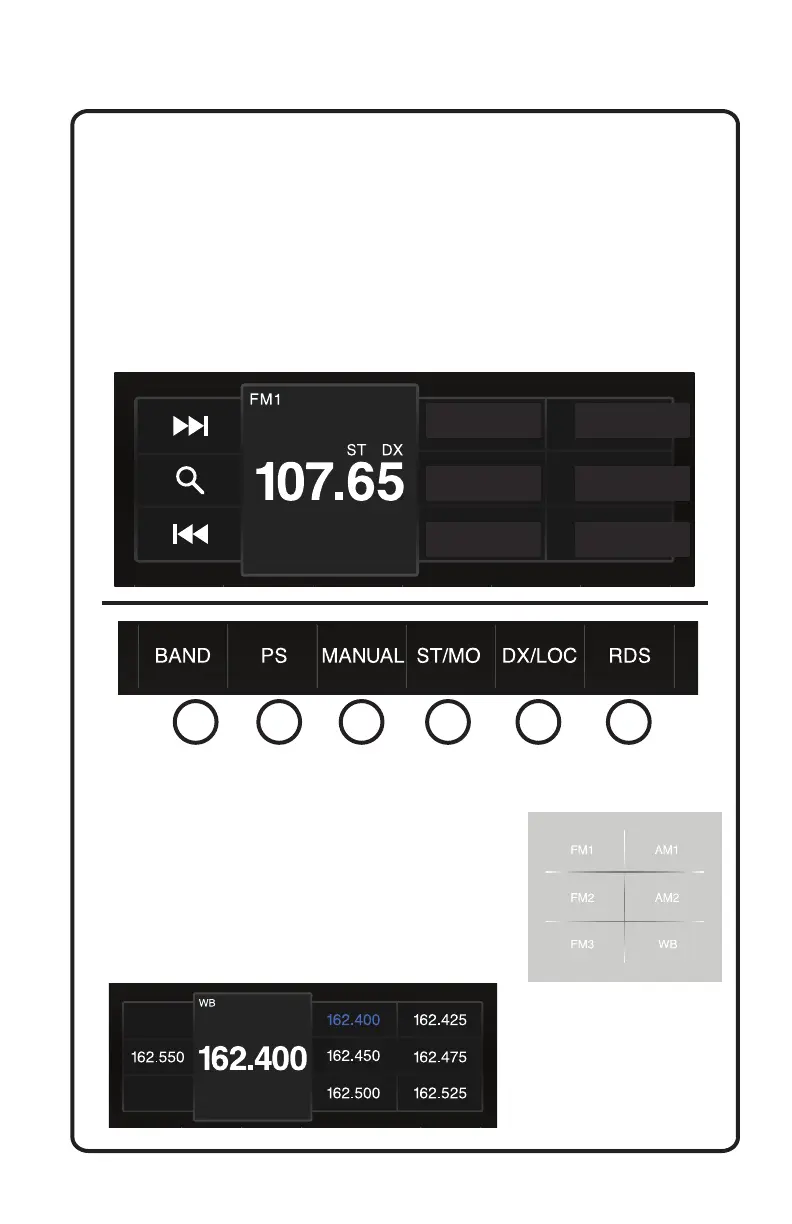
3. Seek Tuner Down:
Quick touch to decrease radio frequency. Long touch to seek.
4. Radio Frequency Display:
This displays your current radio frequency.
5. Radio Presets:
Quickly touch to change the current frequency to your selected preset.
To save or overwrite a preset, adjust the frequency via the seek tuner
up/down indicator until your desired station is achieved, then press and
hold the desired preset location on one of the six available preset boxes.
Preset 1 Preset 2
Preset 3 Preset 4
Preset 5 Preset 6
Radio Touch Screen Display
Here we cover the more advanced functions of the AM/FM tuner.
1. Band:
Touch the band indicator and a selection
box will display.
Touch the desired band to change
between FM1-3, AM1-2, and WB (Weather
Band - see below for preset selection).
1 2 3 4 5 6



 To Next Page