EN
21
CONFIGURATION
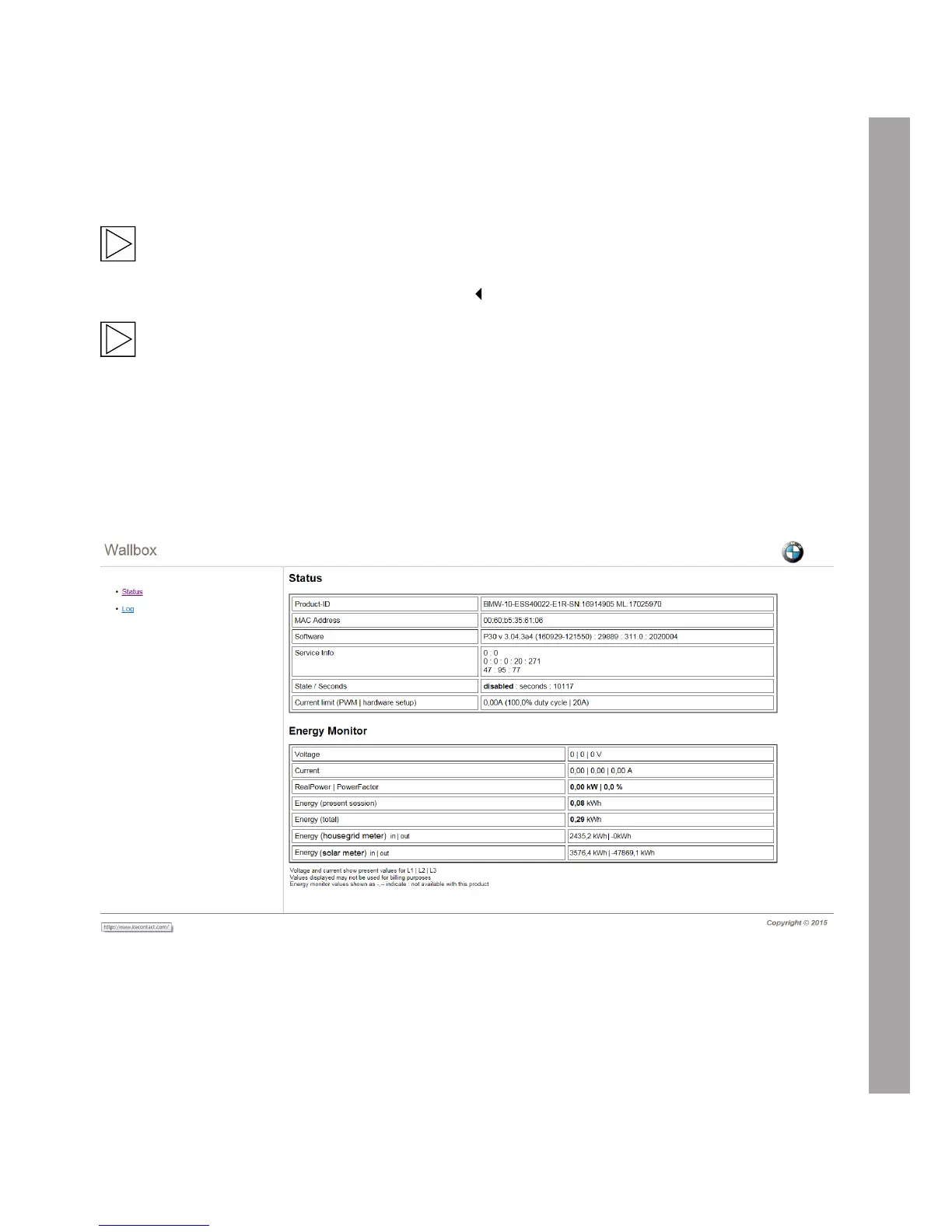
Web interface
The Wallbox has an integral web server, and can display a wide range of information (status information,
measurements, log information). It is not possible to change the settings here.
Note
The web interface can be used to find whether the values of the meter installed for domestic
connection monitoring can be read correctly.
Note
The IP address of the Wallbox has been configured as described in the installation instructions,
and must be identified in the "DHCP" setting, for example using the router on your network.
Opening the web interface
1. Enter the IP address or the DNS name of the Wallbox assigned by your router into the address line
of your internet browser. Example: http://192.168.0.10


 To Next Page