32
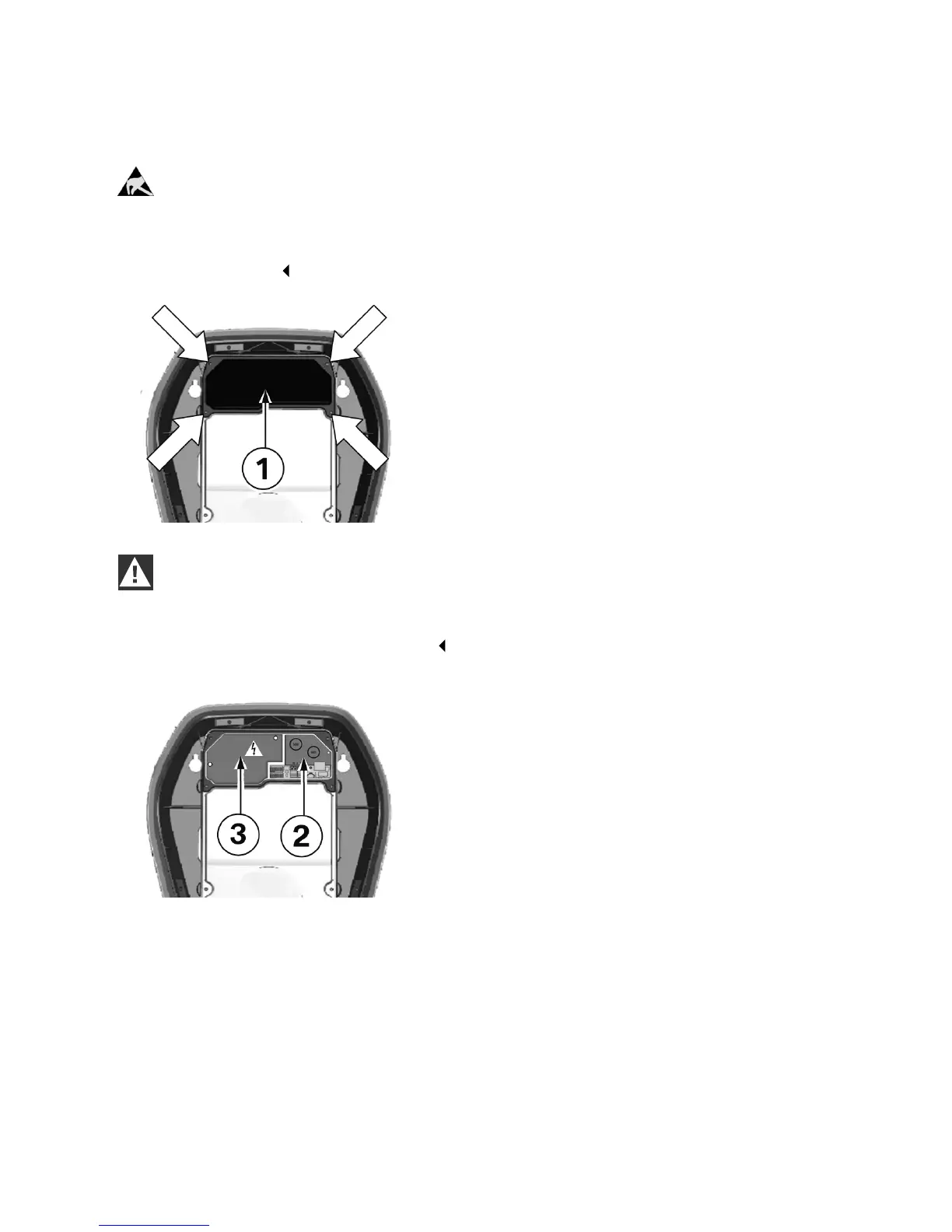
Remove the terminal panel cover
ESD
Danger of damage. Electronic components may be destroyed if touched.
Before handling modules, perform an electrical discharge process by touching a metallic
earthed object.
1. Undo the four screws used to secure the
terminal panel cover 1.
WARNING
Electrical danger.
The terminal cover 3 next to the terminal panel 2 may be removed only by appropriately trained,
qualified and authorised electricians.
2. Remove the terminal panel cover. The terminal
panel 2 is now accessible.
3. Remove the silica bag from the terminal panel
and dispose of it properly.


 To Next Page