34
Install the housing cover
Note
This cover is not relevant for the safe operation of the Wallbox.
Attaching the housing cover
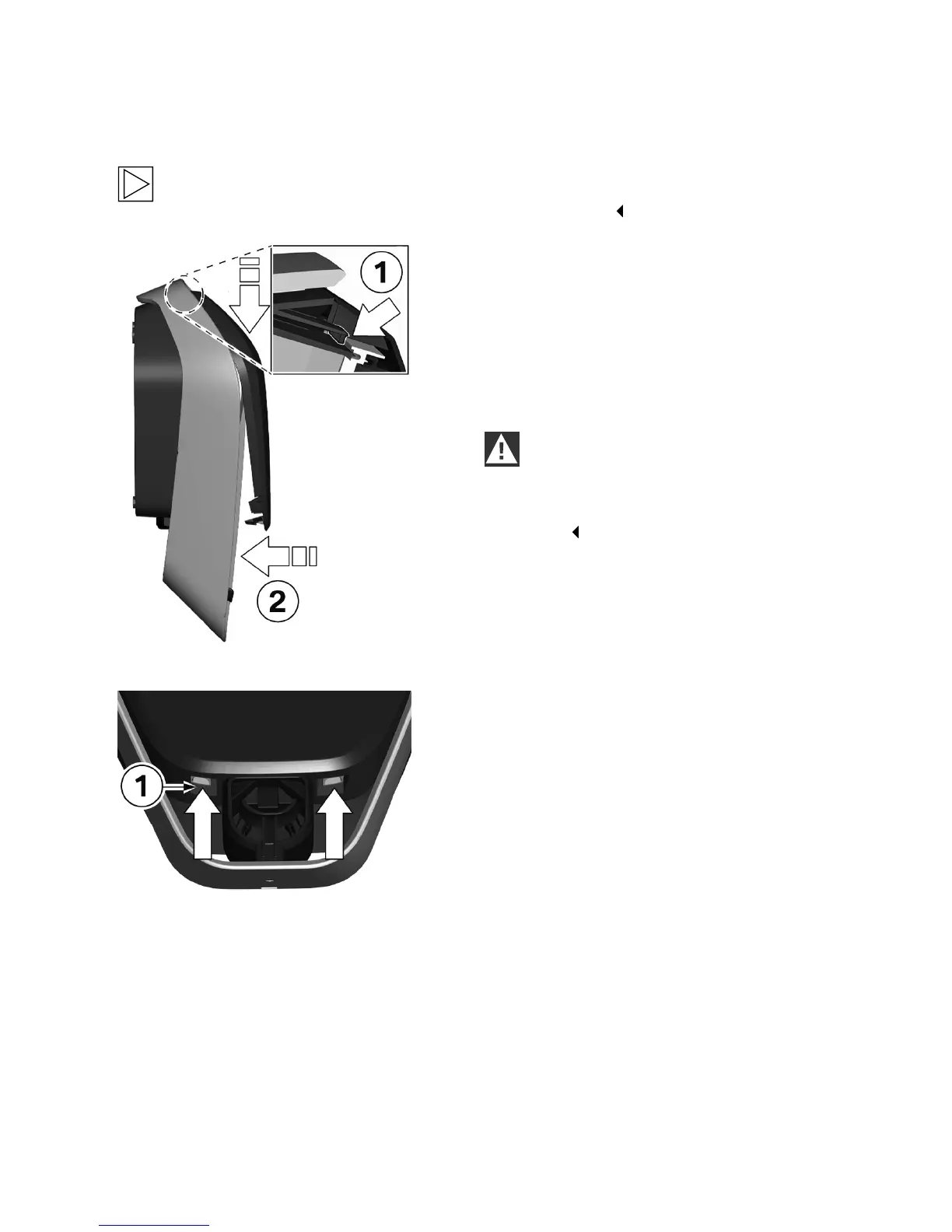
1. Attach the housing cover at the top, and
ensure that the hooks on the housing cover are
correctly attached 1.
2. Press the cover downwards and then swing
the housing cover 2 backwards.
The housing cover must slide into the bottom
guides without any major resistance.
IMPORTANT
Ensure that the housing cover is correctly
positioned in the housing guide on all sides.
There must be only a uniform minimum
gap.
Locks
1. Press the bottom section of the housing cover
on to the Wallbox until the locks 1 fully engage.


 To Next Page