McCONNEL MULTIDRIVEM380‐4&M420‐4
32
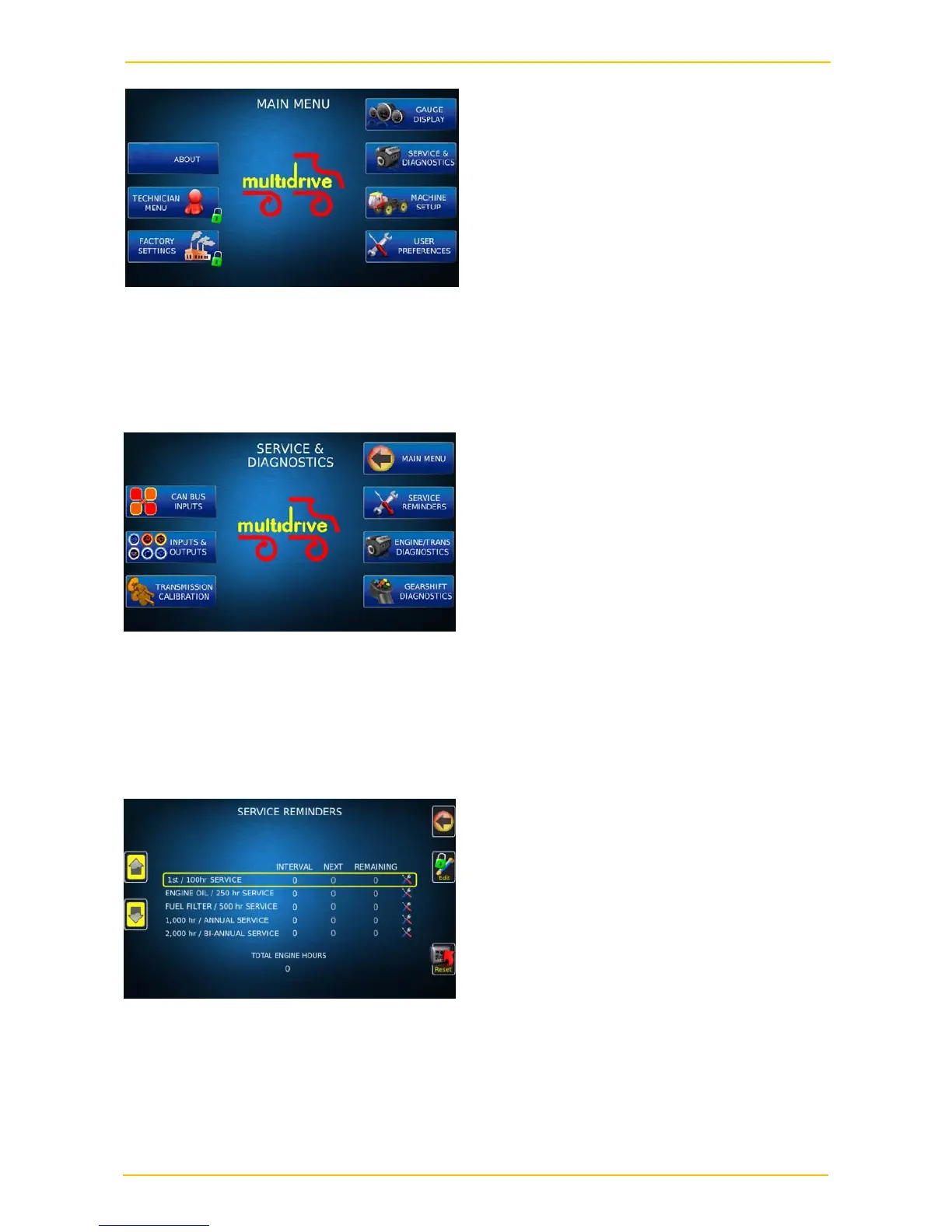
The “Technician” & “Factory” menus are both locked and can only be accessed by
McConnel staff. Press the “Gauge Display” key to return to the home page. The other
menus that can be accessed are as follows.
Service & diagnostics
Can-Bus inputs – This screen shows some information that may be useful for fault finding
Inputs & outputs – This screen also shows information that may be useful for fault finding
Service reminders
The service reminder screen shows the main service intervals, when each service is next
due and the hours remaining to each service. When a service has been carried out you
can select the service by scrolling up and down using the arrows on the left and then press
reset. This will extinguish the service warning lamp on the main screen and will reset the
number of hours due to the next service.



 To Next Page