McCONNEL MULTIDRIVEM380‐4&M420‐4
50
Cruise control
The cruise control is based on an electronic throttle control system. There are different
operating modes and pre-set speeds. The same system is also utilized for the remote PTO
system. It can be used either statically or whilst moving providing certain criteria are met.
The system will be automatically disengaged when various actions happen.
Static mode
To operate the electronic throttle whilst stationary the handbrake must be applied, the
transmission in neutral and the footbrake must be off. It is automatically de-activated if the
footbrake is applied, the handbrake taken off or if the transmission is put into gear.
Travelling mode
To operate the cruise control whilst moving the handbrake must be off, the transmission in
gear and the footbrake off. Taking the transmission out of gear, applying the footbrake or
handbrake or if the road speed limiter comes on will all de-activate the cruise control.
Activating the Cruise control
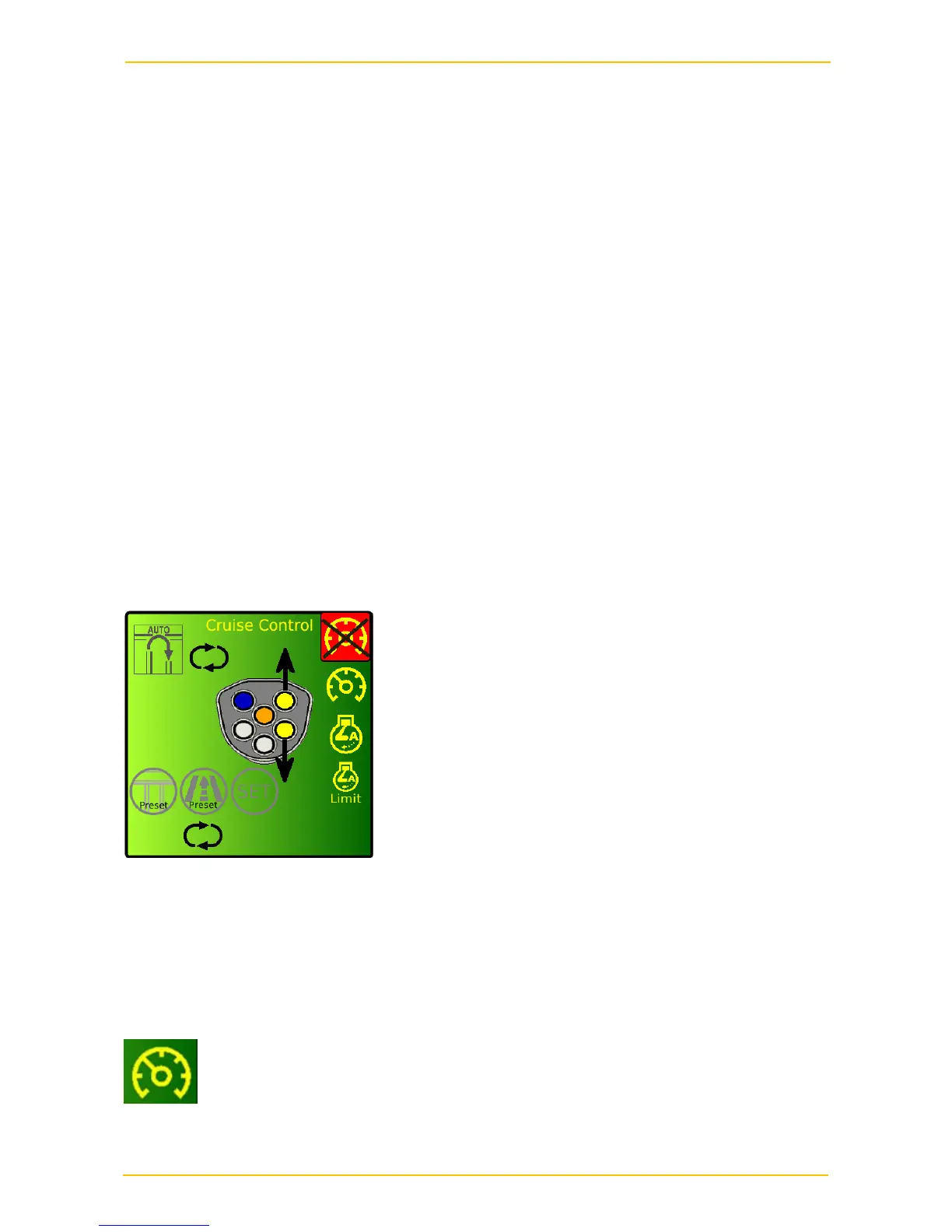
The cruise control system is controlled by buttons on the joystick. Options are selected
from a menu on the main display. To bring up or switch off the cruise menu on the display
press the right hand (black) button on the underside of the joystick. If the cruise is currently
inactive the orange button will also bring up or switch off the menu.
If no buttons are pressed the pop-up menu will disappear after 5 seconds. The centre
joystick icon indicates which buttons are available. They will only work if the appropriate
cruise mode has been selected.
Mode selection
To select a mode use the yellow buttons to scroll up and down to select from one of the
following modes:
Standby mode – the system is active but not in operation



 To Next Page