McCONNEL MULTIDRIVEM380‐4&M420‐4
37
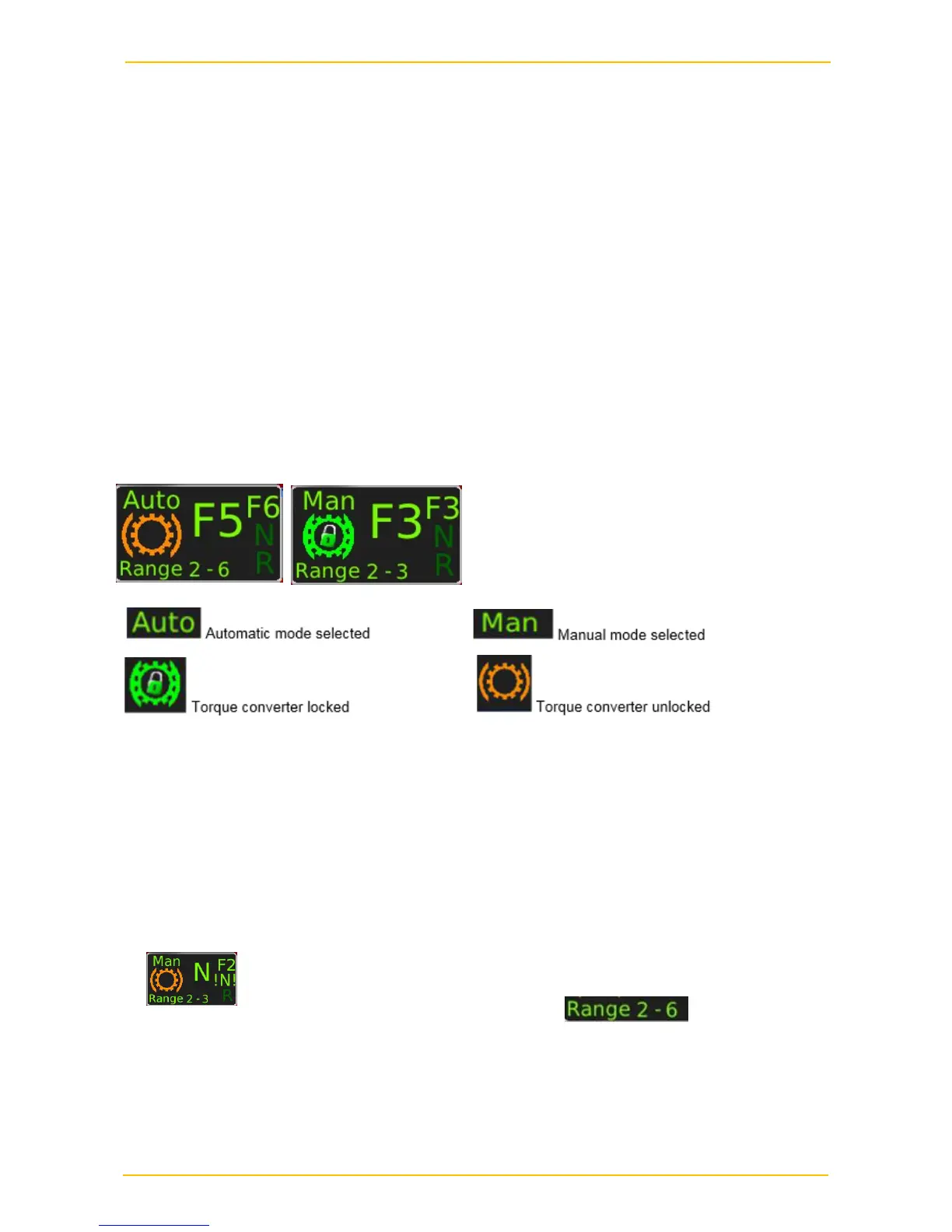
Gear Indication Display on MCU
Display of the driving direction: F: Forward
N: Neutral
R: Reverse
Display of the engaged gear: Display F1, F2, …….F6
Waiting for Controller-Neutral: Indication on the display: N! In this condition, Neutral is
pending on transmission. To engage a gear, at first neutral must be shifted on
the controller before the electronics allows to engage a gear again.
Pre-selected Driving Range:
Display of Error Message: If the transmission has a fault an error warning will be
displayed on the MCU.
Gear Selection
After shifting of a gear from the neutral position, the automatic mode is always selected.
Automatic shifting forward gears 1 to 6.
Automatic shifting reversing gears 1.
For manual operation:
To select manual mode, a lower or higher gear, move the gear selector to the left
(-) or the right (+).
To pre-select a range of gears in manual select up to the highest gear required,
the range selected will then be displayed.
Re-activate automatic mode, press the blue button (top left).



 To Next Page