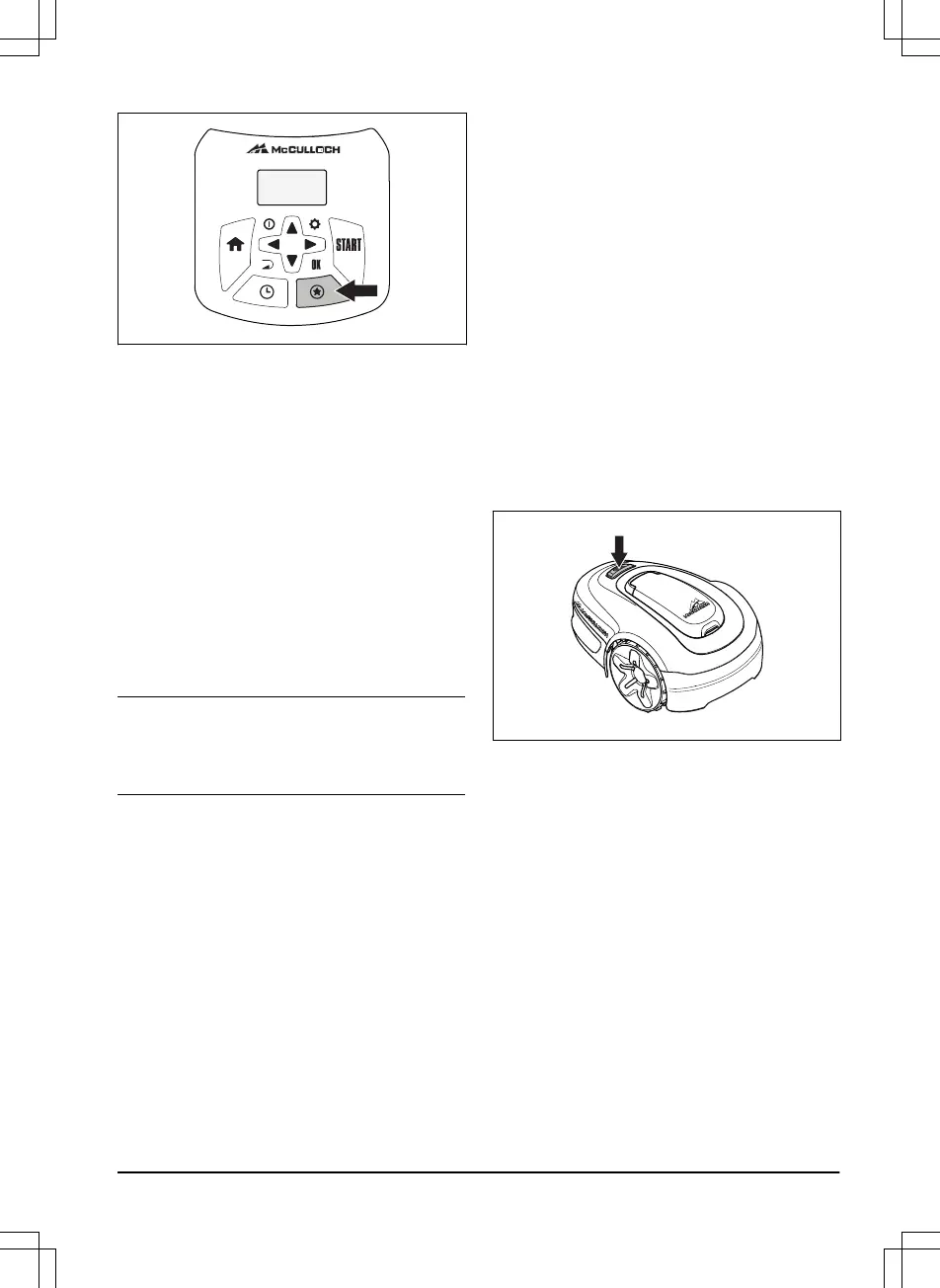
4.3.1 Secondary area (2nd area)
To mow secondary areas the operating mode
Secondary area (2nd area)
must be selected. In
this mode, the operator must move the product
manually between the main area and the
secondary area. The product mows for a selected
period of time or until the battery is empty. When
the battery is empty, the product stops and the
message
Needs manual charging
shows in the
product display. Put the product in the charging
station to charge the battery. When the battery is
charged, the product moves out of the charging
station and stops. The product is now prepared to
start operation, but needs confirmation from the
operator first. In the
Secondary area
mode, the
product operates for a selected period of time or
until the battery is empty.
Note:
If you want to cut the main area after the
battery is charged, set the product to
Main area
mode before you put the product in the charging
station.
4.3.2 Power Cut
The schedule settings can be temporarily
overridden by selecting
Power Cut
. It is possible
to override the schedule for 3 h. It is not possible
to override a standby period.
4.3.3 Spot Cut
Spot cut
is useful for quickly mowing an area
where the grass has been mown less than in
other parts of the garden. You must manually
move the product to the chosen area.
Spot cut means that the product mows in a spiral
pattern in order to cut the grass in the area where
it was started.
4.4 Park modes
When the HOME button is pushed, the following
parking modes are available.
4.4.1 Home & Stay
Park mode
Home & Stay
means that the product
goes to the charging station where it remains
until a different operating mode is selected.
4.4.2 Home & Wait
Park mode
Home & Wait
means that the product
goes to the charging station where it remains
until the next schedule or standby permits
operation. Refer to
Schedule and Standby on
page 32
.
4.5 To stop the product
1. Push the STOP button on top of the product.
The product stops and the blade motor stops.
4.6 Switch off
1. Press the STOP button.
2. Open the hatch.
3. Press the ON/OFF button for 3 seconds.
1411 - 001 - 18.12.2019
Operation - 31




 To Next Page