6 Troubleshooting
6.1 Introduction - troubleshooting
In this chapter, faults and symptoms are described and can guide you if the product does not operate
as expected. More suggestions for steps to take in the event of malfunction or symptoms can be found
on www.mcculloch.com.
6.2 Fault messages
The fault messages in the table below are shown in the display of the product. Speak to your customer
service if the same message shows frequently.
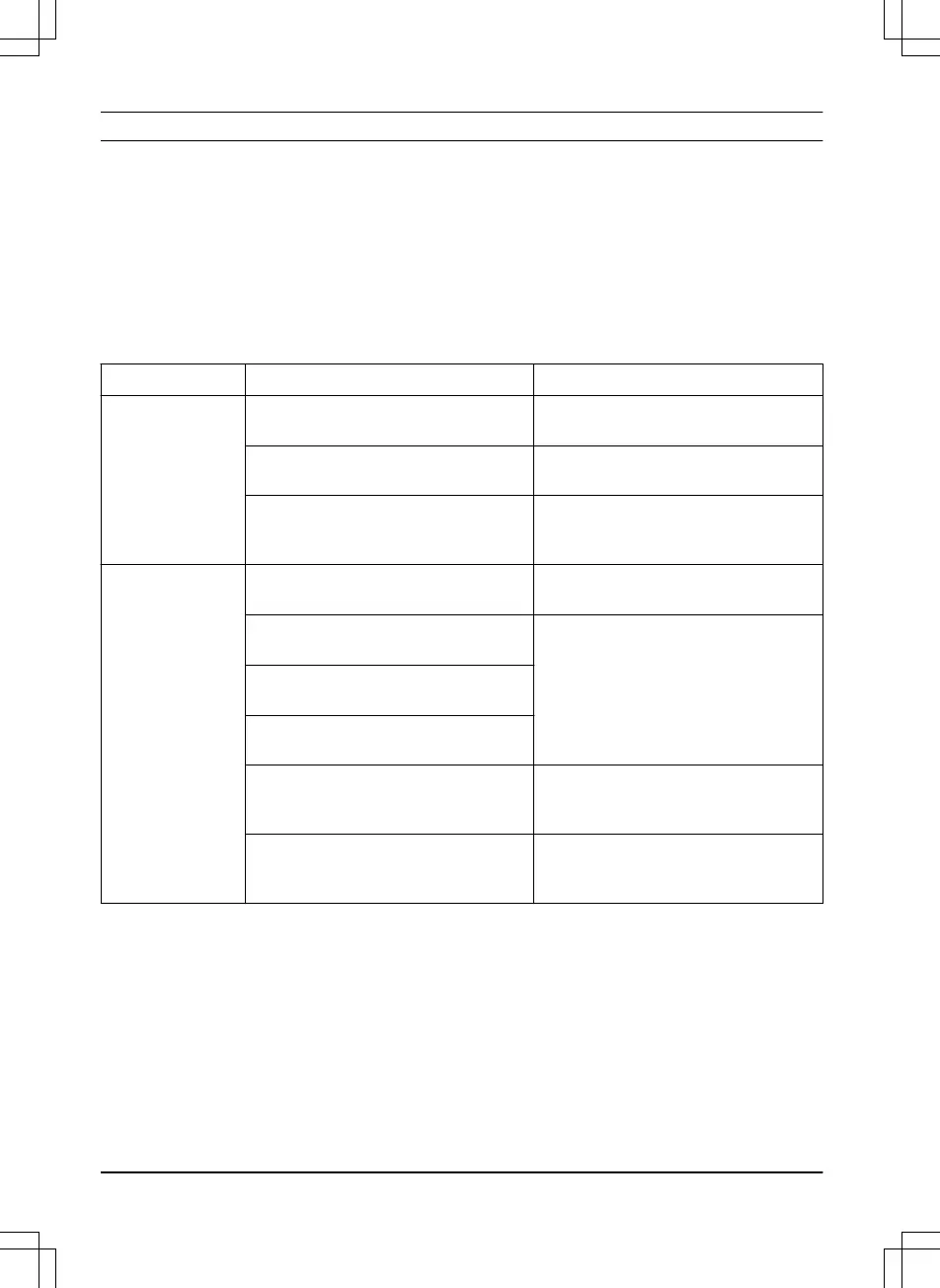
Message Cause Action
Cutting system
blocked
Grass or other object has wrapped
around the blade disc.
Check the blade disc and remove the
grass or other object.
The blade disc lies in a pool of water. Move the product and prevent the col-
lection of water in the work area.
The grass is too high. Cut the grass before you install the
product. Make sure that the grass is
maximum 4 cm / 1.6 in.
Outside working
area
The boundary wire connections to the
charging station are crossed.
Check that the boundary wire is con-
nected correctly.
The boundary wire is too close to the
edge of the work area.
Check that the boundary wire has been
laid according to the instructions. Refer
to
To install the boundary wire on page
20
.
The work area slopes too much by the
boundary loop.
The boundary wire is laid in the wrong
direction around an island.
Disturbances from metal objects (fen-
ces, reinforcement steel) or buried ca-
bles close by.
Try moving the boundary wire.
The product finds it hard to distinguish
the signal from another product installa-
tion close by.
Place the product in the charging sta-
tion and generate a new loop signal.
38 - Troubleshooting 1411 - 001 - 18.12.2019





 To Next Page