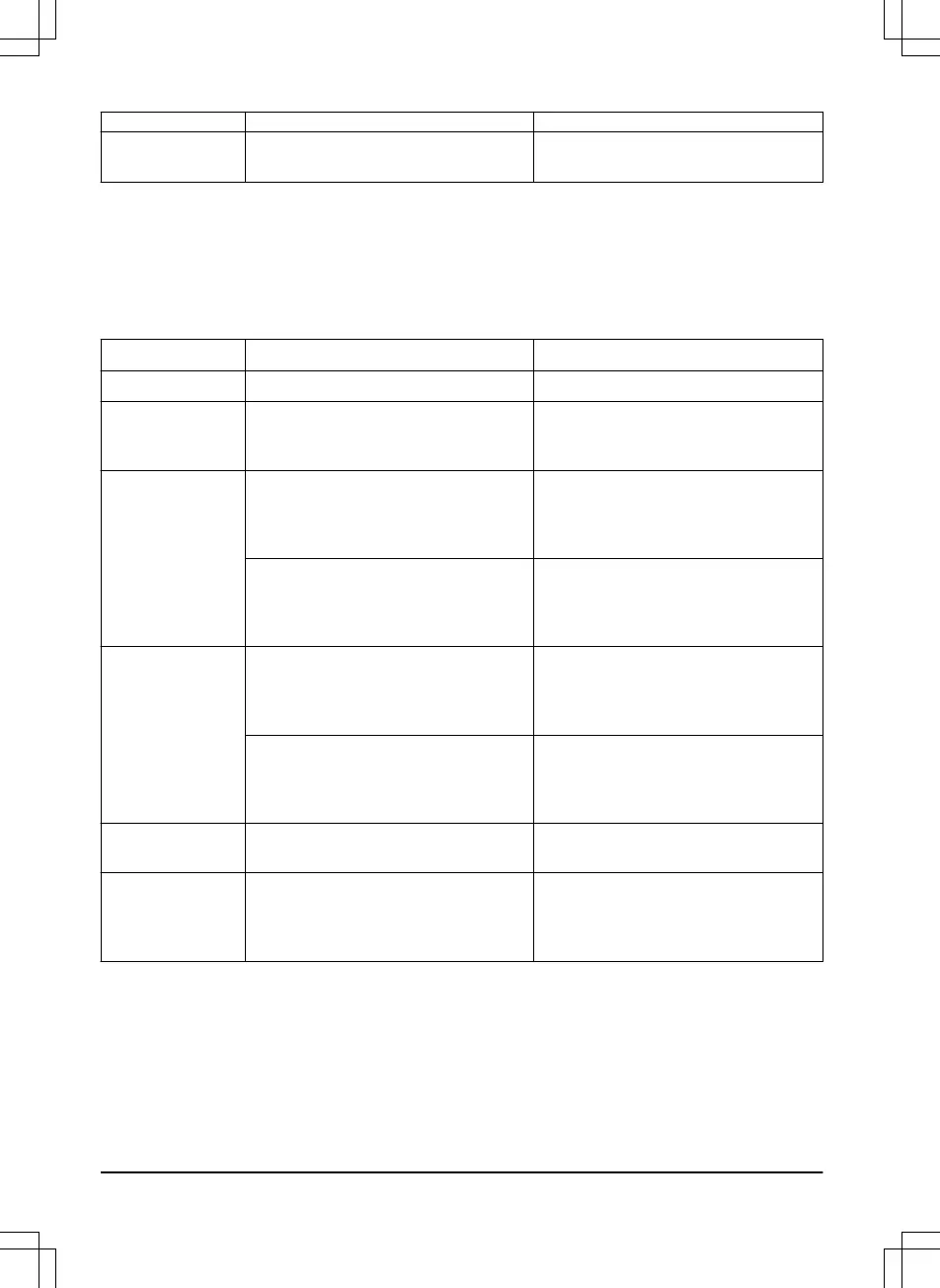
Message Cause Action
Guide calibration
accomplished
The product has succeeded to calibrate
the guide wire.
No action required.
6.4 Indicator lamp in the charging
station
The indicator lamp in the charging station must show a solid or flashing green light for a correct
installation. If not, follow the instructions in the troubleshooting guide below.
You can also find information on www.mcculloch.com. Speak to your customer service for more
information.
Light Cause Action
Green solid light
Good signals No action required
Green flashing
light
The signals are good and
ECO mode
is
activated.
No action required. For more informa-
tion on
ECO mode
. Refer to
ECO mode
on page 28
.
Blue flashing light
The boundary loop is not connected to
the charging station.
Check that the boundary wire connec-
tors are fitted properly to the charging
station. Refer to
To install the boundary
wire on page 20
.
Break in the boundary loop. Find out where the break is. Replace
the damaged section of the loop with a
new loop wire and splice using an origi-
nal coupler.
Yellow flashing
light
The guide wire is not connected to the
charging station.
Check that the guide wire connector is
properly connected to the charging sta-
tion. Refer to
To install the guide wire
on page 21
Break in the guide wire. Find out where the break is. Replace
the damaged section of the guide wire
with a new loop wire and splice using
an original coupler.
Red flashing light
Interruption in the charging station’s an-
tenna.
Contact customer service.
Red solid light
Fault in the circuit board or incorrect
power supply in the charging station.
The fault should be rectified by an au-
thorized service technician.
Contact customer service.
44 - Troubleshooting 1411 - 001 - 18.12.2019




 To Next Page