26
To Cook in the Flat Grill Mode
1. To select a flat grill menu item, press the
key.
2. Press the
key for the Manual Mode.
The display may show “TOO COOL” or
“TOO HOT”, until the grill reaches the set
temperatures.
3. Use the
or keys to scroll to the
flat grill menu item.
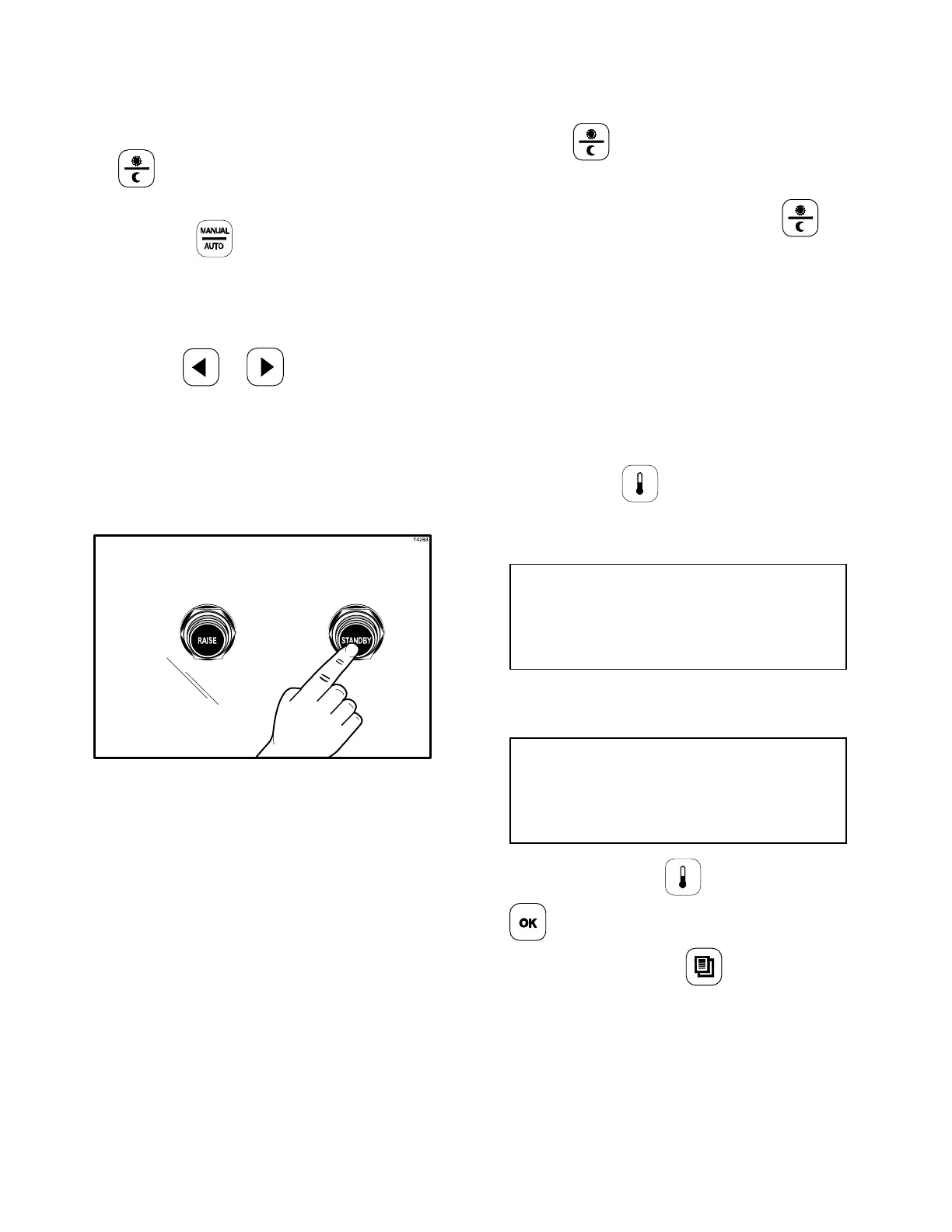
4. After placing product in the prescribed
method, press the STANDBY button to
start the cook cycle. (See Figure 34.)
Figure 34
5. Perform the functions that appear on the
display (i.e., sear, turn). Pressing the
RAISE button will cancel the cook cycle.
6. When the cook cycle is complete, the
display will flash the message “REMOVE”
and an audible alert will sound. Remove
the product per the prescribed method.
To Transition From Breakfast to Lunch
1. If the grill is in the AM AUTO Mode, press
the
key to select PM.
2. If the grill is set to a certain breakfast item
in the Manual Mode, press the
key
to select PM.
3. The display may show “TOO COOL” or
“TOO HOT”, until the grill reaches the set
temperatures.
To Display the Current Temperatures
Note: The actual temperatures may be
displayed at any time, including during a cook
cycle.
1. Press the
key. A series of screens
will display. The first screen will display as
follows.
Top Bck (AM/PM) Top Frt
Back Cntr Frt
2. The next display will show the actual
temperatures, per the following example.
426 Now/Deg F 425
348 350 349
Note: Pressing the key once and the
key five times will keep the temperatures
on the screen until the
key is pressed.


 To Next Page