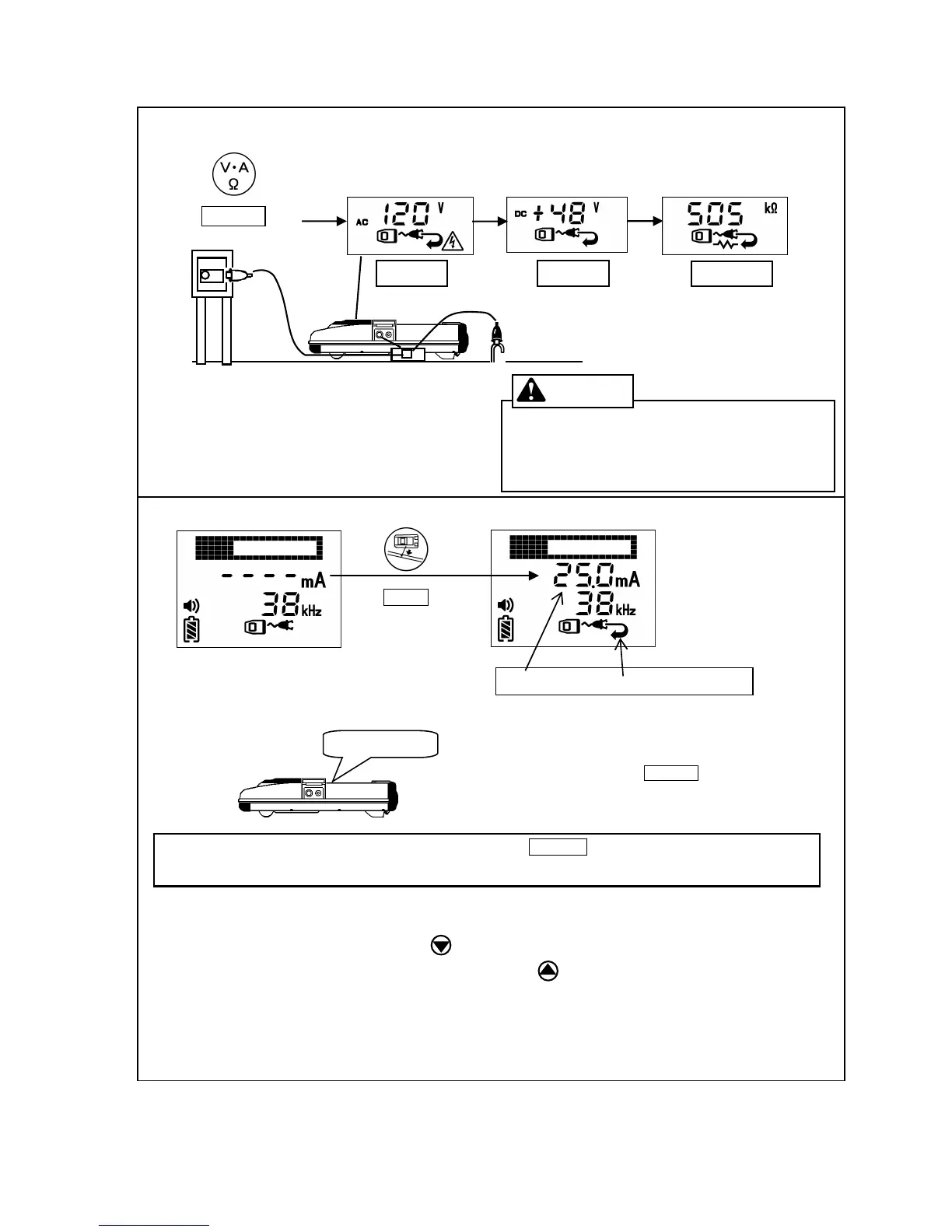
of the cable/pipe before adjust output power.
When output is adjusted
*When the Receiver indicates “ OVER” , Press
Reduce output.
*W hen locating a long-distance line or deeper depth than 3m, Press
key.
Increase output.
ELECTRIC SHOCK
Death or serious injury will result. 250 Volts
maximum across clips. Use protective equipment.
When voltage is greater than 25 volts, Alarm sounds.
Note: 512Hz / 640Hz output is cut off automatically.
Telephone line, Gas pipe
Power line
Press Adjust key.
Automatically adjust power
Current value and “Good signal loop” are indicated.
*When “GOOD SIGNAL LOOP” isn't indicated after pressing ADJUST. Þ Clean off the connected part if
rusted or painted or move ground stake.
P P P P ….
When signal loop is acceptable, Beeping sound is emitted.
*Transmitter will beep for 30 seconds.
*Sound stops when Pressing ADJUST key.
*Sound setting is [b-0].ÞBeeping sound off.
Note: When frequency is changed, adjust output power again.



 To Next Page