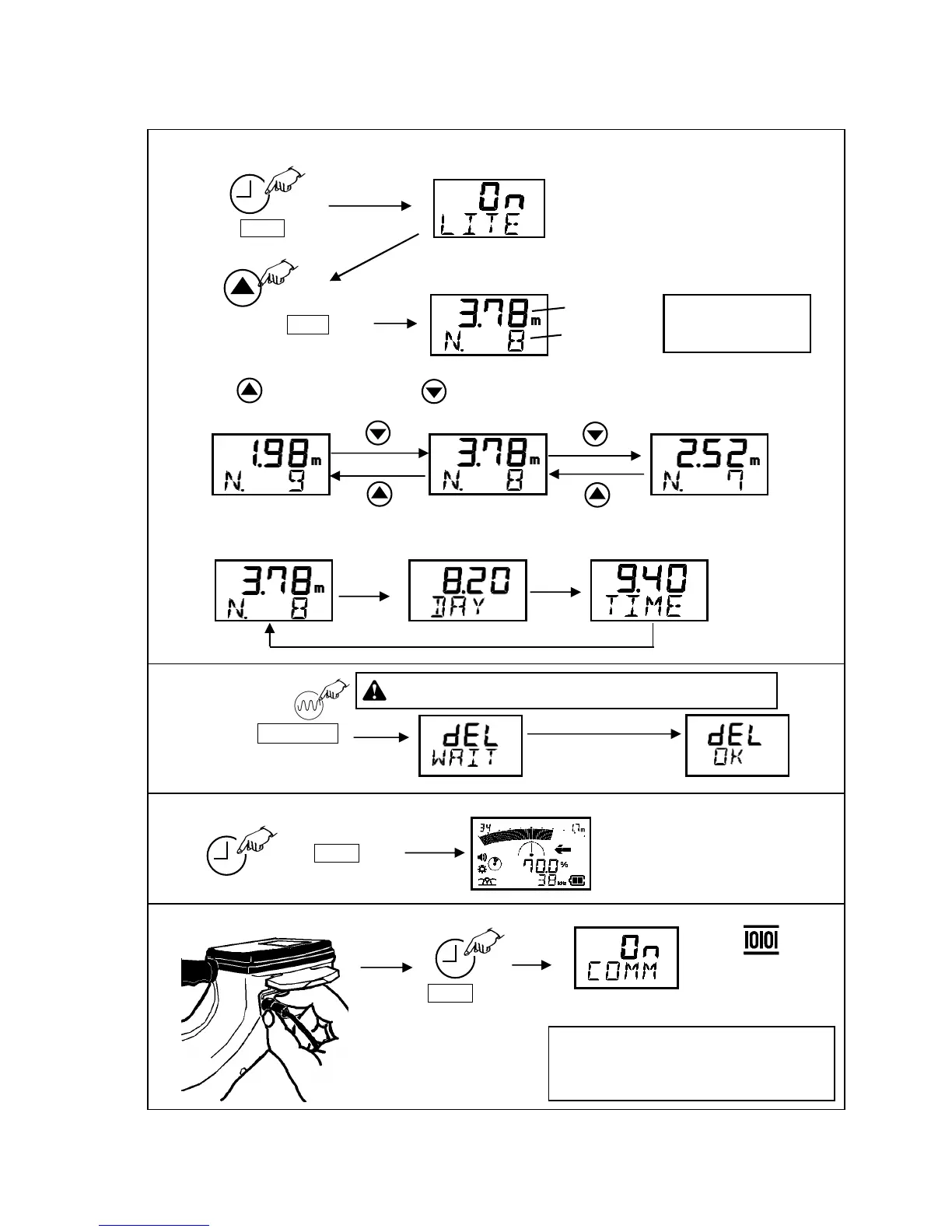
The data recorded at
the end is indicated.
Depth Data
Data number
1) Press Mode key.
2) Press and hold LOG .
for one second.
3) Press - Increase data number. Press - Decrease data number
Backlight setting screen
appears.
4) Two seconds after data is displayed., its stored date and hour is displayed automatically in order.
Delete Logging data
Press and hold Frequency .
key for two seconds..
delete data.
CAUTION: If delete operation is done, all data is gone.
Return to locator function
Press Mode key.
Return to locator function
Press Mode key.
Download data to the PC
Refer Data viewer software manual about
operation of data communication with a PC.
Data communication screen appears.
* PC interface cable is option.



 To Next Page