- 24 -
8-4. Depth measurement (High precision)
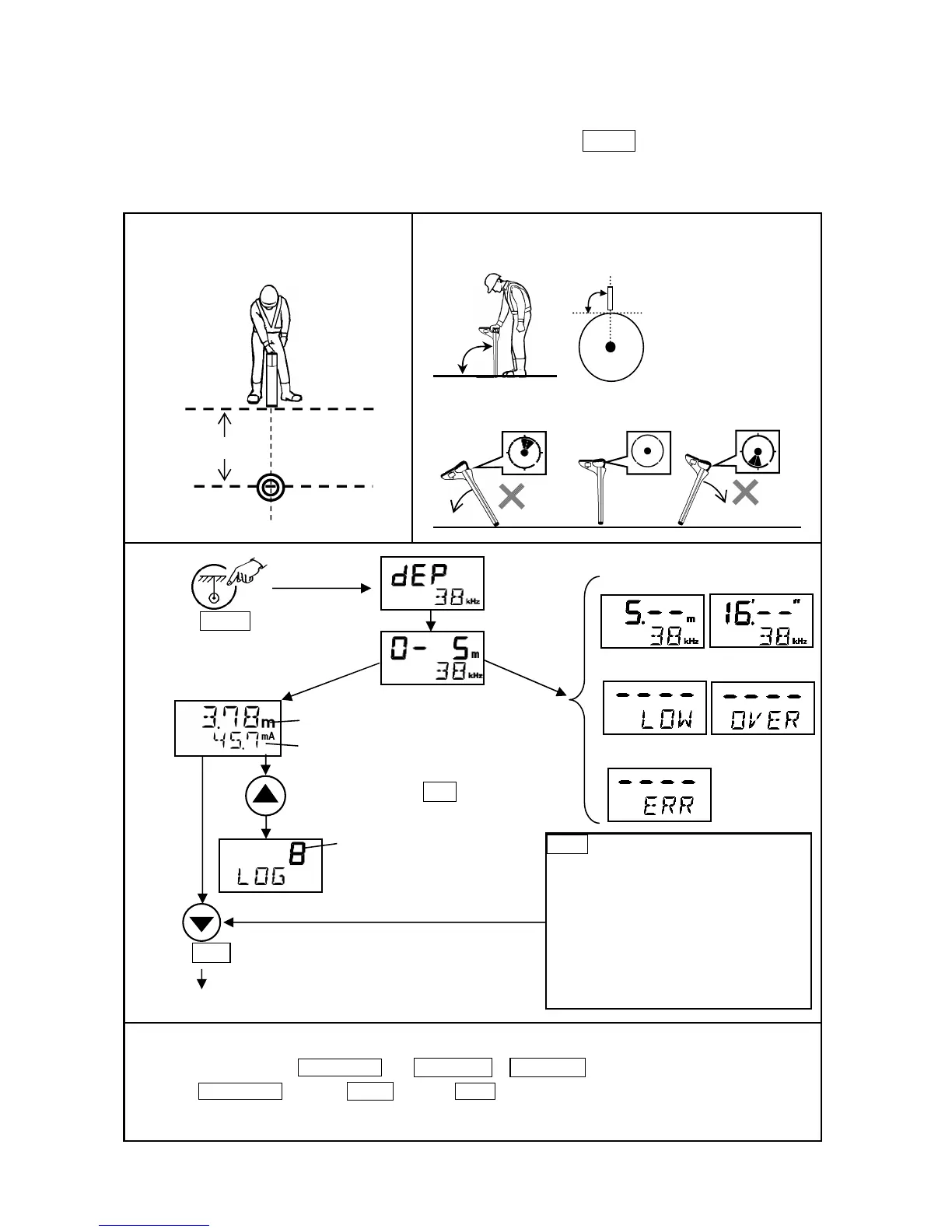
Once the precise location of the object line has been determined, the Depth key is pressed to display
the distance from the Receiver's blade to the object line. Calculations are indicated on the digital display.
Note: Depth reading is a calculation of received signal strength.
Depth
Current index
Deeper than 5m / 16ft.
Press Depth key.
Press Gain key.
ERR appears….
*Receiving signal is not strong enough.
- Possibly this is the wrong line.
- Move the Receiver again from side
to side to find the exact position.
*Gas pipe Þ if not well jointed
- injected signal does not travel well
- receiving signal is too low
Data Logging
Press Log key.
Memorized Depth, Current index,
Date, time and frequency.
Indicate depth mode
the Receiver at right
angles to the axis of the
globe.
Hold the Receiver vertically, place the blade
on the ground and do not move it during
the depth measurement.
Touch the ground with the Receiver's blade at an upright
position.
Object line
Check the vertical condition of the locator by Digital level indicator.
OK
How to select unit of the depth measurement
1) Power on while holding PEAK/NULL key. DEP METE or DEP FEET screen is indicated in 3 seconds.
2) Press PEAK/NULL , and select METE (meter) or FEET (feet) .
3) The setting is memorized when Powered off.
MANU GAIN”
(see page 9), to 5 seconds after depth value
is displayed, the screen will return to the
position locating automatically.



 To Next Page