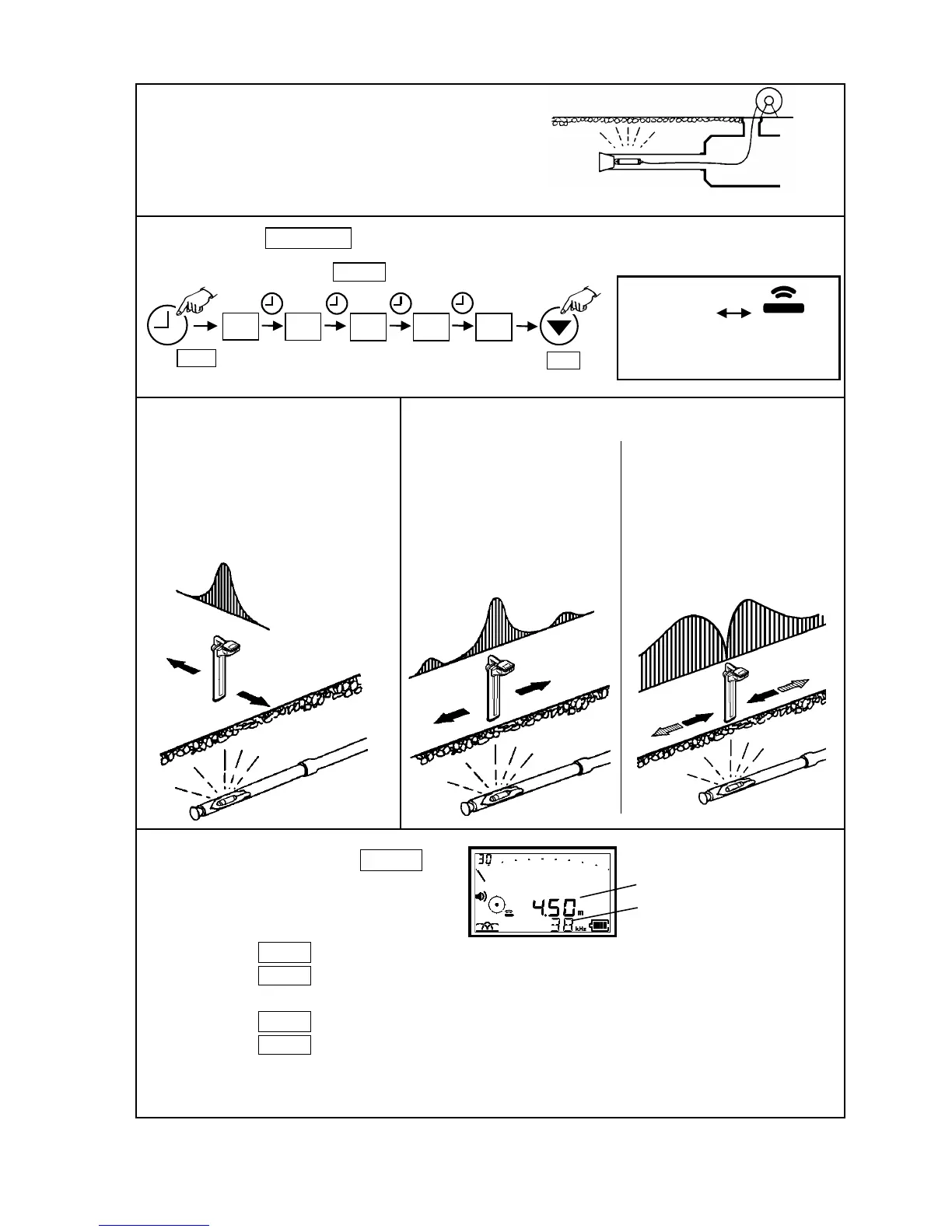
Receiver Þ Press Frequency key to set the same frequency of the probe.
Set the detection mode to Probe mode.
Depth measurement Þ Press DEPTH key
Tracing a non-metallic drain or plastic pipe with the Probe.
Ex. Feed the Probe into the PVC pipe and locate
the blockage or collapse
Press Mode key
“PRB OFF”
Pipe & Cable mode
Probe mode
Press Gain key
Apply Peak mode. Horizontal direction
can not be detected with Null mode.
Use the Receiver parallel to the object line
like the drawing
Location measurement
( horizontal direction of the line)
Peak mode.
Three sensitivity peaks appear.
The largest peak is the point directly
above the Probe.
Location measurement (Same direction in the line)
Null mode
ear the Probe, arrow indicates
the location above the Probe.
way from the Probe, the
receiving level flashes and the arrow
indicates opposite direction.
* For the Sewer probe :
OVER Þ Change the output to OUTPUT LOW.
LOW Þ Change the output to OUTPUT HIGH.
* For the Mini- probe :
OVER Þ Receiver is too close to probe.
LOW Þ Receiver is too far away from probe.
* If tracking a boring tool, Probe should be housed in a metal housing with slots milled in housing to
signal to escape. Location is done as above.
Depth
Current index is not displayed.



 To Next Page