16 MDS 4710B/9710B I/O Guide MDS 05-3316A01, Rev. E
4.1 Hand-Held Terminal Connection & Start-up
This section gives basic information for connecting and using the MDS
Hand-Held Terminal. For more information about the terminal, refer
also to the instructions included with each HHT kit.
The steps below assume that the HHT has been configured for use with
the MDS x710B Transceiver (80 character screen display). If the HHT
was previously used with a different model transceiver, or if its default
settings have been changed, refer to Section 4.2 for setup details.
Follow these steps to connect the HHT:
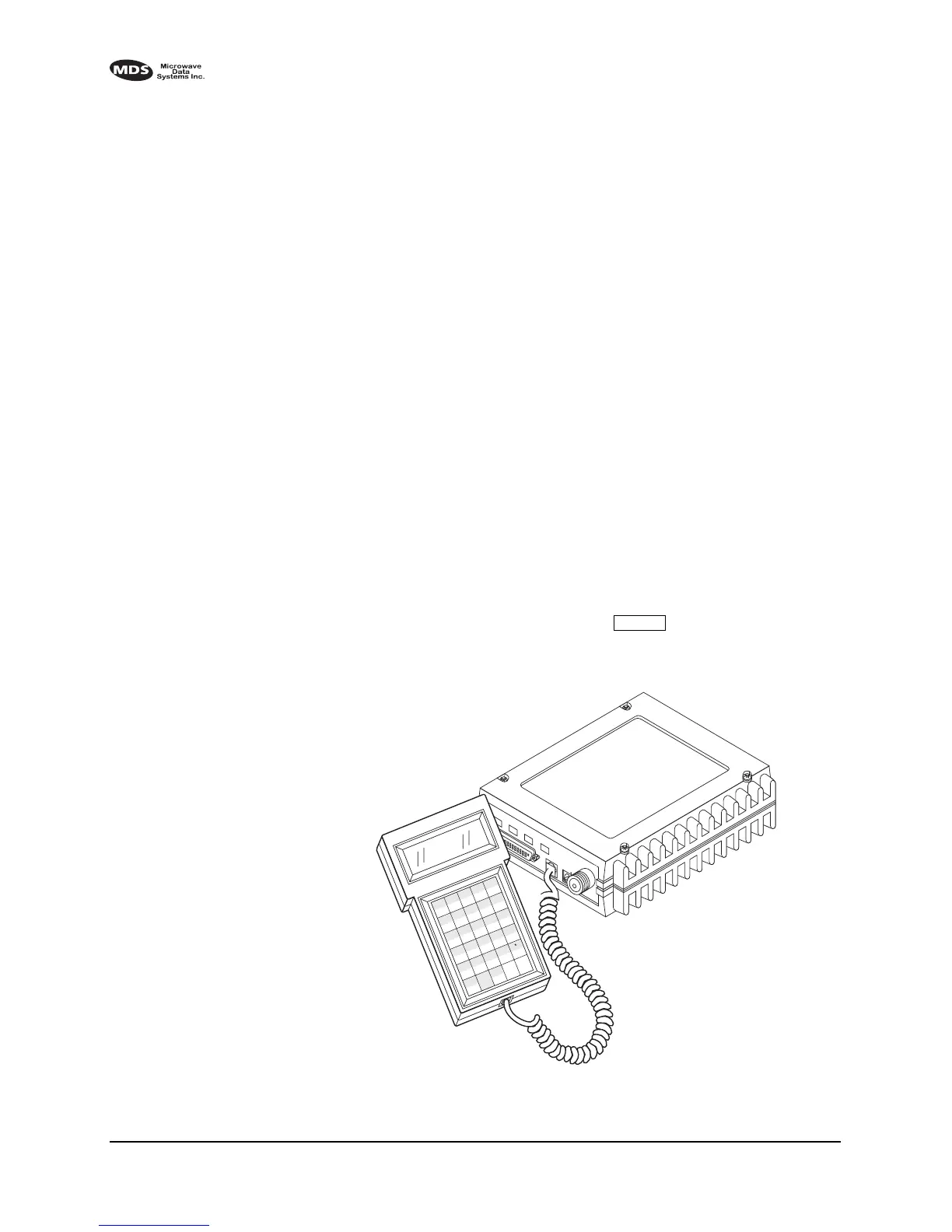
1. Connect the HHT’s coiled cord to the
DIAGNOSTICS (RJ-11) jack on
the radio as shown in Figure 10. This automatically places the radio
into the control and programming mode.
As an alternative, the
DATA INTERFACE (DB-25) connector may be
used for programming instead of the
DIAGNOSTICS jack. With this
arrangement, Pin 23 of the HHT cable must be grounded to enable
the diagnostic channel. (See Table 5.)
2. When the HHT is connected, it runs through a brief self-check, end-
ing with a beep. After the beep, press to receive the ready
“>” prompt.
Invisible place holder
Figure 10. Hand-held terminal connected to the transceiver
ENTER
ANTENNA
13.8
VDC
+
–
Z
CTRL
U
+
–
K
*
F
/
A
F1
V
,
Q
#
)
G
(
B
F2
SHIFT
ESC
W
=
R
7
M
4
H
1
C
F3
BKSP
X
0
S
8
N
5
I
2
D
F4
SP
ACE
Y
T
9
O
6
3
E
F5
ENTER
J
L
P



 To Next Page