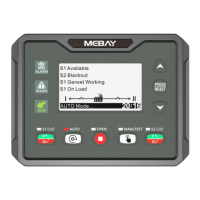
DC30D GENSET CONTROLLER USER MANUAL
26
pressed after delay.If setting as 6000.0s: disabled.
7)Self-define curve
Sensor curve can be User-defined by panel buttons,
resistance and according value should be input,MAX 15
groups ,MIN 2 groups.
Self-define fuel level curve
Engine flywheel teeth automatic adjustment
1) Crank disconnect must be set to “RPM/Frequency” or “RPM/Frequency/Oil
Pressure”.
2) In manual mode, Start the generator set.
3) At the same time, press and for more than 0.5 seconds, the controller
will automatically calculate and save the number of flywheel teeth according to the
generation frequency and generator poles.
4) After calculating and saving the number of flywheel teeth successfully, the
controller shows: " Flywheel xxx teeth,saved successfully!"
Fault finding
Controller no response
with power
Check DC voltage.
Check DC fuse.
Check if the terminal 1 and 2 is with battery voltage.
Check the water/cylinder temperature is too high or not;
Check the genset AC voltage;
Check DC fuse.
Check the emergency stop button;
Check that the voltage of the controller's 3 feet to the ground
should be the battery voltage.
Check the controller connection.
Check oil pressure sensor and its wiring.
Check the oil pressure sensor type and controller settings
must be consistent;
Check whether the low pressure sensor is normal.
Check temperature sensor and its wiring.
Check the temperature sensor type and controller settings
must be consistent;
Check whether the temperature sensor is normal.
Check related switch and its connections according to the
information on LCD; Check programmable inputs.
Check fuel return circuit and wiring.
Check start battery.
Consult engine manual.
Starter motor does not
respond
Check the wiring to the starter.
Check start battery.
USB communication is
abnormal
Check the USB connection;
Check whether the USB port of the computer is normal.
Check whether the USB driver is installed.


 To Previous Page