Page 26 Micro 19-XD - Operator’s Manual
July 2020Section 9 - Operating Instructions and Function Tests
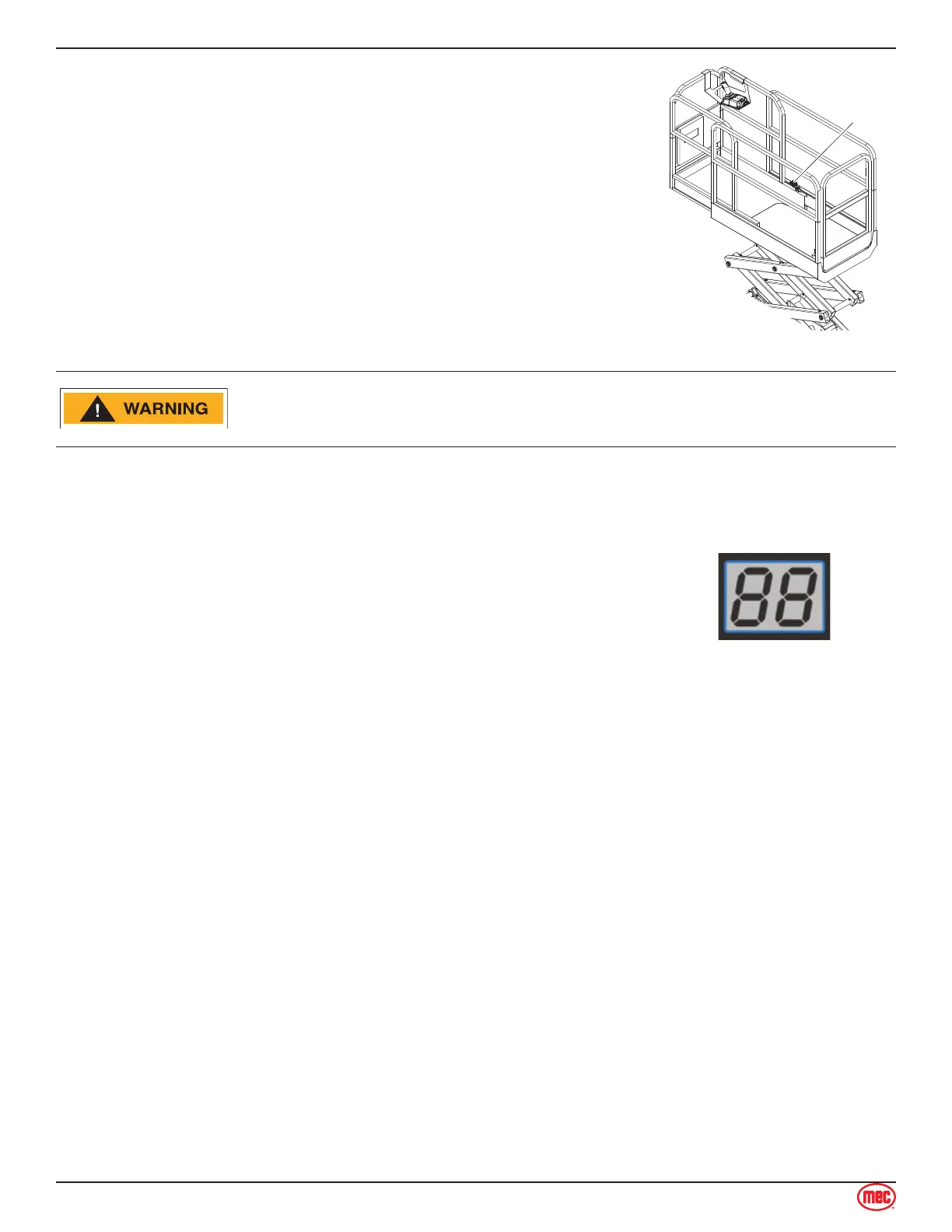
To Extend and Retract the Deck Extension
Press the platform lock pin foot pedal on the extension deck.
Push the platform extension guardrail to extend the platform to the
desired position.
Do not stand on the platform extension while extending or retracting it.
1.
2.
ART_4996
Deck Extension
Release Pedal
IF THE ROLL-OUT DECK IS EXTENDED CHECK FOR CLEARANCE
UNDER DECK AREA BEFORE LOWERING PLATFORM.
Error Indicator Readout
The Error Indicator Readout is located at the Upper Controls station.
Consult the Service & Parts Manual for Alarm Code descriptions.
Manuals are available free online at www.MECawp.com.
If a load in excess of the rated load is detected the lift or lower will be
restricted. The load must be removed before movement can occur.
The platform overload is measured when the machine is stationary and
not in motion.
Shutdown Procedure
When finished with the machine, place the platform in the stowed position.
Park the machine on a level surface.
Turn the Key Switch to the OFF position and remove the key to prevent unauthorized use.
Carefully exit the platform using a constant three (3) point dismount/grip.
Push in the red Main Power/Lower Emergency Stop Switch button to the OFF position when
leaving the machine at the end of the work day.
Charge the batteries.
•
•
•
•
•
•



 To Next Page