Page 41 Micro 26 - Service & Parts Manual
April 2019Section 15 - Parameter Adjustments
Saving New Values
New values must be saved immediately after adjustment.
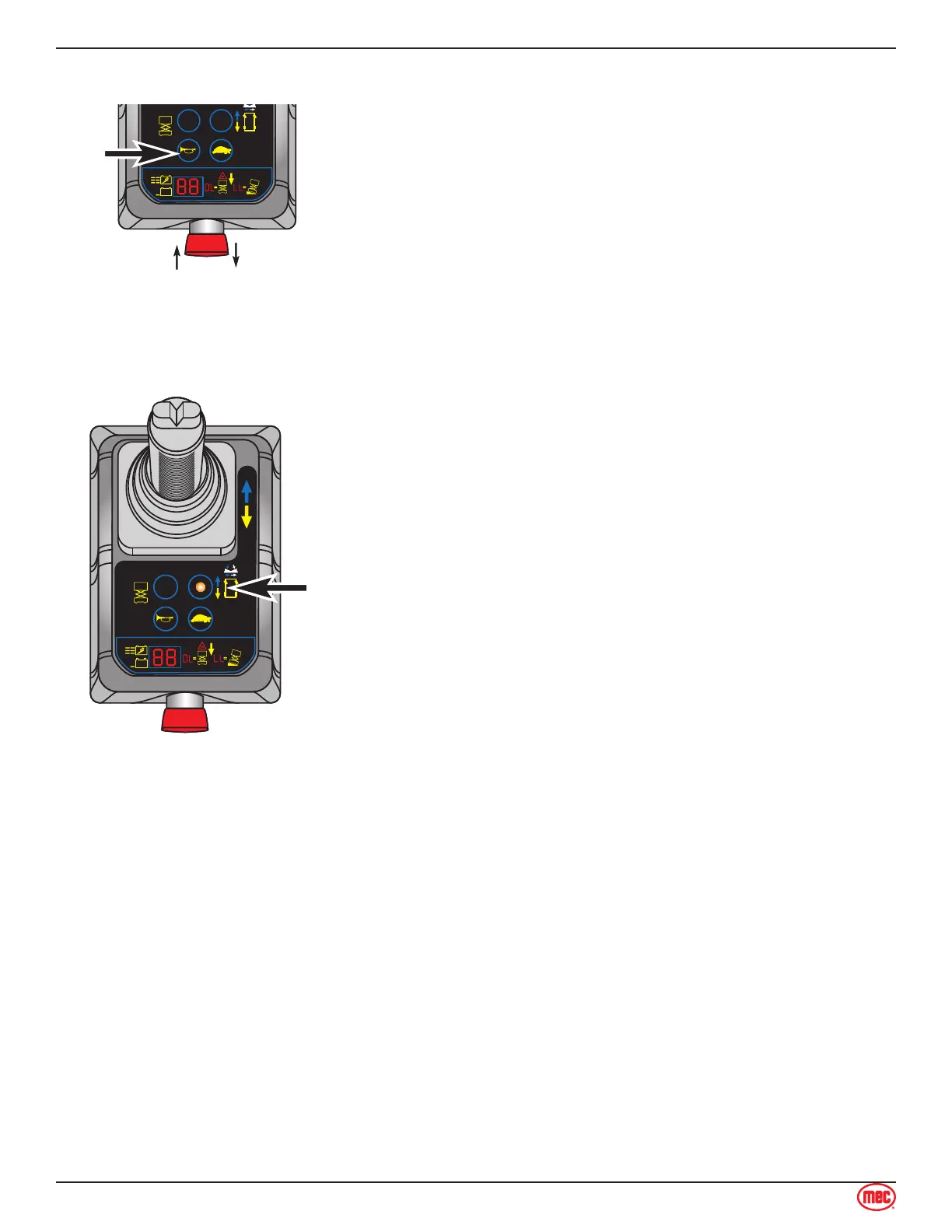
To save new values, press and hold the Horn button for 3
seconds.
To operate the machine with new values, press the Emergency
Stop button, then rotate it to return to the ON position.
High Drive Speed
This parameter controls high speed drive when the platform is in the stowed position.
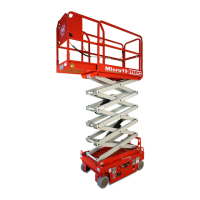
Press the Drive Mode Select button. The button will light up,
indicating this mode is active, and the LED Indicator will show
the present setting.
Adjust the speed using the steer left and steer right buttons
on top of the Control Handle.
High Drive Speed may be changed from 00 to 9°9. Factory
setting is 9°9.
Save the new setting (see above for “Saving New Values”).
1.
2.
3.
4.



 To Next Page