Page 43 Micro 26 - Service & Parts Manual
April 2019Section 15 - Parameter Adjustments
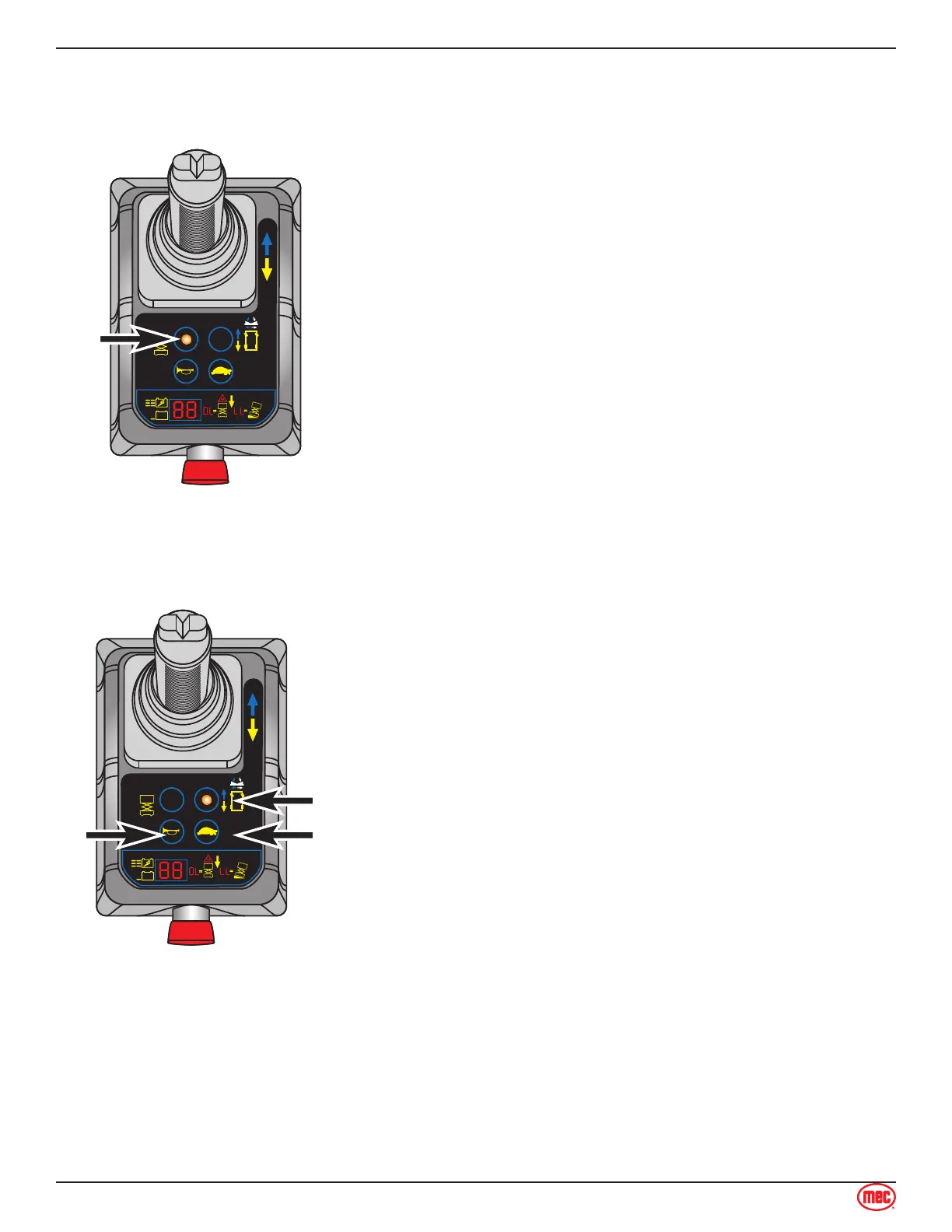
Lift Speed
This parameter controls the speed at which the platform elevates.
1. Press the Lift Mode Select button. The button will light up,
indicating this mode is active.
Adjust the speed using the steer left and steer right buttons
on top of the Control Handle.
Elevated Drive Speed can be set from 00 to 9°9. Factory
setting is 9°9.
Save the new setting (see “Saving New Values” on page 40).
1.
2.
3.
4.
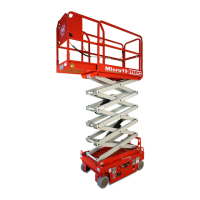
Steering Speed
This parameter controls speed at which the steering wheels turn.
Press the Drive Mode Select button. The button will light up,
indicating this mode is active.
Press and hold the Horn button and the Low Speed Mode
Select button (turtle icon).
Adjust the speed using the steer left and steer right buttons
on top of the Control Handle.
Steering Speed can be set from 00 to 9°9. Factory setting is
30.
Save the new setting (see “Saving New Values” on page 40).
1.
2.
3.
4.
5.



 To Next Page