FineTuner Echo
10
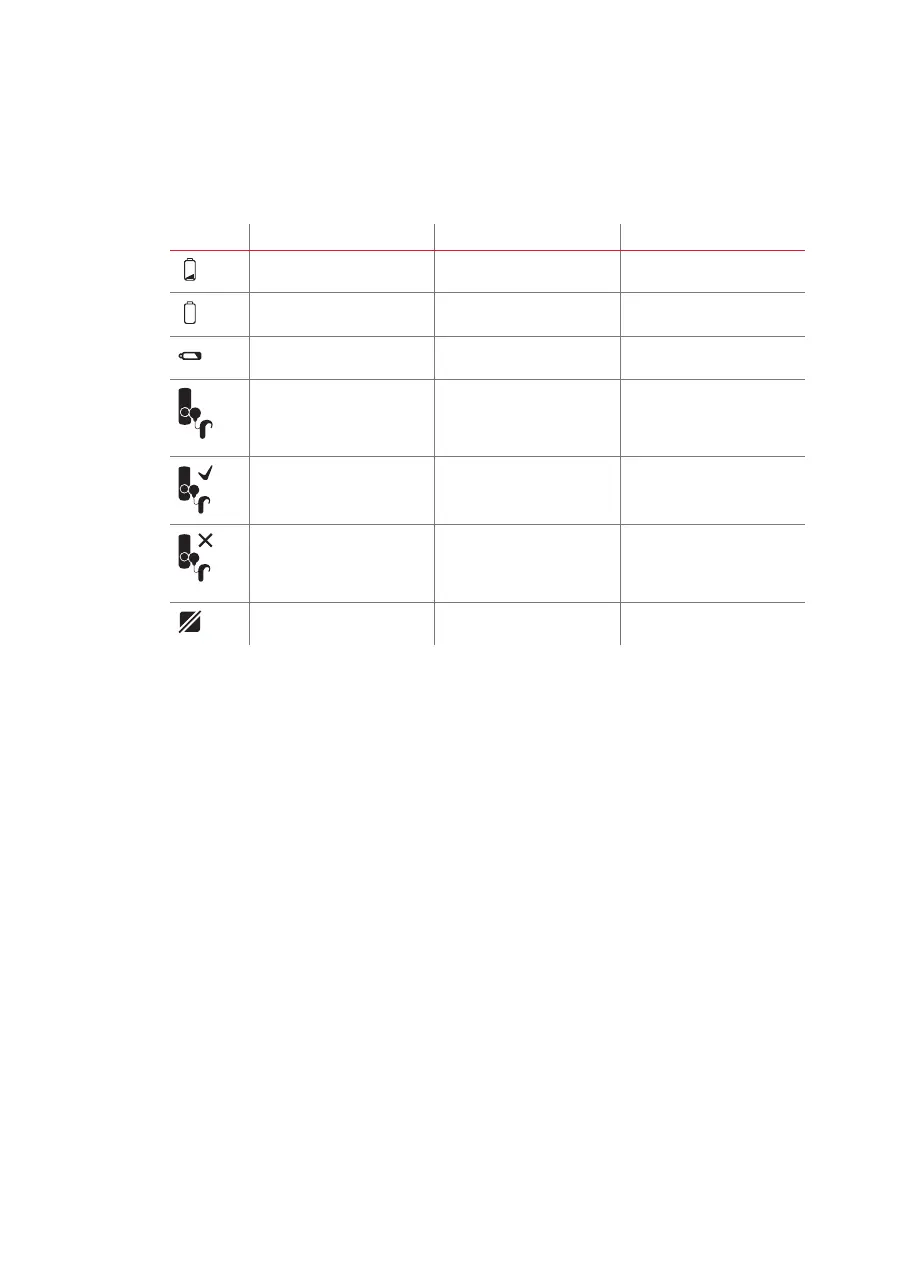
Notication symbols
Symbol Meaning Required action Remarks
Audio processor battery low Change battery of audio
processor
Audio processor battery
empty
Change battery of audio
processor
FineTuner Echo battery low Change battery of FineTuner
Echo
Pairing Screen: The
FineTuner Echo must
be paired with an audio
processor
Pair your FineTuner Echo See chapter Using the
FineTuner Echo for the rst
time for instructions
Screen indicating successful
pairing
None
Screen indicating
unsuccessful pairing
Repeat the pairing process. If repeated pairing is not
successful, contact your
healthcare provider or local
MED‑EL representative.
Function deactivated None Contact your audiologist for
further information.



 To Next Page