EasyManua.ls Logo

MED-EL OPUS 2 - User Manual

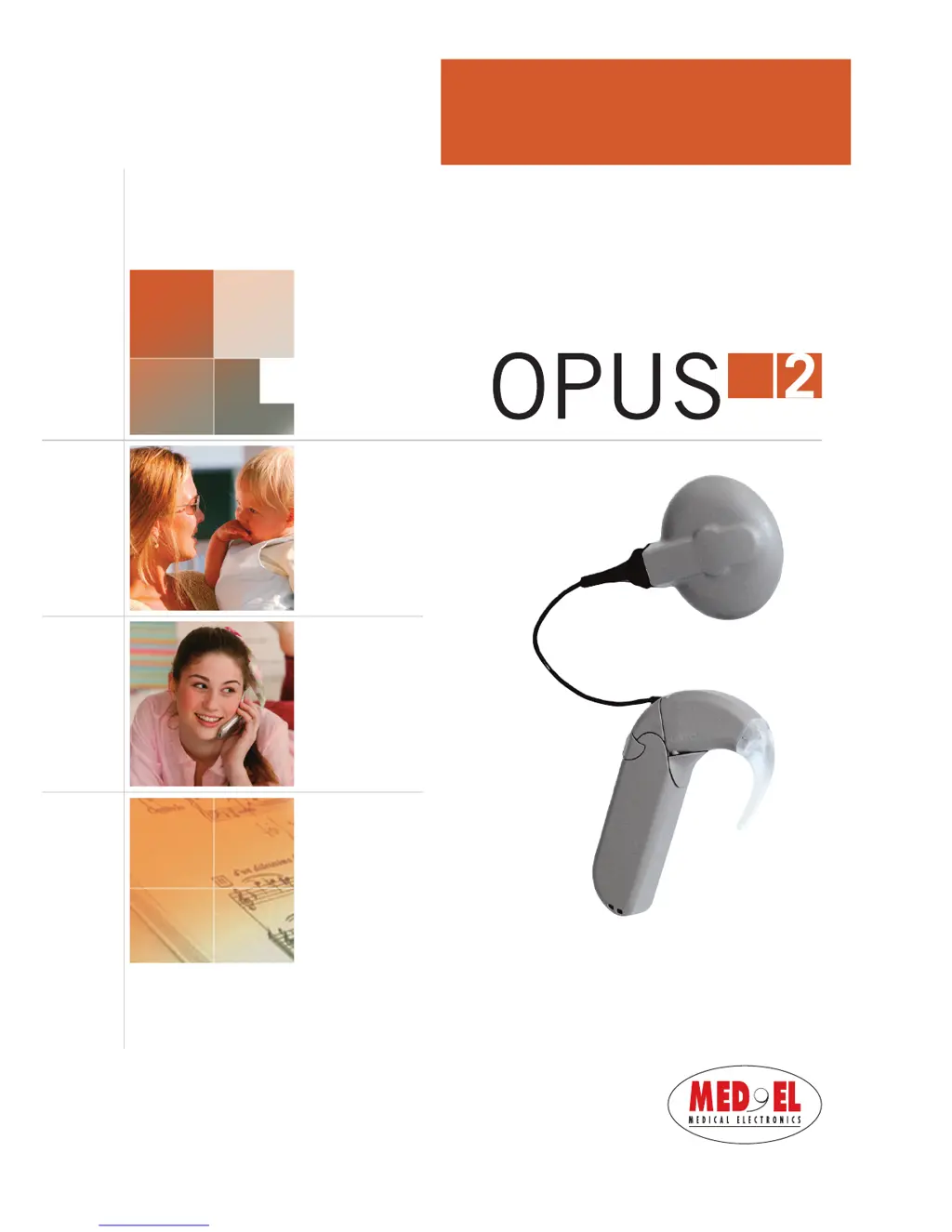
MED-EL OPUS 2
56 pages
Print Icon
To Next Page IconTo Next Page
Loading...

AW 5473 Rev. 1.0 (English US)

Other manuals for MED-EL OPUS 2

Questions and Answers

  • J
    jessemorrisAug 1, 2025
    What to do if MED-EL Hearing Aid OPUS 2 does not respond to FineTuner commands?
    • J
      Jessica FoleyAug 2, 2025
      If your MED-EL Hearing Aid OPUS 2 isn't responding to FineTuner commands, here's what you can check: * Make sure the OPUS 2 is within the FineTuner's transmission range (approximately 0.8 meters); move closer if needed. * Deactivate the Automatic Keyboard Lock if it's enabled. * Try moving to a different location to avoid potential interference. * If the devices aren't synchronized, synchronize the OPUS 2 and FineTuner. * Replace the FineTuner battery if it's low. If these steps don't resolve the issue, it may be necessary to contact your audiologist, as commands or the LED in OPUS 2 might be disabled.
  • T
    Taylor PhillipsAug 7, 2025
    Why my MED-EL Hearing Aid OPUS 2 is not responding to FineTuner commands?
    • M
      Michael VasquezAug 7, 2025
      If your MED-EL Hearing Aid OPUS 2 isn't responding to FineTuner commands, several factors could be at play. First, ensure the FineTuner is within operational range of the OPUS 2. Move it closer. Also, check if the FineTuner keyboard lock is active; if so, unlock it. Interference from other electronic devices can also be a factor; try moving to a different location. Ensure that the OPUS 2 and FineTuner are synchronized. If the FineTuner battery is low, replace it. Finally, it's possible your audiologist disabled the command during fitting. In that case, contact your clinic, CI center, or MED-EL to enable the command.
  • S
    santostamaraAug 13, 2025
    What to do if the red indicator light on MED-EL OPUS 2 Hearing Aid shows warning patterns?
    • M
      Michelle WaltonAug 13, 2025
      If the red indicator light on your MED-EL Hearing Aid is showing warning patterns, it could mean a couple of things. First, check your batteries; they might be empty. If so, switch the processor off, change the batteries, and then switch the processor back on. Another reason could be that you've reached the maximum or minimum value of the volume or audio sensitivity range. If this is the case, simply stop pushing the buttons on the FineTuner.
  • R
    Robert JohnsonAug 20, 2025
    What does it mean if the red indicator light on MED-EL Hearing Aid indicates error patterns?
    • J
      jonathanpalmerAug 20, 2025
      If the red indicator light on your MED-EL Hearing Aid shows error patterns, it may indicate an electronic problem or a temporary processor disturbance. Try switching the processor off and then back on. Alternatively, the selected position might not be programmed, or there could be a program failure. In this case, try selecting another position. If the issue persists, switching the processor off and on again might resolve the problem.
  • N
    Nicholas DavisAug 26, 2025
    How to fix red indicator light on MED-EL Hearing Aid Speech Processor Test Device if it does not light?
    • E
      Eric ThompsonAug 26, 2025
      If the red indicator light on the Speech Processor Test Device for your MED-EL Hearing Aid isn't lighting up or is constantly on, try these steps: First, adjust the volume setting to a level where you can recognize the LED flickering in rhythm with your voice. If that doesn't work, try changing the batteries. As a last resort, replace the existing cable with a substitute cable.

Summary

Introduction

Intended Use, Indications, and Contraindications

Intended Use

Defines the purpose of the OPUS 2 speech processor and the MED-EL Cochlear Implant System.

Indications for Use

Lists the specific conditions and patient criteria for using the MED-EL Cochlear Implant System.

Contraindications

Lists conditions or situations where the OPUS 2 speech processor should not be used.

Getting Started

System Components Overview

Describes the internal and external components of the MED-EL Cochlear Implant System.

OPUS 2 Speech Processor

Control Unit and Basic Operation

Details the control unit, its ON/OFF function, and basic operation of the OPUS 2 speech processor.

FineTuner Operation and Controls

Explains the FineTuner's role, controls, and essential functions for managing the speech processor.

Battery Pack Management

Describes the OPUS 2 battery pack, its assembly, replacement, and maintenance.

Coil and Coil Cable

Explains the function, connection, and maintenance of the coil and coil cable.

Special Considerations for Young Children

Safety Lock for Children

Explains the safety lock feature to prevent children from disassembling the processor.

General Precautions and Warnings

System Safety and Usage Precautions

Provides general safety information and precautions for the cochlear implant system's safe use.

Everyday Life and Technology Interaction

Offers guidance on daily use, handling, and interaction with technology like mobile phones and metal detectors.

ESD and Sports Safety

Covers electrostatic discharge prevention and safety advice for sports and play activities.

Care and Maintenance

General Maintenance Procedures

General instructions for cleaning and maintaining the OPUS 2 speech processor and FineTuner.

Battery Replacement

Step-by-step guide for changing batteries in the FineTuner and the OPUS 2 speech processor.

Weekly Maintenance and Drying

Instructions for weekly cleaning and using the drying kit for the OPUS 2 speech processor.

Troubleshooting

Speech Processor Test Device Usage

Explains how to use the Speech Processor Test Device for diagnosing common issues.

FineTuner Troubleshooting

Provides solutions for common problems when the FineTuner does not respond to commands.

Indicator Light and Warning Signals

Interprets the OPUS 2 red indicator light patterns and warning signals for troubleshooting.

Technical Data

Speech Processor Specifications

Lists dimensions, weight, power supply, and hardware features of the OPUS 2 speech processor.

FineTuner Specifications

Details dimensions, weight, controls, power supply, and RF link specifications for the FineTuner.

Compliance and Declarations

Outlines compliance with EU directives, symbols, and manufacturer's declarations for the system.

Appendices

Warranty, Registration, and Contact Information

Covers warranty, registration details, and manufacturer contact information for MED-EL.

MED-EL OPUS 2 Specifications

General IconGeneral
TypeBehind-the-ear (BTE)
Sound Coding StrategiesFS4, CIS
MicrophonesDual Microphones
ColorsVarious colors available
CompatibilityMED-EL Cochlear Implants

Related product manuals