When the red indicator light in the earhook blinks continuously ( ), the
battery set must be replaced (see also Chapter 9, Troubleshooting).
Remove the coil from your head and switch off the OPUS 2 speech processor before
replacing the batteries.
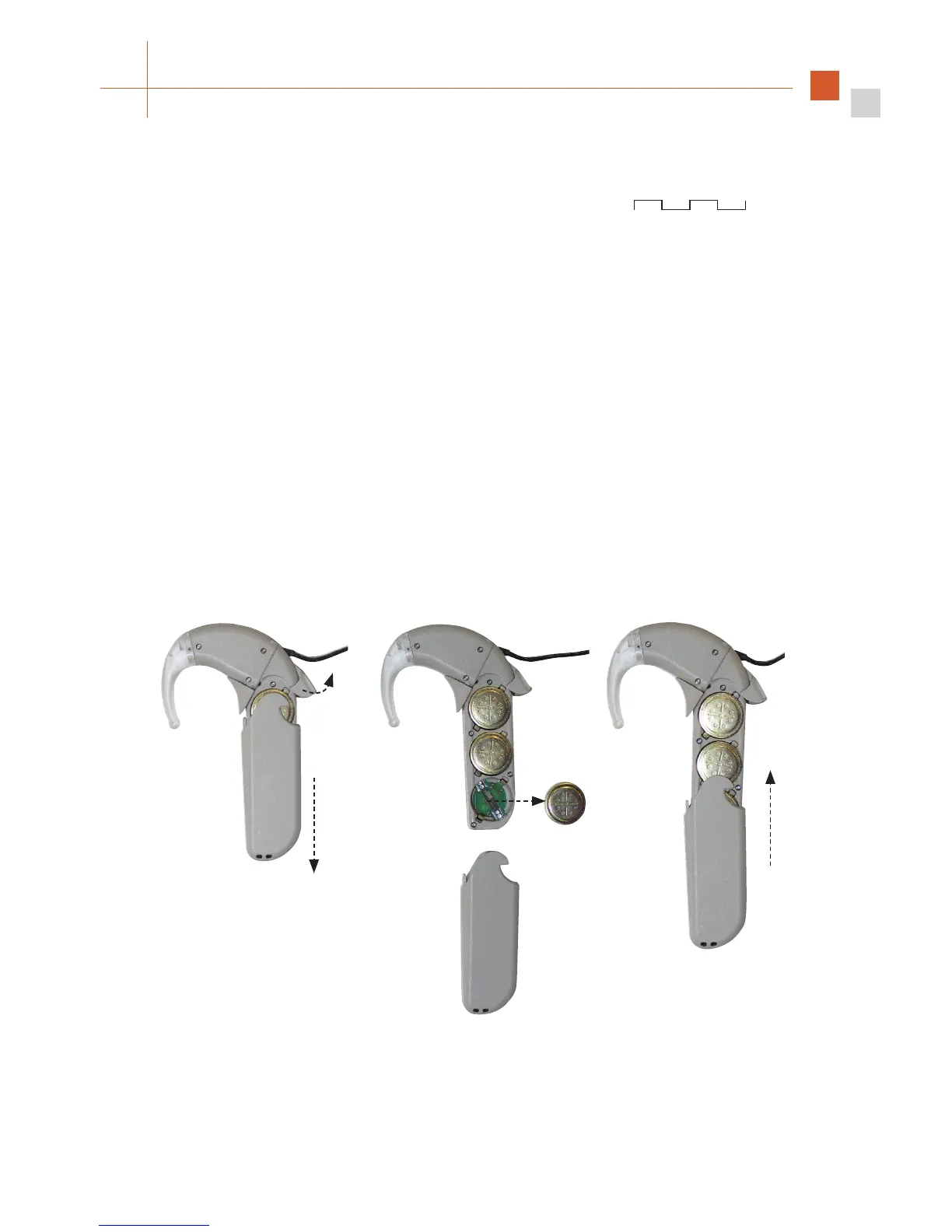
Open the battery pack lock (a) and remove the battery pack cover (b).
Replace the used battery set (c) by removing the three batteries with the coil magnet or
by gently shaking them into your hand. Try not to touch the battery contacts.
Before inserting the new battery set, make sure that the battery contacts are clean and
dry. The foil covering the zinc air batteries must be removed before use. Check for correct
polarity when inserting the new batteries. The positive pole (+) must face outward, i.e. the
“+” sign is still visible when the batteries are inserted.
Slide the cover over the battery pack frame (d) and close the battery pack lock.
Fig. 16 Changing the batteries of your speech processor
a
b
d
c



 To Next Page