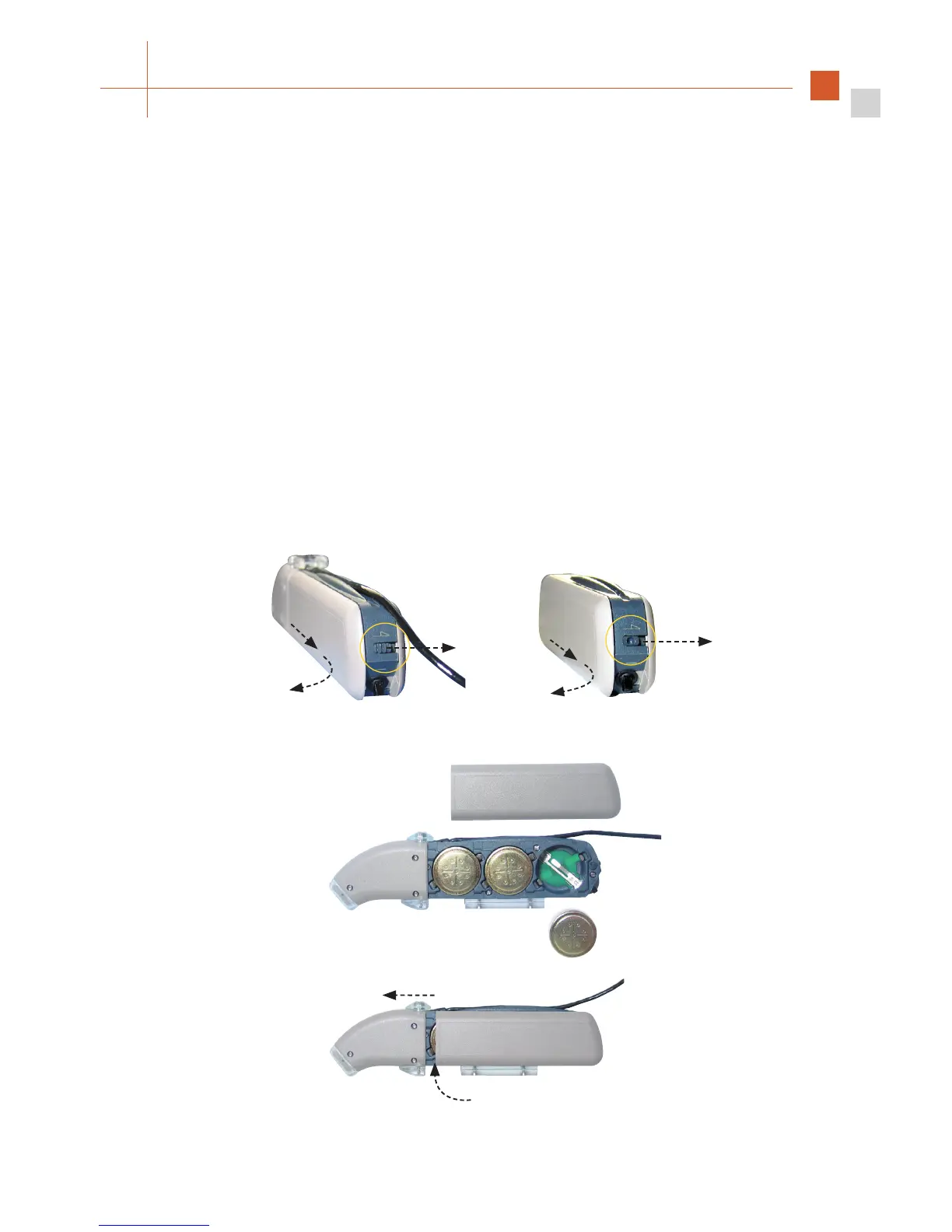
When changing the batteries for the BabyBTE
TM
/ActiveWear and Children’s Battery Pack
options, proceed as described for the OPUS 2 speech processor. The only difference will be
how to remove and attach the battery pack cover:
To open the battery pack, push the lever at the back of the BabyBTE
TM
/ActiveWear and
hold it in this position (a). Use a pointed object to open the locking lever at the back of the
Children’s Battery Pack. Now push the lid on the battery pack backwards about 3 mm (b)
and remove it by pushing it to the front (c).
To close the battery pack, put the lid on the housing so that it overhangs the back of the
speech processor by about 3 mm (d). Gently push the lid onto the housing. When the lid
is positioned correctly, it can be pushed forward (e), where it snaps in place easily. Never
put the lid on the very back of the housing pushing it forward by force. This could damage
the battery pack. Do not use excessive force when closing the battery pack.
Fig. 18 Changing the batteries of your BabyBTE
TM
/ActiveWear and Children’s Battery Pack
e
d
BabyBTE
TM
/ActiveWear Children’s Battery Pack
a
b
c
a
b
c



 To Next Page