13
Voices and Effects
Metronome
Piano
Pitch Bend Wheel
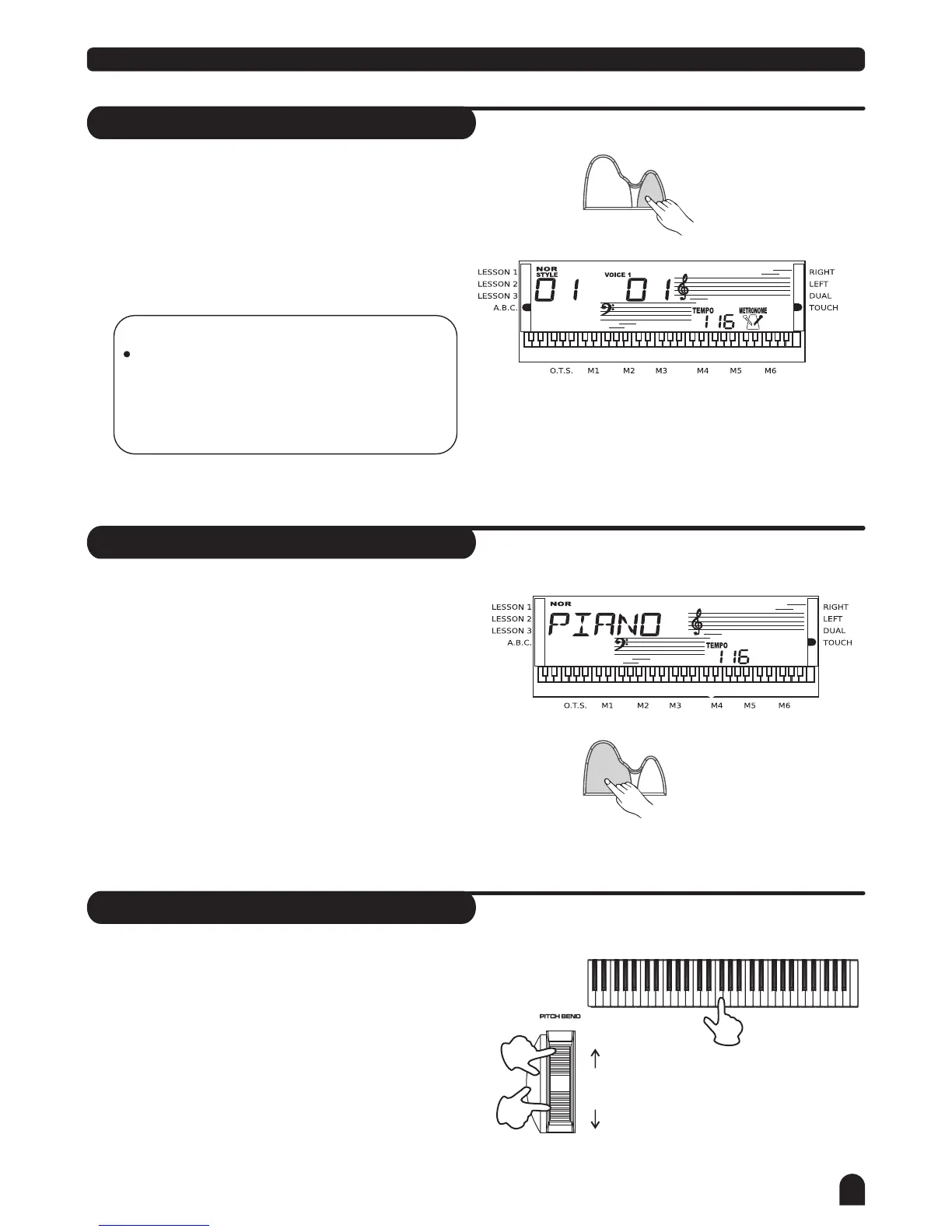
Press [METRO] button to enable to the metronome.
Press [METRO] button again to disable it.
Metronome could not be played in SONG/CHORD DICT
mode.
Press [PIANO] button to enter to the piano mode.
The LCD displays PIANO, and the voice changes
to piano immediately. In this mode, A.B.C. will be
disabled.
Press [PIANO] button again to exit the PIANO mode.
If any of the [FUNCTION] / [DEMO] / [VOICE] / [SONG] /
[STYLE] buttons has been pressed to recall the memory
the piano mode will be quit.
The PITCH BEND wheel can be used to bend the note
lower or higher, ranges between +/- 2 semitone.
When the wheel is released, the note will be return
back to the normal status.
NOTE:
Metronome can be played along with the tempo
as accompaniment whenever you turn on a
style.
Metronome could be played in the recording
mode, but it would not be recorded.
2.
2.
3.
3.
1.
1.
METRO
PIANO
METRO
PIANO
higher
(+2)c ent
lower
(-2 )c ent



 To Next Page