Style Control
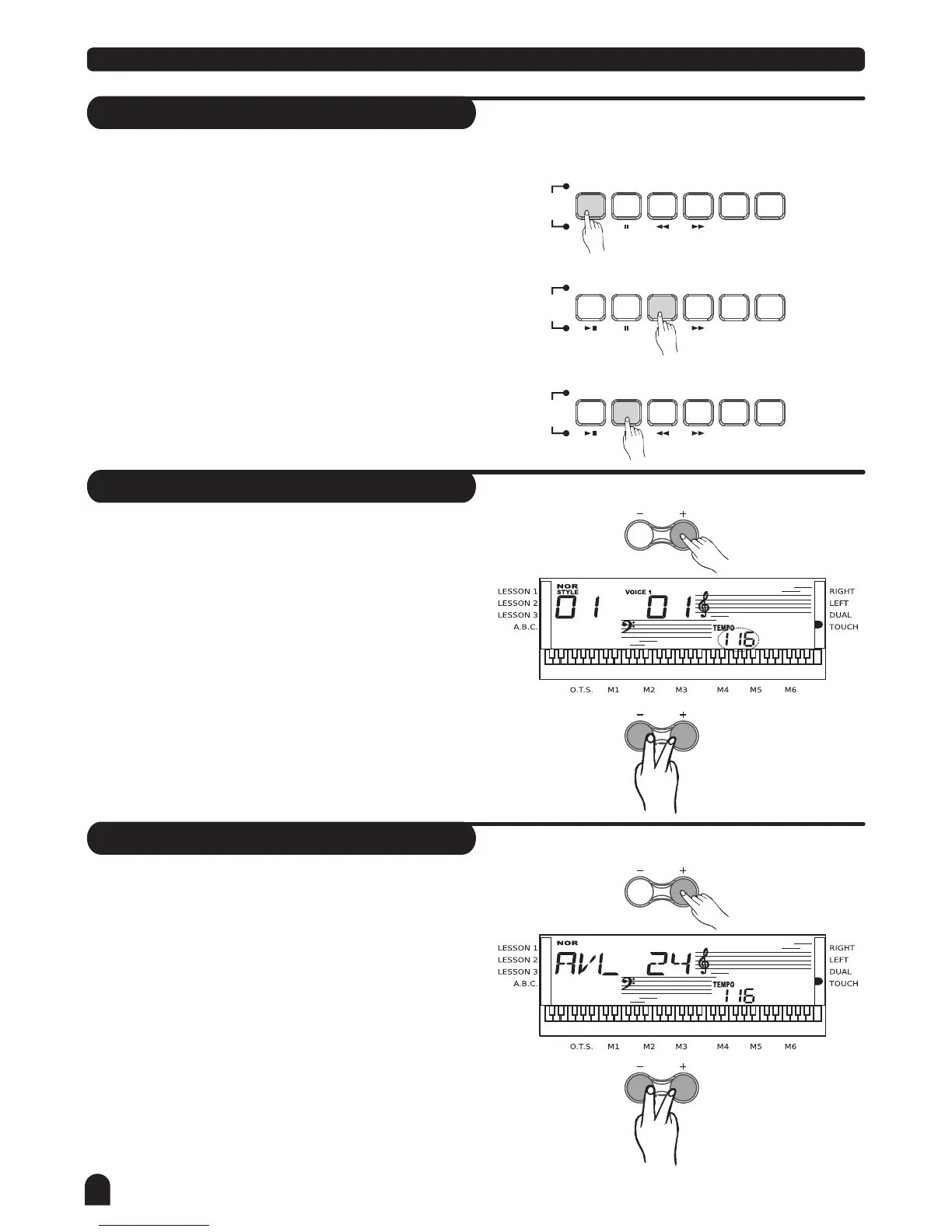
Stop a Style
Tempo
Accomp Volume
Stop immediately
1.
The accompaniment can be stopped at any time by
pressing the [START/STOP] button.
Ending stop
2.
Press the [INTRO/ENDING] button to complete the style
with an ending section. The ending section will begin
from the start of the next measure.
Sync stop
3.
Press the [SYNC] button to stop playing the style;
the synchronized start mode will be activated.
Press the [TEMPO +] or [TEMPO - ] button to
change the tempo.
Press the [TEMPO +] and [TEMPO - ] button
simultaneously to set the tempo value back to its
default.
The keyboard will not change the default tempo of
the style even if you change the style when it is playing.
2.
2.
3.
3.
1.
1.
SONG
SONG
SONG
STYLE
STYLE
STYLE
REPEAT A/B
REPEAT A/B
REPEAT A/B
START/STOP
START/STOP
START/STOP
SYNC
SYNC
SYNC
INTRO/ENDING
INTRO/ENDING
INTRO/ENDING
FILL A
FILL A
FILL A
FILL B
FILL B
FILL B
A.B.C.
A.B.C.
A.B.C.
TEMPO
ACCOMP
VOL
ACCOMP
VOL
TEMPO
Press [ACCOMP VOLUME+] / [ACCOMP VOLUME-]
button to enter ACCOMP VOLUME menu, the LCD
displays the ACCOMP volume value which ranges
between 0 and 31.(Default Accomp Value is 24.)
Use [ACCOMP VOLUME+]/[ACCOMP VOLUME-] to
adjust the ACCOMP volume value .
Press [ACCOMP VOLUME+] and [ACCOMP VOLUME-]
together will set the ACCOMP volume value to off.
18



 To Next Page