Style Control
Intro Start:
4.
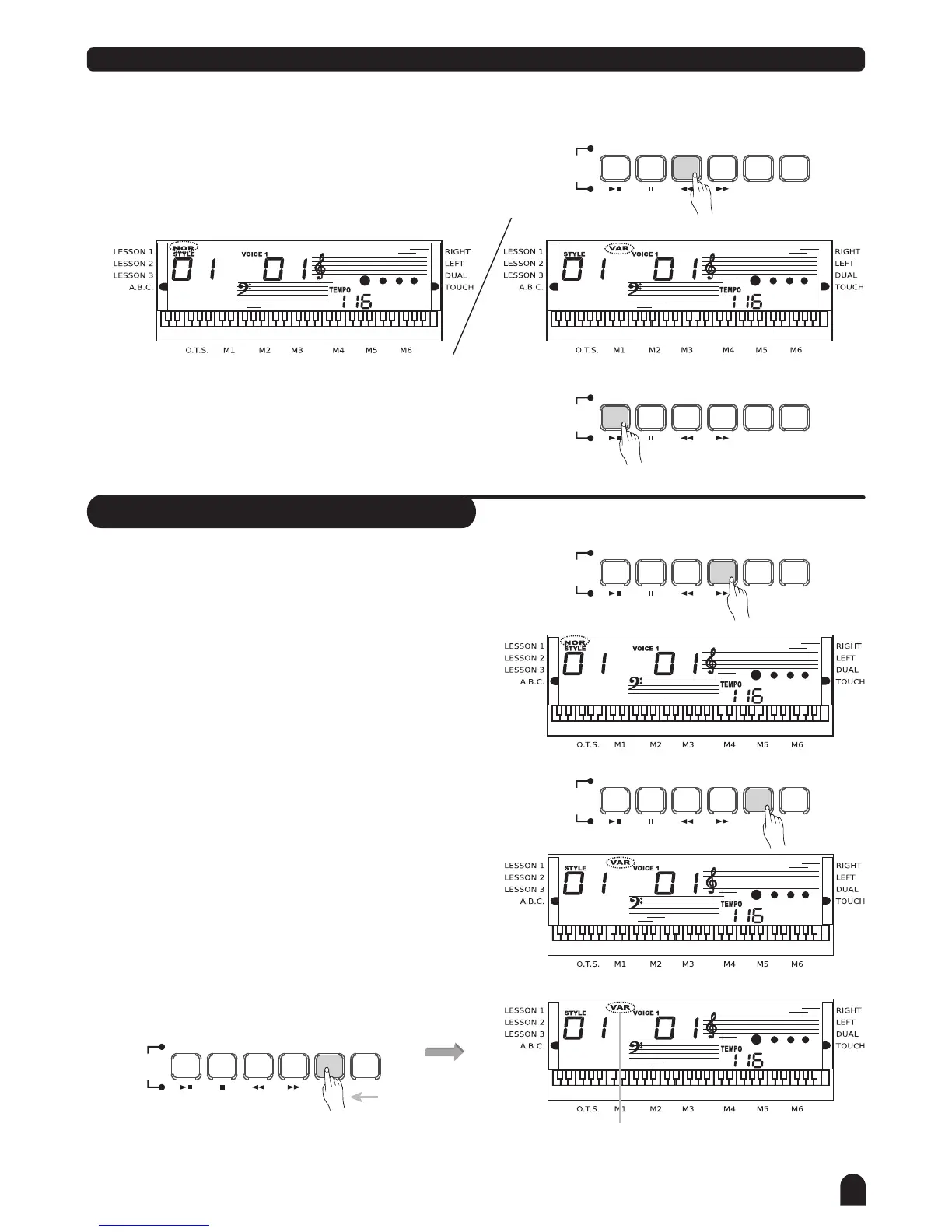
Press [INTRO/ENDING] button when the style is not
playing, NOR or VAR flag will flash on the LCD,
indicating the intro section is ready to play. Length of
the intro varies in different styles.
Press [START/STOP] button, then the style starts with
an intro section, followed by the main section.
Flashing until button
is released
Press and
hold down
Fill A/ Fill B
1.
2.
3.
Press [FILL A] button to insert 1 or 2 measure fill and
LCD flashes 'NOR'. After one measure is over, NORMAL
style will be returned.
Press [FILL B] button to insert 1 ot 2 measure fill and
LCD flashes 'VAR', After one measure is over, VIRIATION
style will be returned.
Press and hold down the [FILL A] or [FILL B] button,
when the style is playing, the fill section will be played
repeatedly.
SONG
SONG
SONG
SONG
SONG
STYLE
STYLE
STYLE
STYLE
STYLE
REPEAT A/B
REPEAT A/B
REPEAT A/B
REPEAT A/B
REPEAT A/B
START/STOP
START/STOP
START/STOP
START/STOP
START/STOP
SYNC
SYNC
SYNC
SYNC
SYNC
INTRO/ENDING
INTRO/ENDING
INTRO/ENDING
INTRO/ENDING
INTRO/ENDING
FILL A
FILL A
FILL A
FILL A
FILL A
FILL B
FILL B
FILL B
FILL B
FILL B
A.B.C.
A.B.C.
A.B.C.
A.B.C.
A.B.C.
17



 To Next Page