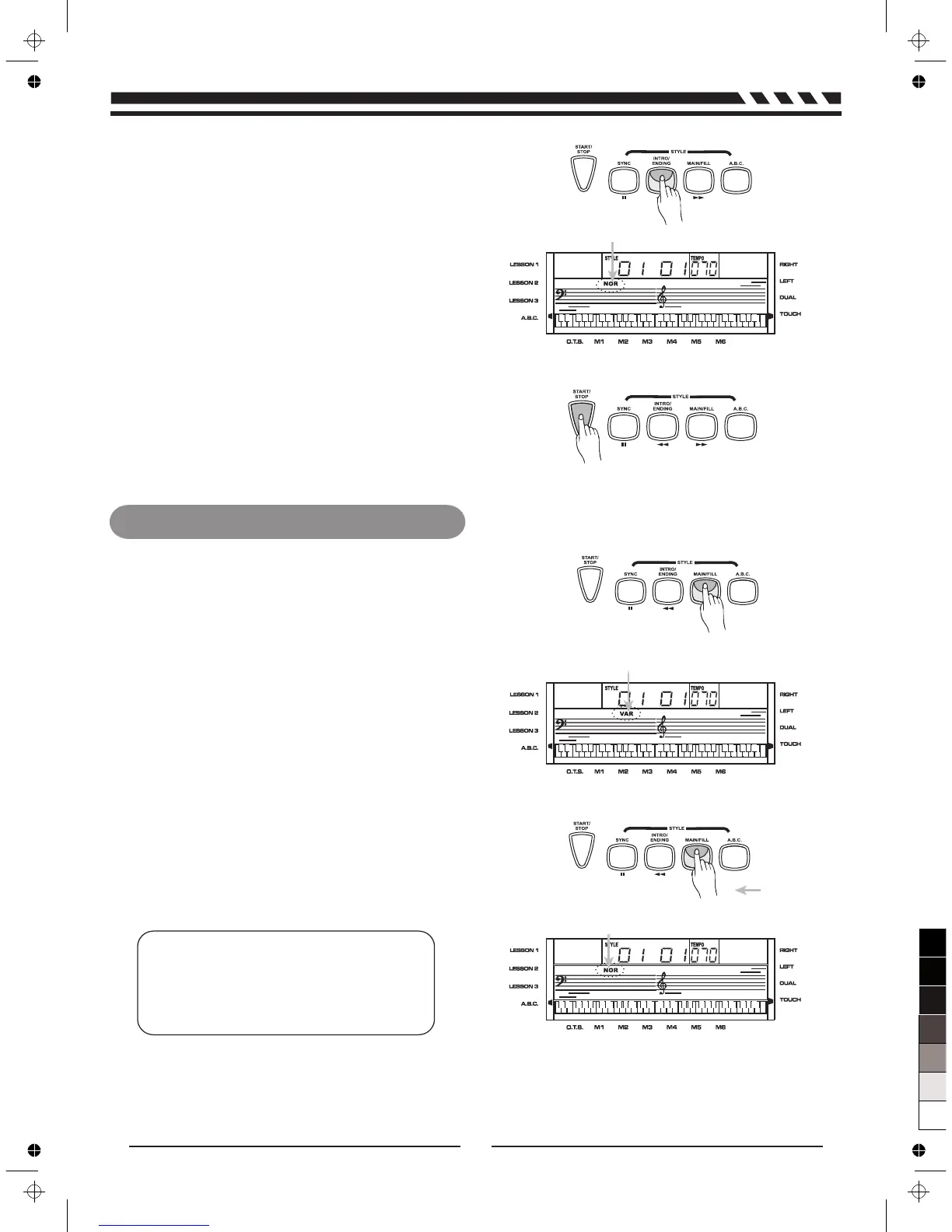
INTRO/ENDING:
4.
Flashing
Flashing
Flashing until button
is released
Press and
hold down
Main/Fill
1.
2.
3.
NOTE:
Press [MAIN/FILL] when the style stops, it will
be changed to the VAR or NOR; the VAR or
NOR flag on the LCD will be lightened.
13
Press [INTRO/ENDING] key when the style is not
playing, NOR or VAR flag will flash on LCD to
indicate the intro is ready. Press [START/STOP]
key, then the normal style will play after the intro
style.
Press [INTRO/ENDING] key when the style is playing,
style will be stopped after the ending.
In NORMAL mode, press [MAIN/FILL] button to
insert 1 measure fill and LCD flashes 'VAR'. After
one measure is over, NORMAL style will be
returned.
In VARIATION mode, press [MAIN/FILL] button to
insert 1 measure fill and LCD flashes 'NOR'. After
one measure is over, VIRIATION style will be
returned.
Press and hold down the [MAIN/FILL]button, when
the style is playing, the fill section will be played
repeatedly.



 To Next Page