Chord Recognize
There are 2 ways to detect a chord: "single finger detect" and "multi fingers
detect".
If the chord played is based on "multi fingers detect", it is recognized as the "multi fingers chord".
If not, "single finger chord" will be recognized.
NOTE:
Since the chord detection of A.B.C. is based on the
Chord Root priority, some chords that could be pla-
yed under the Chord Dictionary may not be recogn-
ised by A.B.C. though, eg. B6、bB6、B6(9)、bB6
(9)、Baug、bBaug、bBm6、Bm6、Adim7、
bBdim7、Bdim.
15
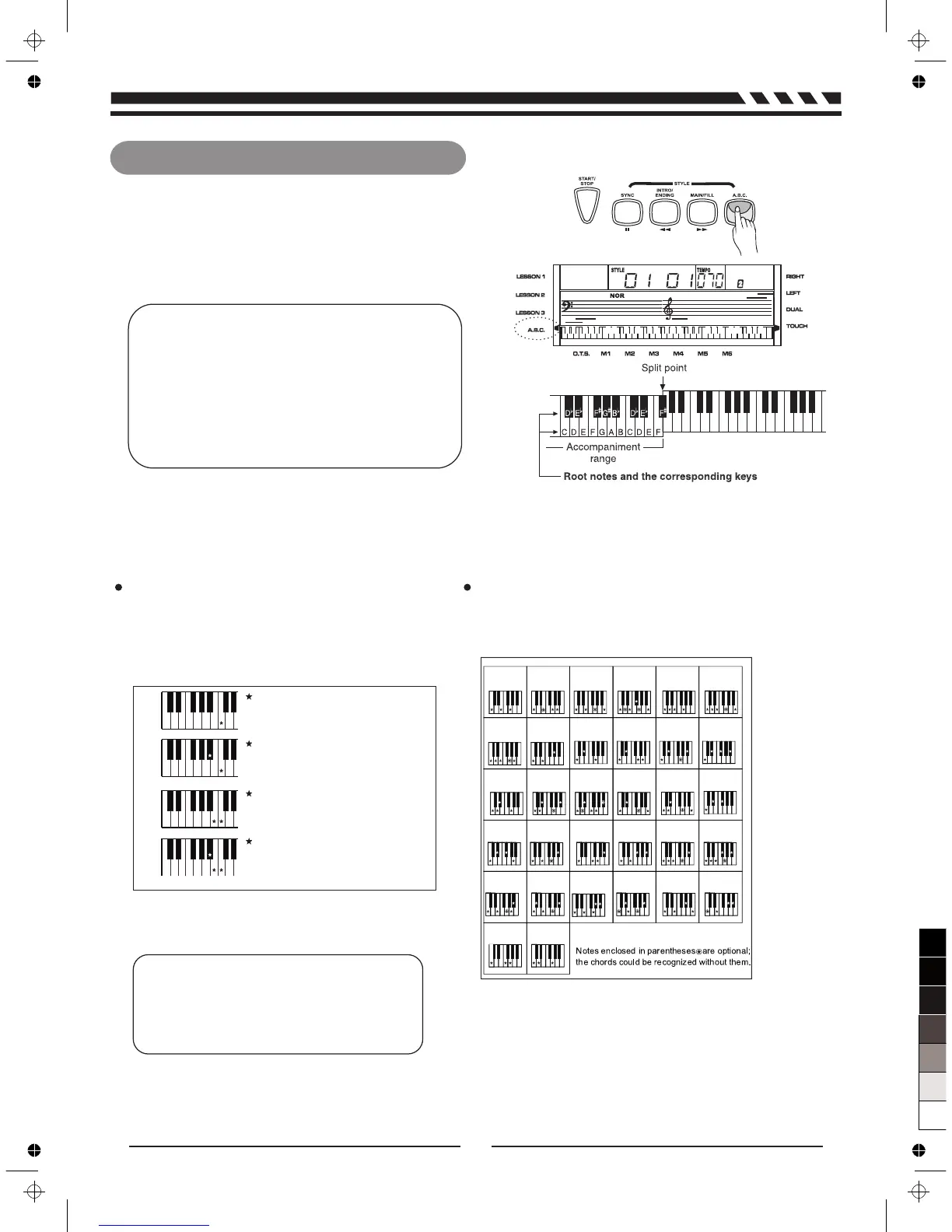
The default mode after power on is A.B.C off.
Press [A.B.C] key to turn on the auto bass chord,
the A.B.C flag on LCD is lightened. The left area of
keyboard is known as the chord area. When
playing the chord, both the bass and the chord
voice phonate.
Single Finger
Single finger type not only can detect single finger but
also can detect multi finger. And the single finger makes
it easily to play chords through only one, two or three
keys. Including major, minor, seventh, and minor seventh
chord. Refer to relevant picture on the right for details.
Multi Finger
Multi finger type only can recognize those chords
have listed in the chord list, and also can be found
in the dictionary function.
NOTE:
When A.B.C. is on, press the keys on the left
of the split point. The chord will be recognized
as single finger chords.
C
0
C
6
1 2
CM
7
CM
7
(#11)
3
CM(9)
4
5
CM
7
(9)
Caug
7
8
Cm
Cm
6
9
11
Cm
7
(b5)
6
C
6
(9)
Cm
7
10
13
Cm
7
(9)
14
Cm
7
(11)
15
CmM
7
16
CmM
7
(9)
17
Cdim
Cm(9)
12
18
Cdim
7
19
C
7
20
C
7sus4
21
C
7
(b5)
C
7
(9)
22
23
C
7
(#11)
7aug
C
2928
7aug
CM
27
C
7
(#9)
26
C
7
(b13)
25
C
7
(b9)
C
7
(13)
24
30
Csus
4
C1+2+5
31
Major Triad
Only press the root note on the
keyboard.
Minor Triad
Press the root note and the nearest
left black key simultaneously.
Seventh chord
Press the root note and the nearest
left white key simultaneously.
Minor seventh chord
Press the root note and the nearest
left white and black keys
simultaneously.
C
7
C
m7
C
m
C



 To Next Page