MVR/MVRPRO-UG01-EN-200727
<12>
MVR / MVR Pro User Guide - English
Important:
Remove remote’s battery protective tab or insert the battery before using.
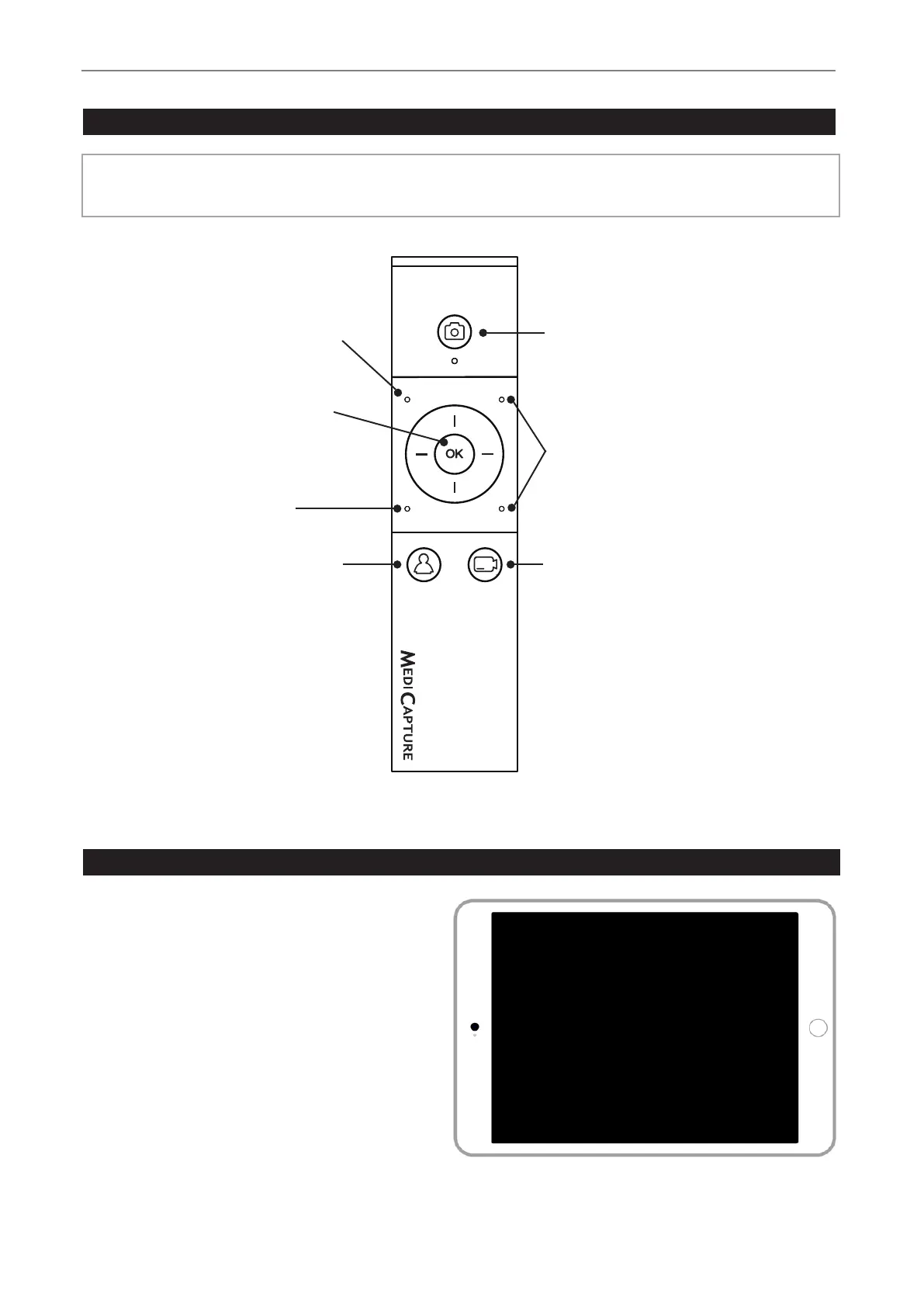
Remote Control
Navigation Wheel:
OK Button = Select Button.
OK 3 seconds = Video Pause
Esc button:
Closes the Review page.
New Patient button:
Press before each
recording session. Opens a
new folder / new study.
END OF STUDY:
Closes the recording study
for next steps.
Capture Photo button:
Records the image on the
monitor to the storage(s).
Page Up/Down button:
Accesses and closes the
MVR / MVR Pro Info Page.
Record Video button:
Records video clips of what is
being displayed on monitor.
Press once to start recording
and again to stop.
Input Selection button:
Toggle between Input 1 and
Input 2.
Remote control with a Remote Device (tablet) by using the MVR Remote App
Android remote devices (tablets) can be used for
external control of MVR / MVR Pro, either via USB
connection as an external touchscreen monitor (= USB
tethering) or wirelessly as a handhold portable device.
MediCapture recommends to use pre-installed and
tested MediCapture tablets.
Example: TBHI9PRO – MVR Remote Tablet
For further instructions about setup and use of a tablet
as a remote control, please contact MediCapture
to optain the additional document User Guide
Supplement, Tablet.


 To Next Page