MVR/MVRPRO-UG01-EN-200727
<19>
MVR / MVR Pro User Guide - English
Recording to Network Storage
Recording to network storage is the best option for long-term storage. Images and Videos are recorded in real-time and in standard
formats to this external mass-storage.
Please ask your IT-Administrator to setup the settings for network storage.
1. Create a physical LAN connection to your Network server by using the network connector on the rear of
MVR / MVR Pro. Alternatively you can setup a Wi-Fi connection to your Wi-Fi router.
➤ Settings ➤ Advanced ➤ Wi-Fi
2. For wired LAN connection: Choose IP settings Auto-IP setup or Manual IP setup.
➤ Settings ➤ Advanced ➤ Network
3. Properties for the Network storage server.
➤ Settings ➤ Advanced ➤ Network storage server
4. Storage settings for Network storage (activation and resolution limits).
➤ Settings ➤ Archive ➤ Storage
Reviewing Studies on MVR / MVR Pro
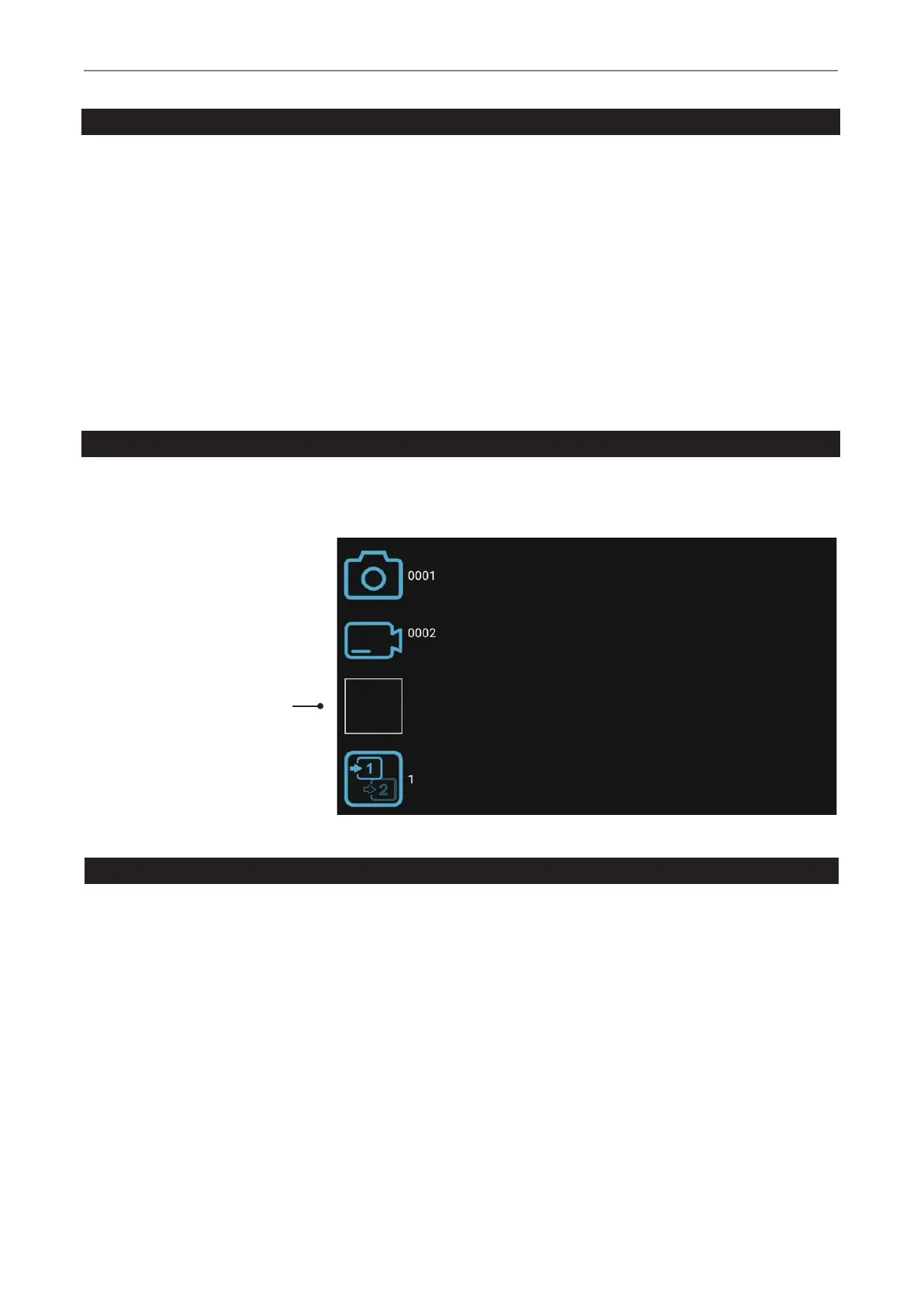
You can review your active study from the live recording screen. This is helpful to control your recordings before you nish this study.
Video recordings must be stopped before changing to Review.
Tab on the Review icon to enter Review. Closing the Review screen brings you back to your live recording screen.
Control Icon and
Review last study
Archive
The Archive offers intuitive features to browse your recorded studies. You can enter the Archive from the Start screen. Both enabled
options for Multi-Storage can be accessed in Archive. All enabled options need to be connected to MVR / MVR Pro.
Available features in Archive:
• Review images and playback videos
• Delete les
• Delete empty studies
• Take snapshots from paused videos. Paused videos can be moved frame by frame
• Delete video sections at the beginning and/or the end, cut video in multiple parts and store as new
combined video. (As of rmware version FW 191018)
• Edit images with annotations and store them as new image
• Magnify or crop images and store them as new image
• Copy complete studies, single images or single videos to USB
• Select images and print them on a report
• Send reports to a network printer or store them as PDF le


 To Next Page