MVR/MVRPRO-UG01-EN-200727
<25>
MVR / MVR Pro User Guide - English
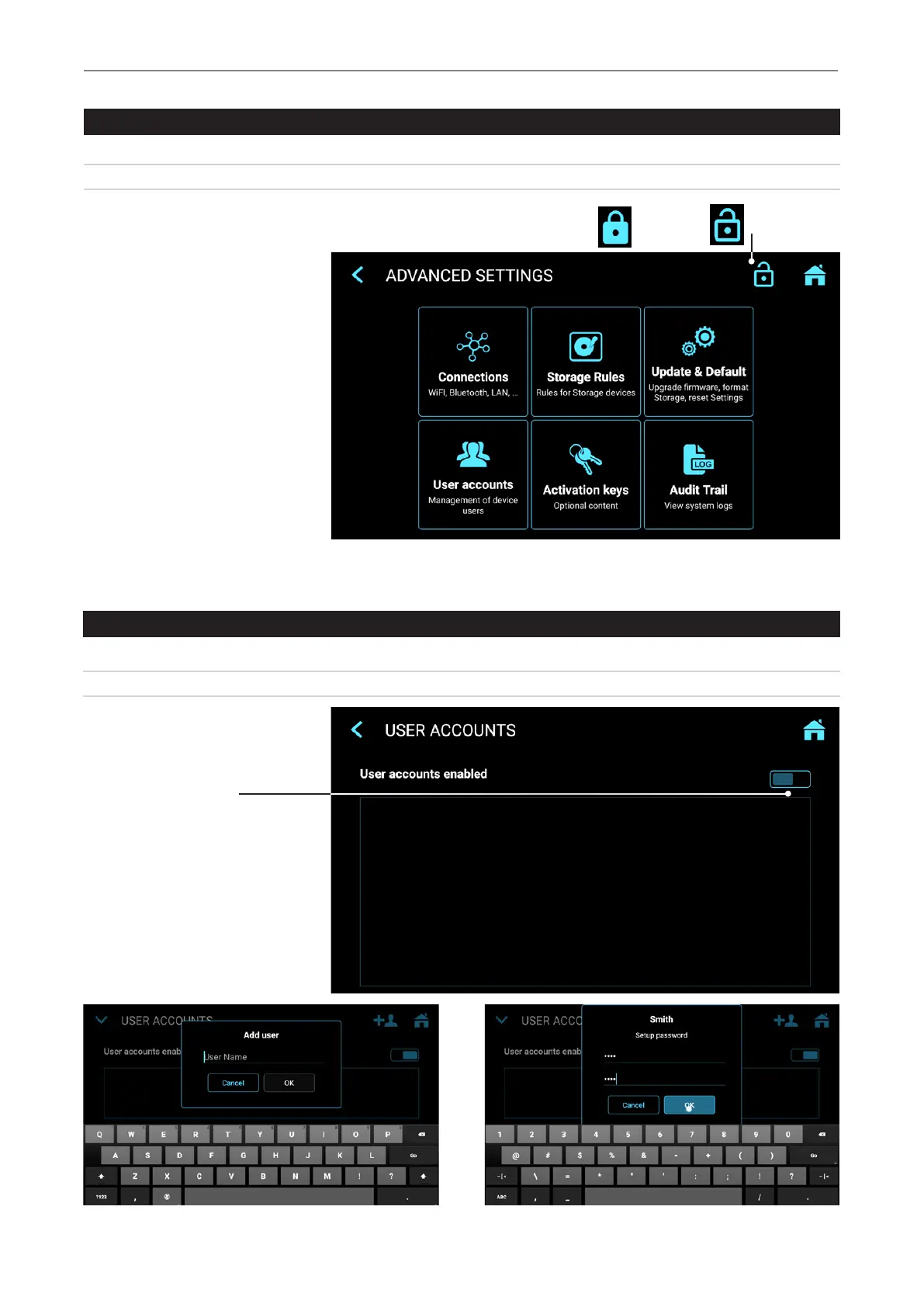
Locking / Protecting Advanced Settings
➤ Settings ➤ Advanced
We recommend administrators to lock the section Advanced Settings with a password.
Locked Open
User Accounts for Security Protection
➤ Settings ➤ Advanced ➤ User Accounts
For advanced device protection and data security of recorded studies, MVR / MVR Pro can be locked with User accounts.
Enable user accounts
and add users
Password for User Account
User Name
Advantages are:
• No user has access to
Advanced Settings
• The administrator can use
the User Login screen (see
next section) by using his
password for Advanced
Settings (no User Name,
only Password). This opens
the protected screen for
Advanced Settings. It will be
possible to deactivate the
User accounts – in case the
User account information
were lost.


 To Next Page