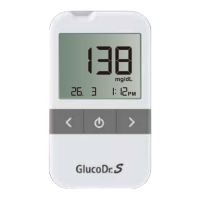
GlucoDr Plus
TM
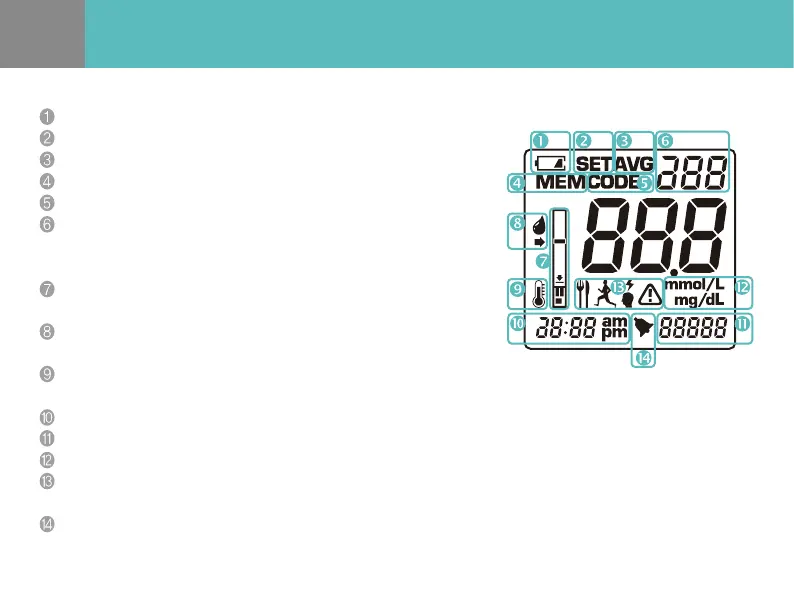
Meter LCD Display
Battery life.
SET MODE.
AVERAGE MODE.
MEMORY MODE.
CODE MODE.
MEMORY and CODE NUMBER.
The meter displays the current memory order number in the MEMORY MODE.
The meter displays the current code number in the CODE MODE.
STRIP ICON.
When the STRIP ICON blinks, insert a test strip to the meter.
BLOOD DROP ICON.
When the BLOOD DROP ICON blinks, apply blood sample.
TEMPERATURE ICON.
When the meter is not used at a recommended temperature range, "Er1" and TEMPERATURE ICON appear.
CURRENT TIME and TEST TIME in the MEMORY MODE.
CURRENT DATE and TEST DATE in the MEMORY MODE.
UNIT OF MESUREMENT.
EVENT ICON.
If you choose an event icon which correlates to test results, it helps to manage glucose level more eectively.
ALARM.
You c an s et up to fou r di erent ala rms. Eac h a lar m r ing s for 10 se conds.


 To Next Page