21
Entering the EVENT RECORD MODE
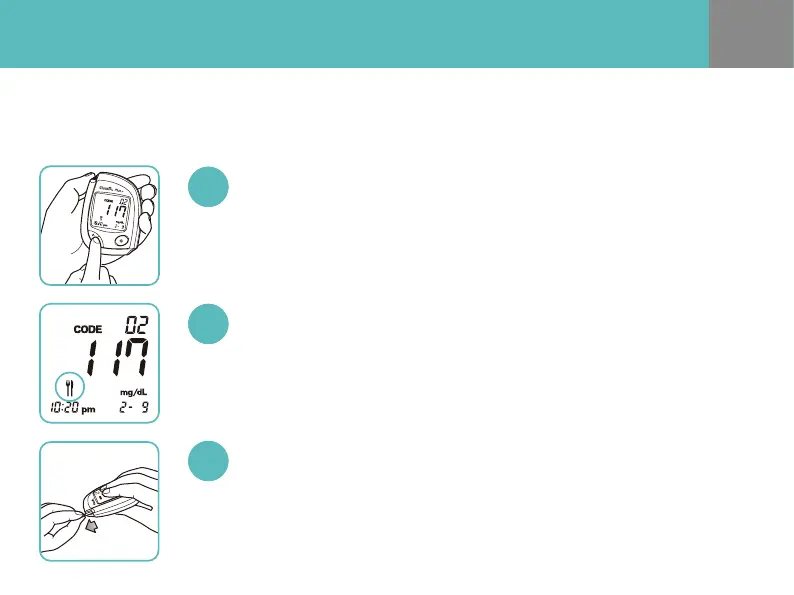
Press UP/DOWN button after the test. Once the test result appears on the meter
display, press any of UP/DOWN button to enter the EVENT RECORD MODE.
Press UP/DOWN Button After the Test
There are 4 dierent EVENT ICONs: Meal, Exercise, Stress and Attention.
Press UP/DOWN button to select an icon which correlates with the test result.
Select the EVENT ICON
After the selection of an EVENT ICON, remove the used test strip.
After discharging the used test strip, the test result with the EVENT ICON will be
saved in the meter memory automatically.
Remove the Test Strip
For eective diabetes management, stored test results with your condition will help
you and your healthcare professional to track changes in your blood glucose level.


 To Next Page