Recalling the Previous Test Results
The GlucoDr Plus Meter has a memory capacity to store up to 250 most recent test results
with date, time and event. It also provides you averages of your blood glucose test results
over a period of time (1~28d). You can review the test results stored in the memory by the
following steps.
To enter the MEMORY MODE, press UP/DOWN button with the meter
turned on.
Press UP/DOWN Button
You can select the number of days for the average (1~28d) in the
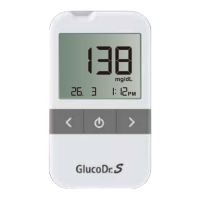
SET MODE. “7d” shown in the left side indicates that the value 96 is a
calculated average for the past 7 days.
Indicate the Average Value
If there is no test result, the meter will not display anything and UP/DOWN
button will not operate.
When the whole test results' average is calculated, individual event records are
not considered. The GlucoDr Plus Blood Glucose Monitoring System will use
900 mg/dL (50 mmol/L) for “HI” results, and 20 mg/dL (1.1 mmol/L) for “Lo” results.


 To Next Page