GlucoDr Plus
TM
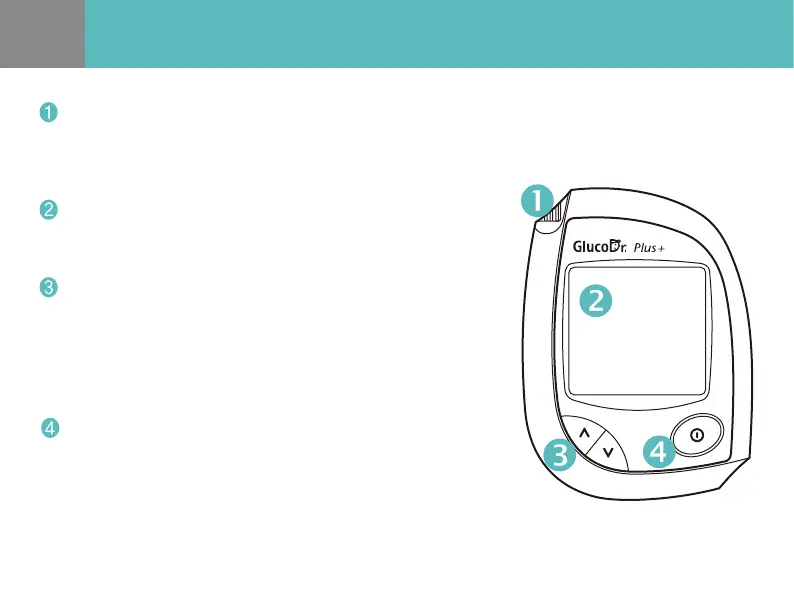
Meter
- Insert the GlucoDr Plus Test Strip for testing. Then the meter
turns on and displays the code number automatically.
Test Port
LCD Display
UP/DOWN Button
- Change the code number in the CODE MODE.
- Recall the stored test result in the MEMORY MODE.
- Select an event in the EVENT RECORD MODE.
- Change the date and time in the SET MODE.
- Test results, icons, symbols and simple messages appear here.
Power Button
- Turn the meter on/o.
- Enter into dierent MODEs while pressing the power button.
(1 second : CODE MODE, 3 seconds : SET MODE)
- Delete all the stored test results in the MEMORY MODE.


 To Next Page