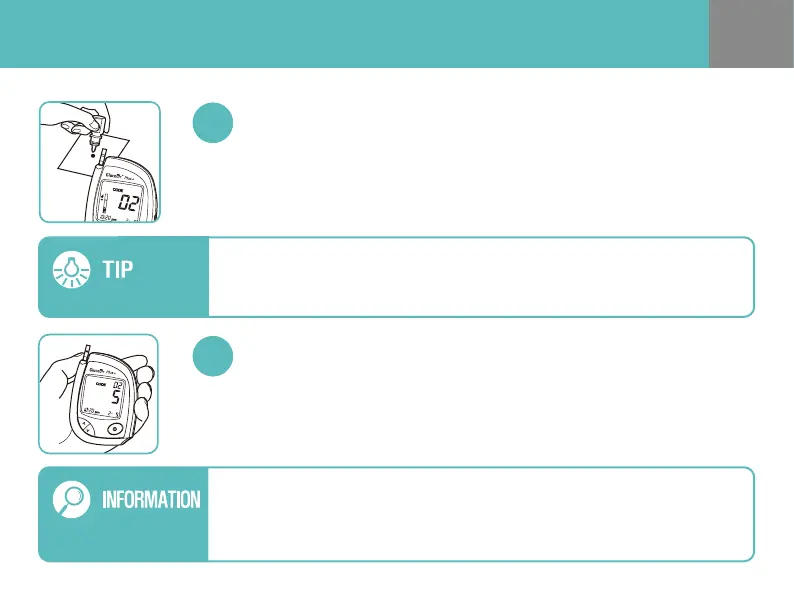
Shake the control solution vial well. Prepare a drop of the control solution on a
clean plate. Slowly let the side edge of the yellow window of the test strip
touch the drop of the control solution following the nger symbol. Once the
conrmation window lls completely, your meter will begin the countdown.
Apply Control Solution
Your meter will display countdown from “5” to “1”, then the test result will
appear.
Test Result Appears in 5 seconds
To ensure accurate test results
- Gently shake the control solution (vial) to ensure the control solution is mixed
well before each test.
- Squeeze the vial to discard the rst drop before the test.
Do not remove the test strip from your meter before you select the ATTENTION
ICON in the EVENT RECORD MODE. If you remove the test strip before making
the selection, you cannot save the test result marked as the control solution test.
See page 21-22 for more details.


 To Next Page