Severity:
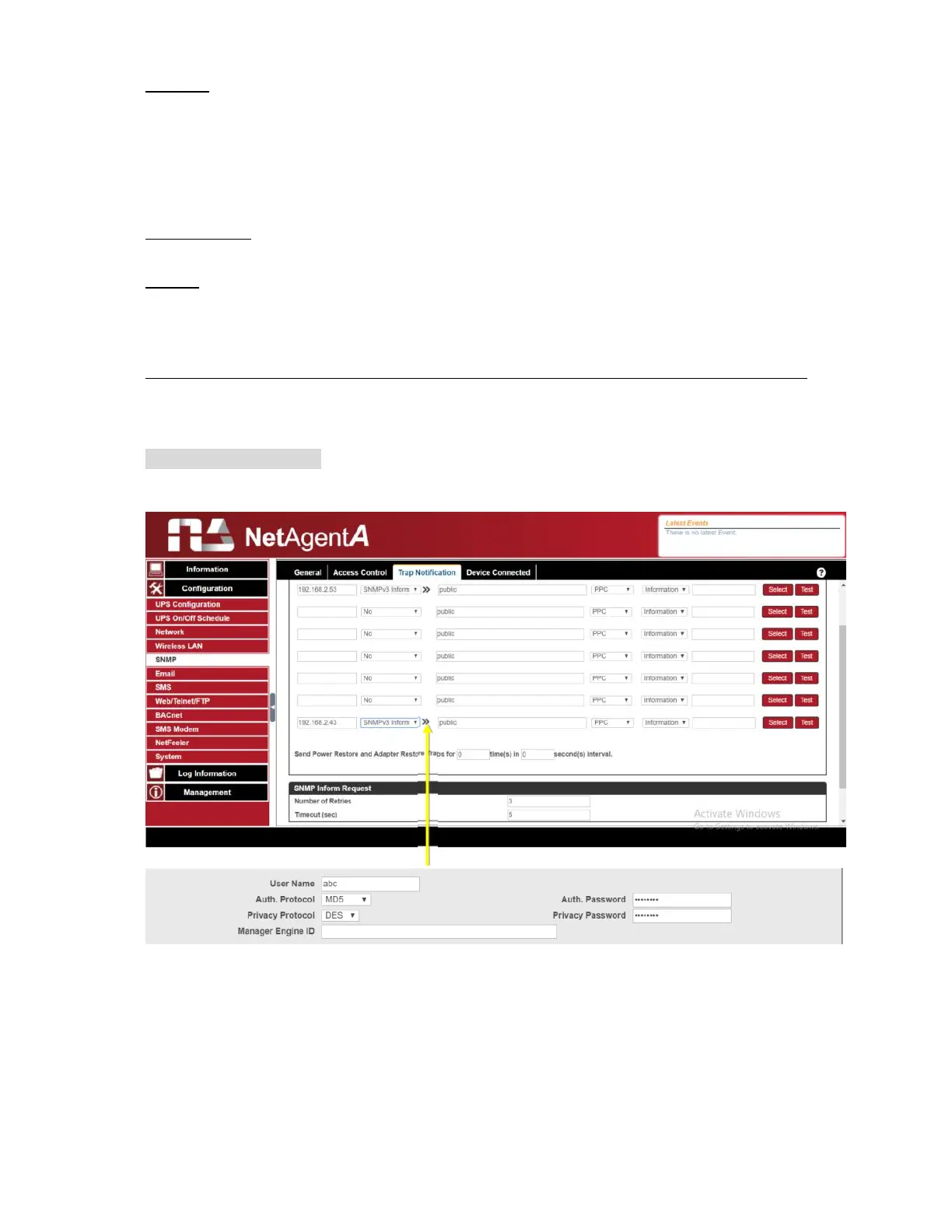
This section is to set Trap level for each receiver. There are three levels as below
Information: To receive all traps.
Warning: To receive only “warning” and “severe” traps.
Severe: To receive only “severe” traps.
( Please refer to NMS manual for Trap levels.)
Description
:
This is to make note for administrator’s reference
Events:
This is to select events for NetAgentA to send traps. Click on Select to show the full Events
List. Click on Test to send test trap to ensure all setting is correct
Send Power Restore and Adaptor Restore Traps for X time(s) in X second(s) Interval.
This is to set number of trap to send in preset second when power restore on NetAgentA.
This is to check if the communication between trap receiver and NetAgentA remains well
or not after power recovers
SNMP Inform Request
This is to set the number of times that the NetAgentA can request a response from the
sending Inform host with a preset value. (Default is 3 times and an interval of 5 seconds)



 To Next Page