EasyManua.ls Logo

Megger MIT1020/2 - User Manual

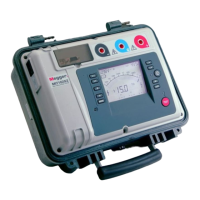
Megger MIT1020/2
26 pages
Print Icon
To Next Page IconTo Next Page
Loading...
(217) 352-9330 | sales@artisantg.com | artisantg.com
-~
ARTISAN
®
~I
TECHNOLOGY
GROUP
Your
definitive source
for
quality
pre-owned
equipment.
Artisan Technology
Group
Full-service,
independent
repair
center
with
experienced
engineers
and
technicians
on staff.
We
buy
your
excess,
underutilized,
and
idle
equipment
along
with
credit
for
buybacks
and
trade-ins
.
Custom
engineering
so
your
equipment
works
exactly as
you
specify.
Critical
and
expedited
services
Leasing
/
Rentals/
Demos
In
stock/
Ready-to-ship
!TAR-certified
secure
asset
solutions
Expert
team
I
Trust
guarantee
I
100%
satisfaction
All
tr
ademarks,
br
a
nd
names, a
nd
br
a
nd
s a
pp
earing here
in
are
th
e property of
th
e
ir
r
es
pecti
ve
ow
ner
s.
Find the Megger MIT1020/2 at our website: Click HERE
Question and Answer IconNeed help?

Do you have a question about the Megger MIT1020/2 and is the answer not in the manual?

Summary

Safety Information and User Responsibility

General Safety Warnings

Essential safety precautions to observe during the use of the insulation tester.

User Competency and Risk Assessment

Instrument must only be used by trained persons; employers must conduct risk assessments.

Introduction and Setup

Instrument Overview and Features

General description, key features, and cleaning instructions for the insulation tester.

Power Lead and Battery Charging

Details on power lead connections and procedures for battery charging.

Instrument Controls

Front Panel Control Layout

Diagram and labels for instrument controls and indicators on the front panel.

Button Functions

Power On;Off and Test Start;Stop

Operation of the power button and the test start/stop button for initiating and ending tests.

Test Voltage and Ω;I Button

Using buttons to select test voltages and toggle between resistance/current displays.

Display and Data Management

Display Toggling and Indicators

Explanation of display toggling and various indicators on the screen.

Data Recording and Downloading

Procedures for recording, downloading, and deleting test results.

Advanced Controls and Connectivity

Mode, Fn, and Timer Button Operations

How to select test modes, use the Fn button, and set timers.

PC Connectivity and Data Output

Recording to PC, RS232/USB connection, and data output methods.

Test Modes and Measurements

Test Mode Summary

Overview of Insulation Resistance (IR), PI, SV, DD tests, and detection methods.

High Resistance Measurement Techniques

Precautions and methods for accurate measurements above 100 GΩ.

Specifications and Accessories

Technical Specifications

Detailed electrical, measurement, timer, and interface specifications.

Included and Optional Accessories

List of accessories supplied with the instrument and available optional items.

Service and Support

Repair, Warranty, and Calibration

Procedures for returning products for service, warranty, and calibration.

Battery Replacement and Disposal

Instructions for battery replacement and end-of-life disposal of the instrument.

Summary

Safety Information and User Responsibility

General Safety Warnings

Essential safety precautions to observe during the use of the insulation tester.

User Competency and Risk Assessment

Instrument must only be used by trained persons; employers must conduct risk assessments.

Introduction and Setup

Instrument Overview and Features

General description, key features, and cleaning instructions for the insulation tester.

Power Lead and Battery Charging

Details on power lead connections and procedures for battery charging.

Instrument Controls

Front Panel Control Layout

Diagram and labels for instrument controls and indicators on the front panel.

Button Functions

Power On;Off and Test Start;Stop

Operation of the power button and the test start/stop button for initiating and ending tests.

Test Voltage and Ω;I Button

Using buttons to select test voltages and toggle between resistance/current displays.

Display and Data Management

Display Toggling and Indicators

Explanation of display toggling and various indicators on the screen.

Data Recording and Downloading

Procedures for recording, downloading, and deleting test results.

Advanced Controls and Connectivity

Mode, Fn, and Timer Button Operations

How to select test modes, use the Fn button, and set timers.

PC Connectivity and Data Output

Recording to PC, RS232/USB connection, and data output methods.

Test Modes and Measurements

Test Mode Summary

Overview of Insulation Resistance (IR), PI, SV, DD tests, and detection methods.

High Resistance Measurement Techniques

Precautions and methods for accurate measurements above 100 GΩ.

Specifications and Accessories

Technical Specifications

Detailed electrical, measurement, timer, and interface specifications.

Included and Optional Accessories

List of accessories supplied with the instrument and available optional items.

Service and Support

Repair, Warranty, and Calibration

Procedures for returning products for service, warranty, and calibration.

Battery Replacement and Disposal

Instructions for battery replacement and end-of-life disposal of the instrument.

Megger MIT1020/2 Specifications

General IconGeneral
BrandMegger
ModelMIT1020/2
CategoryTest Equipment
LanguageEnglish

Related product manuals