1 - 20 VM600 MPS quick start manual MAMPS-QS/E
Edition 2 - October 2018
Handling cards
INSTALLATION
1.5 Handling cards
1.5.1 Card locations
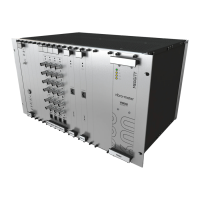
The VM600 MPS rack (ABE04x) is a modular system with 21 card (VME) slots, designated
slot 0 to slot 20 (from left to right, as seen from the front). See Figure 1-4.
The front and rear card cages of the rack are partitioned by a backplane. Each side of the
back plane is equipped with connectors allowing modules and cards to be quickly and easily
installed.
The following elements are connected to the backplane by installing them from the front of
the rack:
• AMC8 analog monitoring card
• CPUM modular CPU card
• MPC4 machinery protection card
• RPS6U mains power supply unit
The following elements are connected to the backplane by installing them from the rear of the
rack:
• IOC4T input/output card, for use with the corresponding MPC4
• IOC8T input/output card, for use with the corresponding AMC8
• IOCN input/output card, for use with the corresponding CPUM
• IRC4 intelligent relay card
• RLC16 relay card.
If the ABE04x rack is intended for use as a condition monitoring system (CMS) as well as an
machinery protection system (MPS), it can contain additional hardware:
• XMx16/XIO16T extended monitoring card pairs.
NOTE: Further information on the condition monitoring system hardware can be found in
the VM600 condition monitoring system (CMS) hardware manual.
Operating personnel should remember to observe the handling
precautions mentioned in Handling precautions for electrostatic sensitive
devices on page x when handling cards.
Failure to do this may result in cards becoming damaged by electrostatic
discharges.
Before inserting a card in a rack, visually check that none of the connector
pins are bent.


 To Next Page
 Loading...