EasyManua.ls Logo

MEI BNR4-21 - Basic Troubleshooting

Default Icon
62 pages
Print Icon
To Next Page IconTo Next Page
To Previous Page IconTo Previous Page
Loading...
30
© 2009-2017 CPI. All rights reserved
BNR&BNA6 USER GUIDE
Information subject to change without
prior notice
67061 5 044 G6
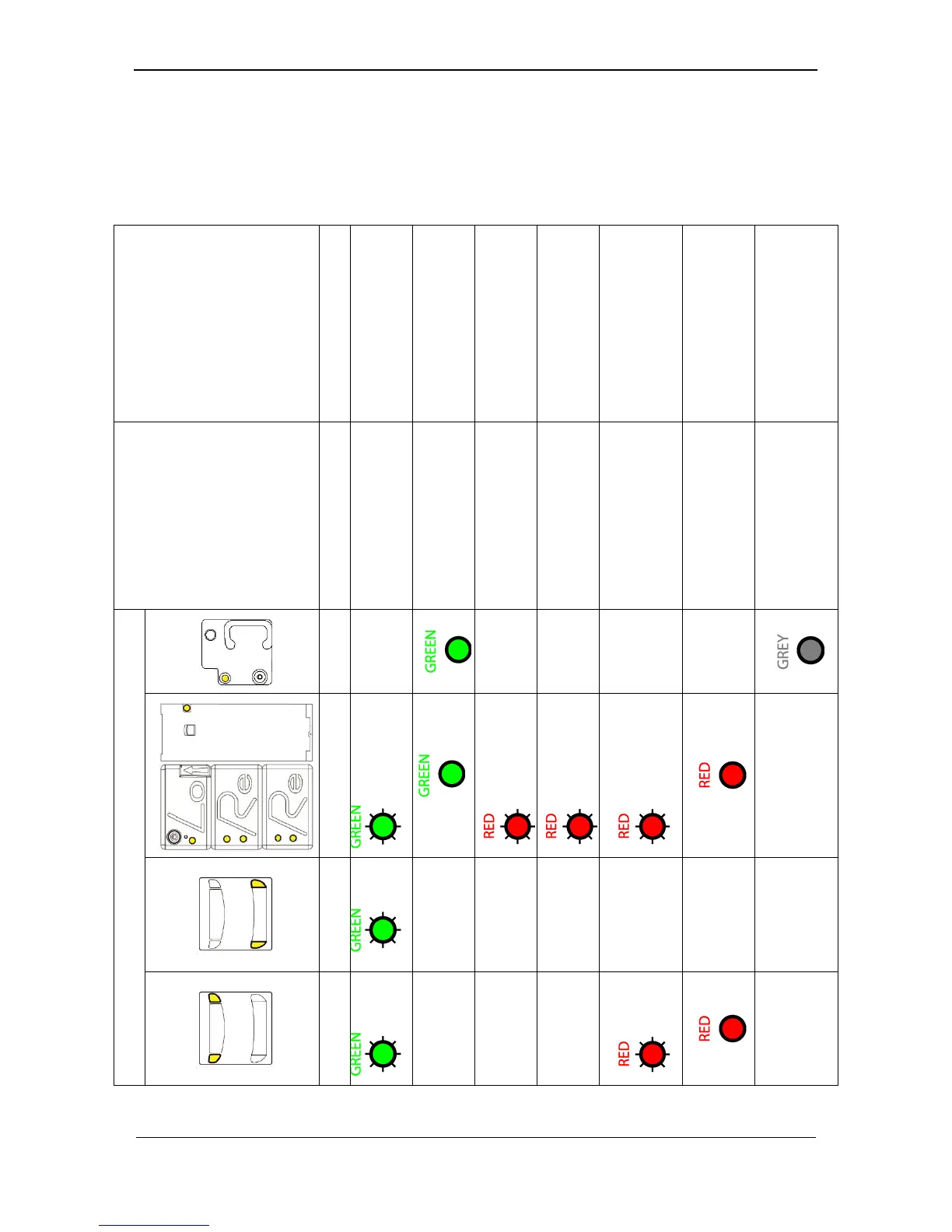
3. BASIC TROUBLESHOOTING
The basic troubleshooting is made by observing the several indicators of the
BNR/BNA6’s modules. This troubleshooting is valid for the Firmware version 1.0.0.
You need to
Take no action
After Switch-on, have
the BNR to “Reset”
Take no action
(CB ready to insert)
Fill the Loader
Cassette with
banknotes
Configure the Module
Clear the Jam, refer to
“EASY JAM
CLEARING” or refer to
the Service Manual
Require a “Reset”
command
Empty the CB,
rearmed it, refer to
“CASH-BOX
HANDLING”
System / Module
Status
Locked
Reset required
Operational
Bill Storage not OK
(Loader only)
Cash type Status not
OK (Re, Lo)
Remove Bill in
Transport (jam,
stopped, bill error)
Not Operational
(wrong module, OOS,
transport error)
Cash-Box full or not
rearmed
External Indicator FW version 1.0.0
-
-
-
-
-
-
Off
x1
x1 Long
(1 sec.)
x3 Fast
continually
x3 Fast
-
Off
x1
Off
Off
Off
Off
Off
-
Off
x1
Off
Off
Off
x3
Fast
-

Related product manuals